EasyManua.ls Logo

mru NOVAplus - Firmware Update Procedure

mru NOVAplus
95 pages
Print Icon
To Next Page IconTo Next Page
To Previous Page IconTo Previous Page
Loading...
USER MANUAL NOVAplus
MRU GmbH, D-74172 Neckarsulm 90 / 95
11.8. Firmware update
NOTE
During the Firmware update the LED of the ON-OFF
switch (Base unit) is flashing and the Bluetooth connec-
tion symbol changes the colour from blue to yellow.
Don’t press during the update any key and remove the
SD card first after a restart of the base unit from the
device!
Switch OFF the device.
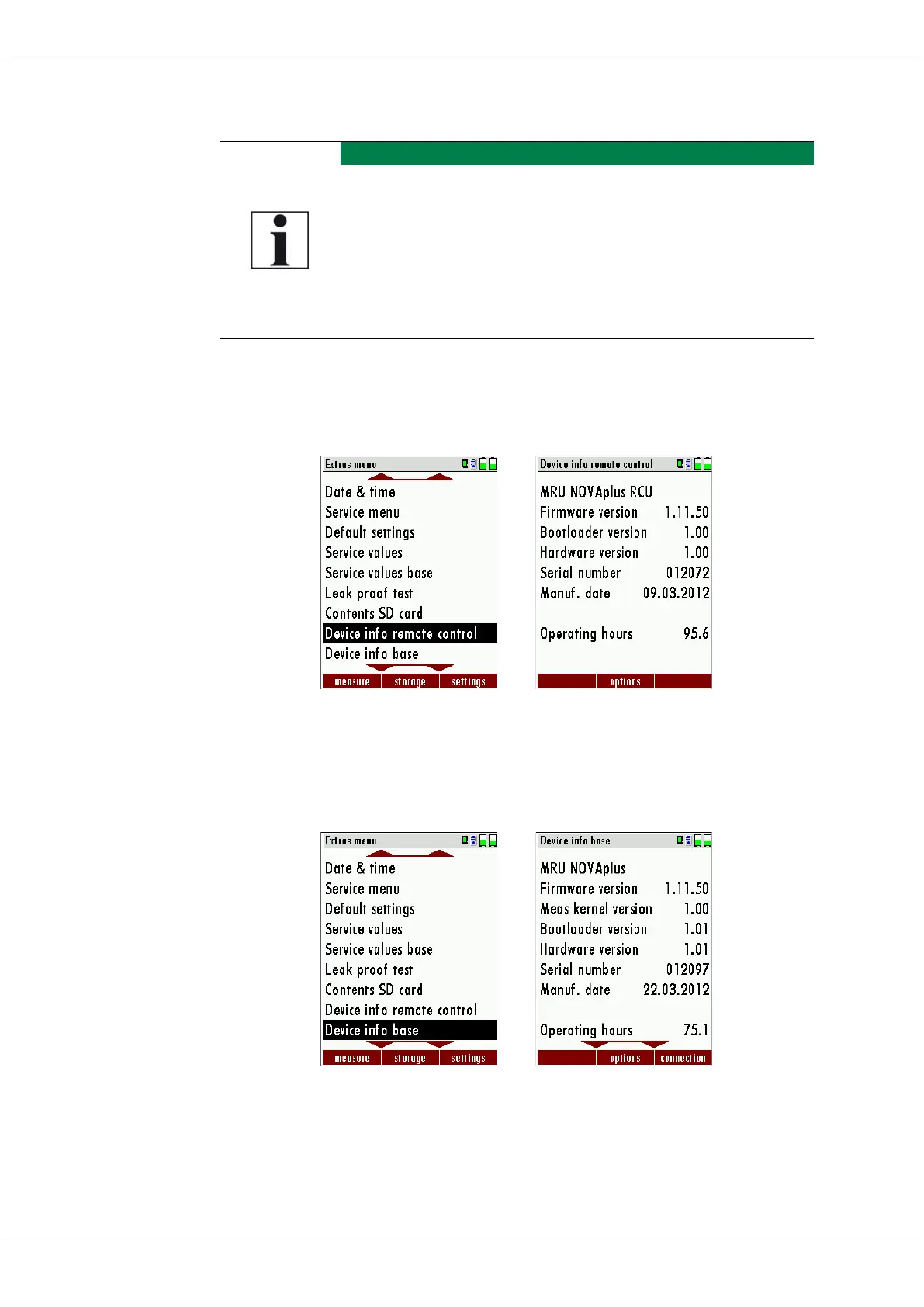
Select F3 settings/Device info remote control
OK
The first line shows e.g.: Firmware-Version 1.11.50
Following select Device info base
OK
For the case that there should be problems by the update we need
some information of you.

Table of Contents

Related product manuals