USER MANUAL NOVAplus
MRU GmbH, D-74172 Neckarsulm 68 / 95
Transferring measurements to SD-Card (Option)
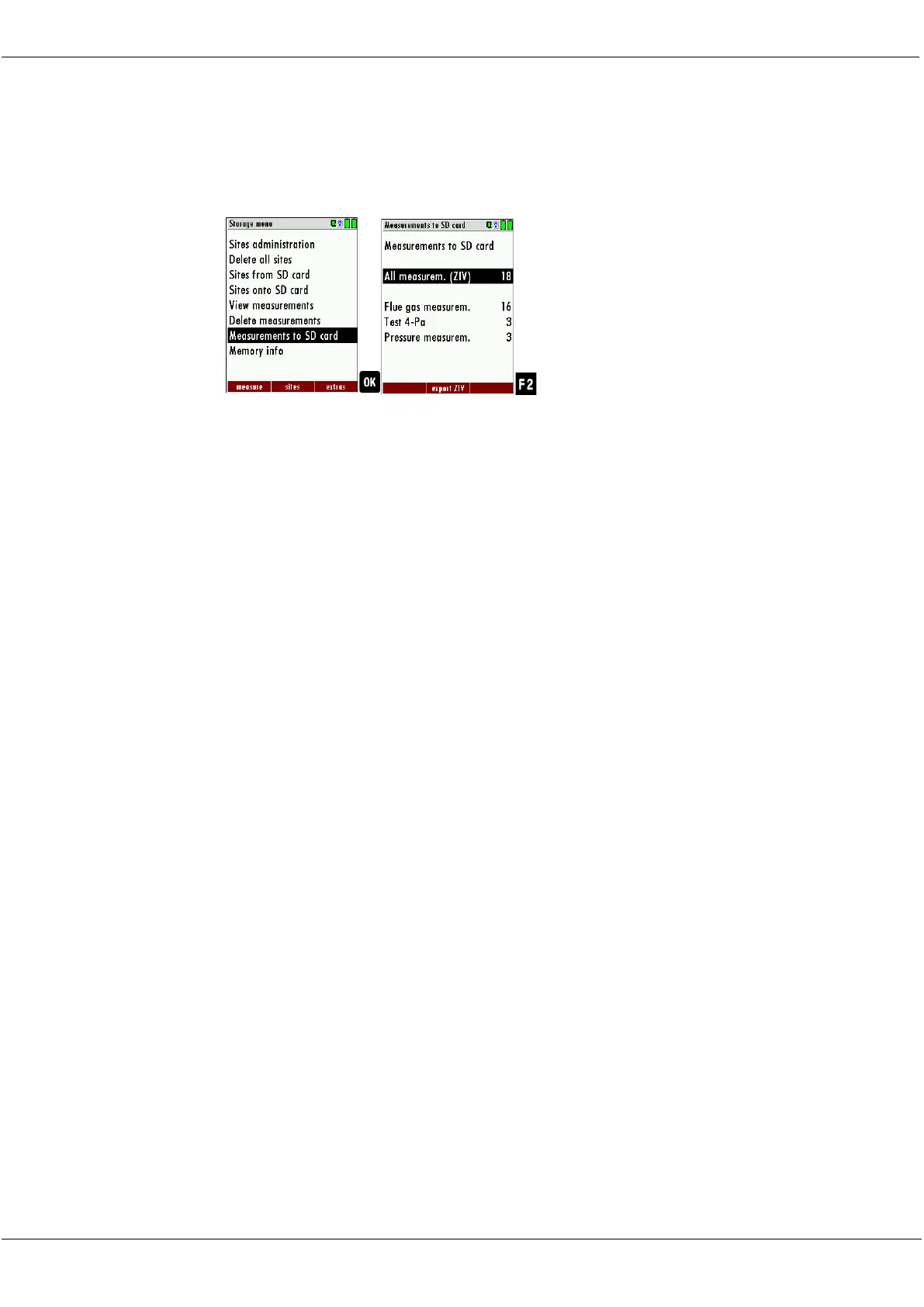
The analyzer offers the possibility to export all stored measurements to
a SD card
► Go to the Storage menu.
► Select Measurements to SD card.
► Press OK.
► Select the desired measurement type.
► Press F2.
The selected measurement type is transferred to the SD card.
By confirming with the F2 key the data transmission / export on the SD
card is started.
During the data export the display reads „please wait”. A write error to
SD card is reported by the instrument. Make sure that the SD card is not
write protected.
The data are stored as a csv-file (e.g., EMI01032.csv) on the SD card. The
filename exists of a sequential number which fixes the device.
This file is editable on your Notebook/PC with a program like e.g. Mi-
crosoft® EXCEL or OpenOffice® Calc.
With possible problems with the using of your computer programs
please read your software documentations or ask your software dealer.
8.5. Data transfer to the PC (Sweeping district management pro-
grams)
What is necessary for a data transfer to a sweeping district manage-
ment program?
The data memory can be transferred to a PC via USB. The MRU-ZIV module
is required for this.
Which requirements are necessary on the PC?
The Analyzer must be registered on the PC as a HID conform device.
What does the MRU-ZIV module?
The MRU-ZIV module is only used for data exchange. Via the USB cable the
stored measurements can be read in the analyzer. It is also possible to
transfer site data (site no., address, etc.) to the analyzer. The ZIV module



 To Next Page