USER MANUAL NOVAplus
MRU GmbH, D-74172 Neckarsulm 30 / 95
5 First usage
After the analyzer has been inspected and is ready for start-up it can be
switched on and personalized settings can be entered. These settings
can be changed at any time.
5.1. Preparatory steps
► Unpack the analyzer.
► Read the User Manual completely.
► The analyzer leaves the factory assembled and ready for use.
Nevertheless, check the device for completeness and integrity.
► Charge the battery of the analyzer for about 8 hours.
► Check date and time. Modify it needed.
5.2. Analyzer settings
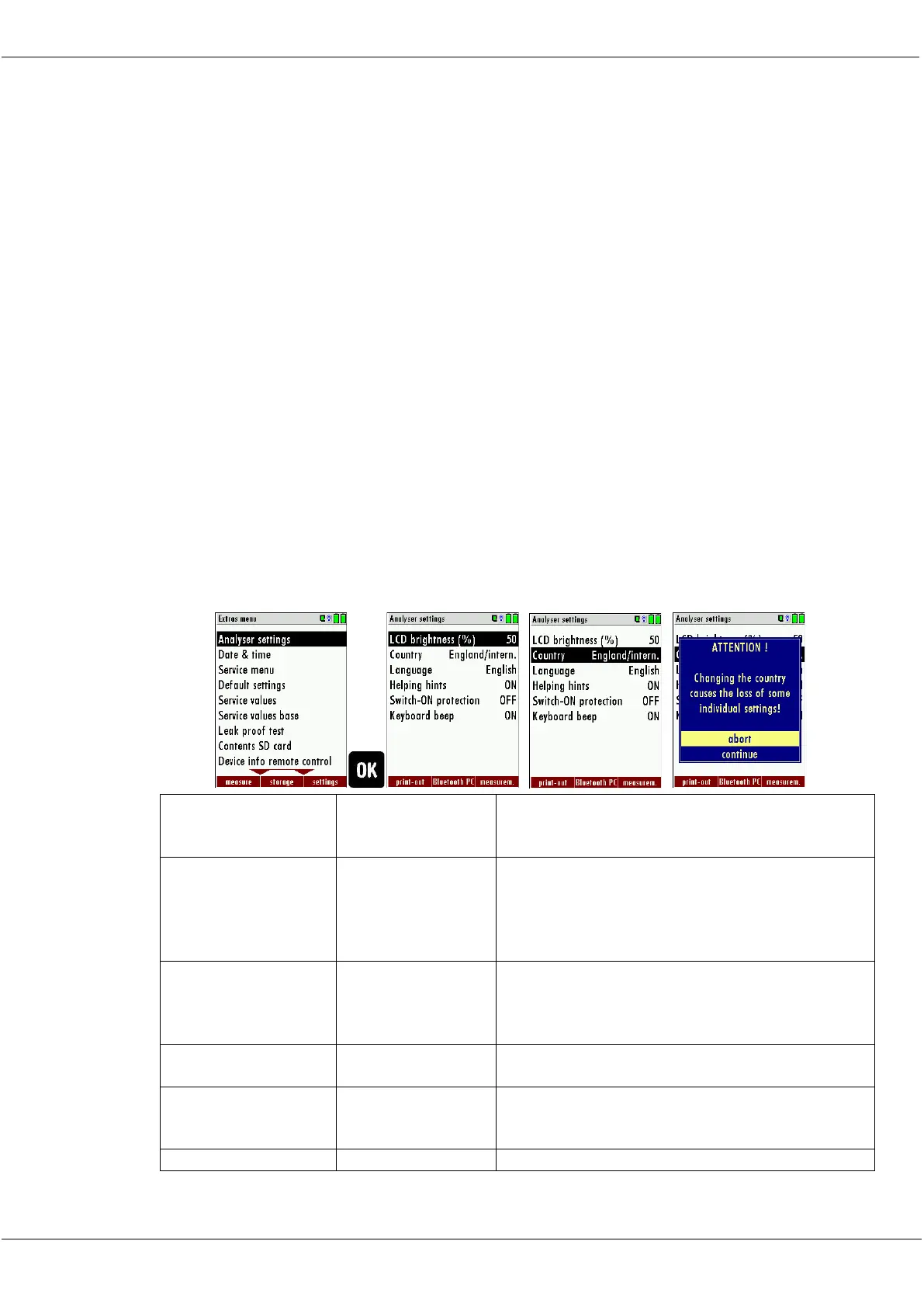
The “Settings” menu allows configuring some instrument specific pa-
rameters.
In the main menu “EXTRAS“ = “F3 key” - scroll down to “Settings“ then
press the “OK“ key. By selecting a line the parameter value can be
changed by the arrow keys.
Display-brightness, depending on the personal
judgement of the user, at 20°C a value of ca. 50% is
normal
Enables some country specific parameters like fuel
types, calculated values etc.
If activated and if ON key is pressed (possibly inad-
vertently), then the message „3 seconds OK key press
“ displays



 To Next Page