USER MANUAL NOVAplus
MRU GmbH, D-74172 Neckarsulm 76 / 95
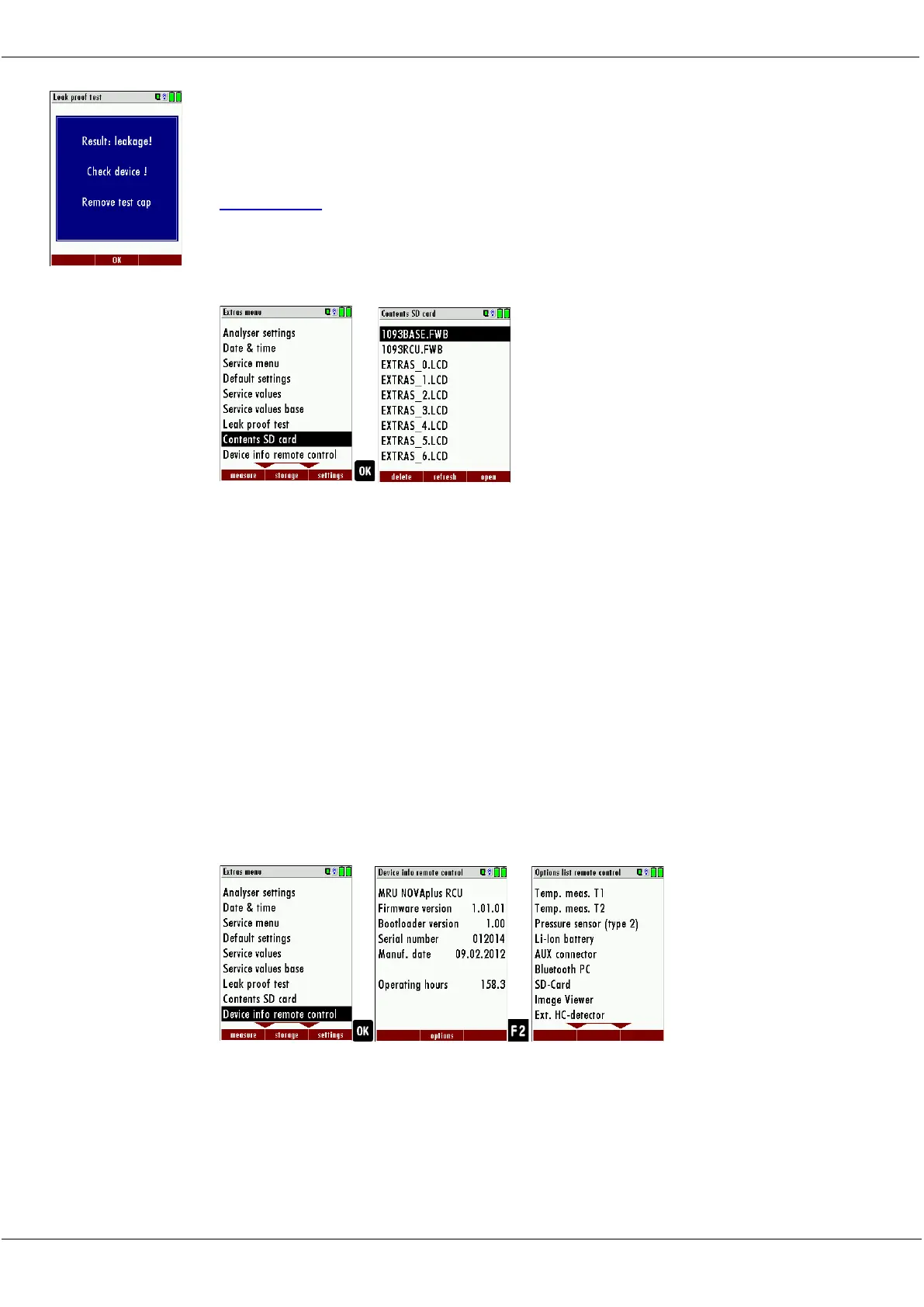
If of the leak proof test is not passed the probe must be checked includ-
ing the hosing as well as the condensate separator.
If no undensity is ascertained in these external parts the analyzer has to
be checked in a service department (worldwide service departments see
www.mru.eu).
9.6. Contents SD card
► Go to the Extras menu.
► Select Contents SD card.
► Press OK.
The menu Contents SD card appears.
The files stored on the SD card are displayed.
► Select a file.
► If necessary, press F1 to delete the file.
► If necessary, press F2 to refresh the file.
► If necessary, press F3 to open the file.
9.7. Contents Analyzer info
Here you will find information about the analyzer and the installed op-
tions
Options list remote control
► Go to the Extras menu.
► Select Device info remote control.
The menu Device info remote control appears.
► Press F2.
The menu Options list remote control appears.



 To Next Page