USER MANUAL NOVAplus
MRU GmbH, D-74172 Neckarsulm 53 / 95
Overwrite measured values in buffer
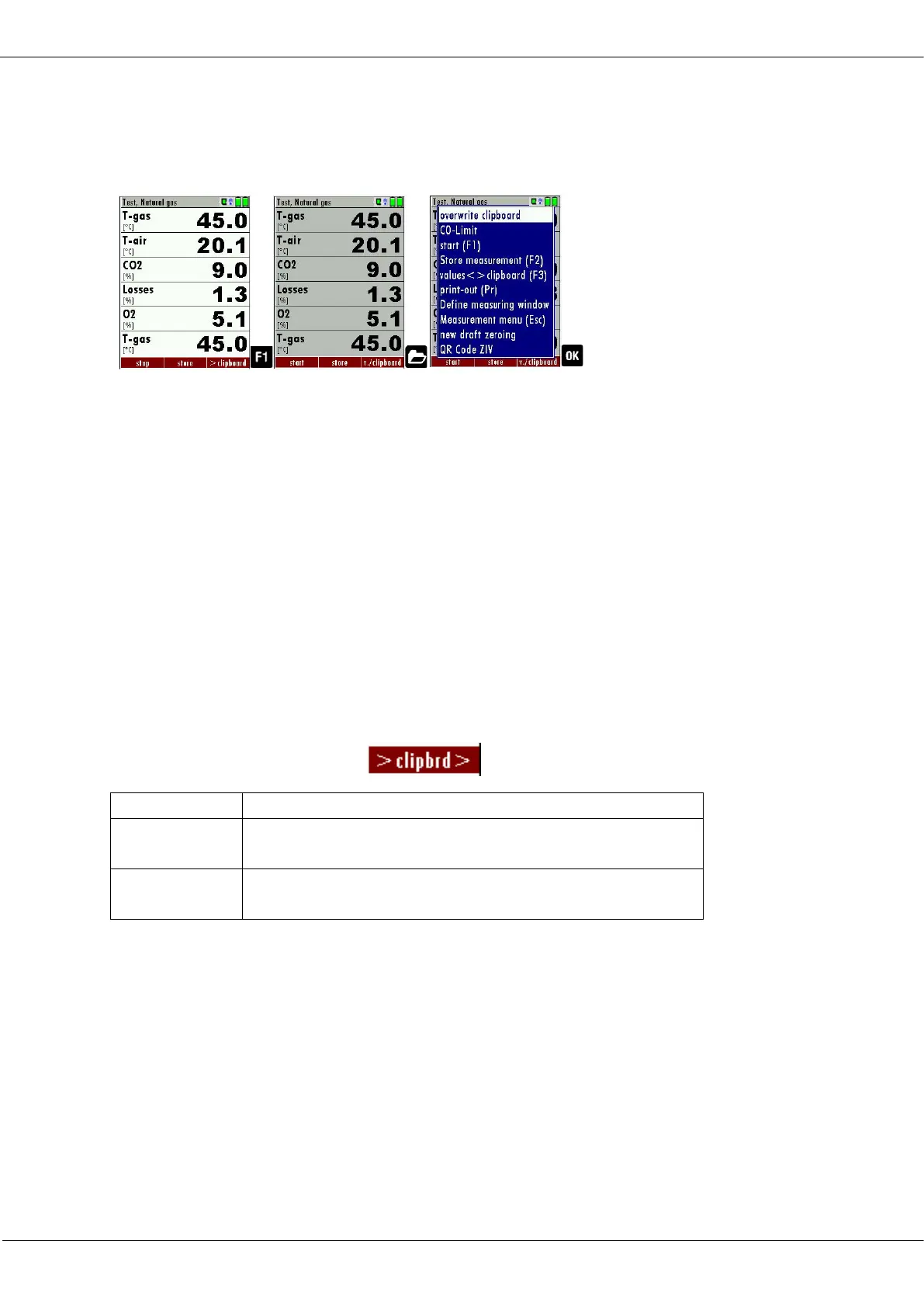
When the measurement is stopped, you can overwrite the displayed meas-
ured values with the measured values stored in the temporary buffer.
► Press F1.
The measurement is stopped
The measured value window is highlighted in grey.
► Press the Menu Key.
A selection list appears.
► Select overwrite clipboard.
► Press OK
Now you can change the current values and the values of the temporary
buffer with the key F3. This change of the actual values with the values
of the temporary buffer memory can be executed several times one
after the other
Now it is possible to print and save as usual one of both measurements.
If offered, you can overwrite measured values directly from the function
key bar in the temporary buffer.
7.8. Storing measured values
If in the function key bar "store" is indicated, you can store with the ac-
companying function key F2 or F3 the measurement in the data
memory.
See also chapter 9.5Performing leak test, Page 75.
Entering T-boiler, Soot No. and Derivative
The analyzer has no soot measurement, but you can insert, save and
print soot data.



 To Next Page