USER MANUAL NOVAplus
MRU GmbH, D-74172 Neckarsulm 61 / 95
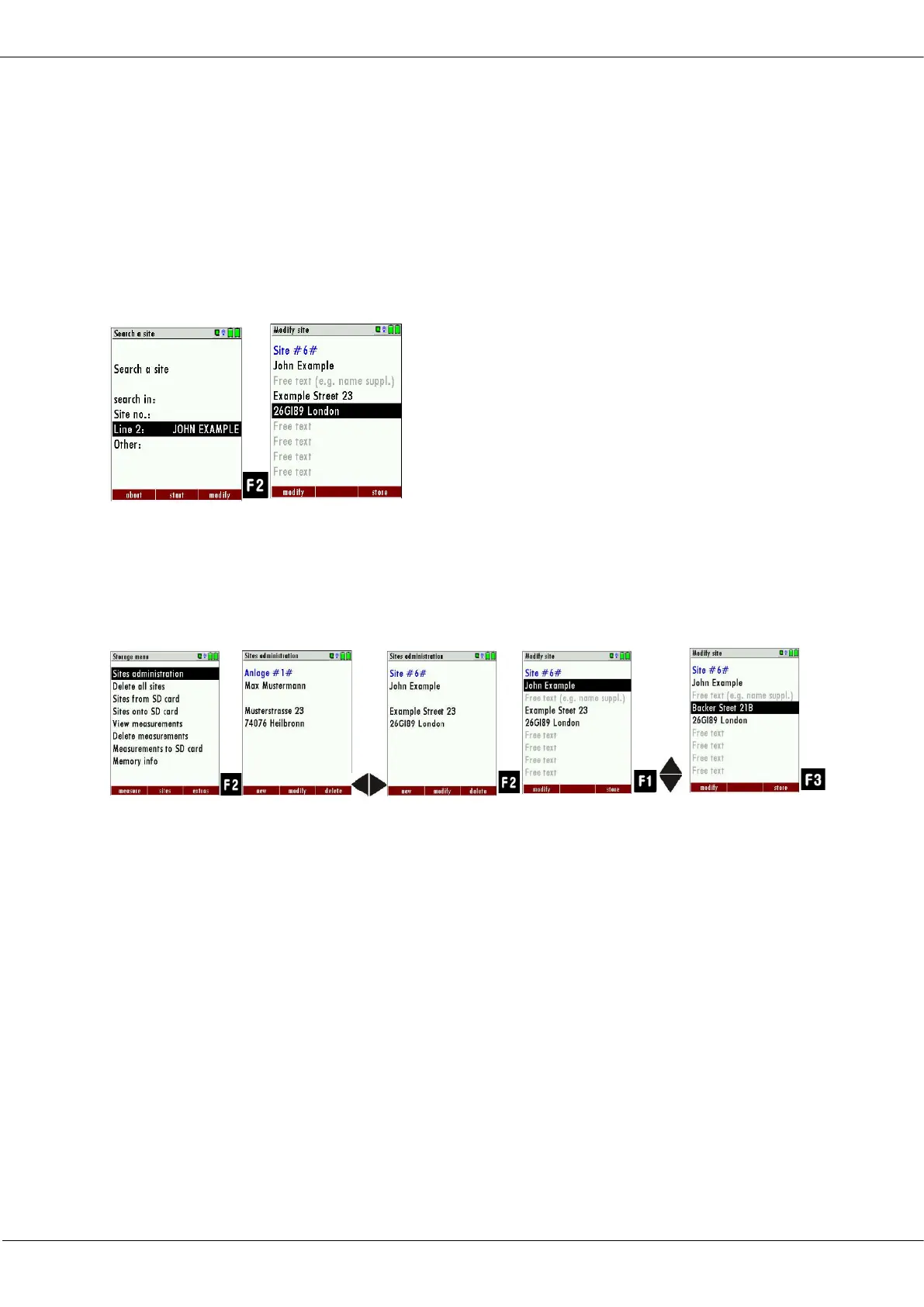
► Select a line in which you want to search for content.
In this example, the search is performed in line 2.
► Press F3.
A window appears.
► Enter the desired search term
In this example the search term is John Example.
► Press OK.
The menu Search a site appears.
The search term appears in the selected line.
► Press F2.
The site that is assigned to John Example is displayed. If several
sites were found, the total number is displayed in the header and
you can scroll through these found sites.
Changing sites
► Go to the Storage menu.
► Select Sites administration
► Press F2.
The menu Sites administration appears.
► Select the site that you want to change
► Press F2.
A bar appears.
► Select the free text lines that you want to change.
► Press F1.
A window appears.
► Enter the desired changes.
► If necessary, select further free text lines and change the
corresponding free text lines
► Press F3.
The changes are stored.



 To Next Page