USER MANUAL NOVAplus
MRU GmbH, D-74172 Neckarsulm 55 / 95
7.9. Printing measurement values
Measurement results can be printed using the printer button. Printer
line feed is activated when pressing the printer button outside of a
measuring screen. All measurement values which are activated in the
measurement screen will be printed (values which are selected more
than once will only be printed once).
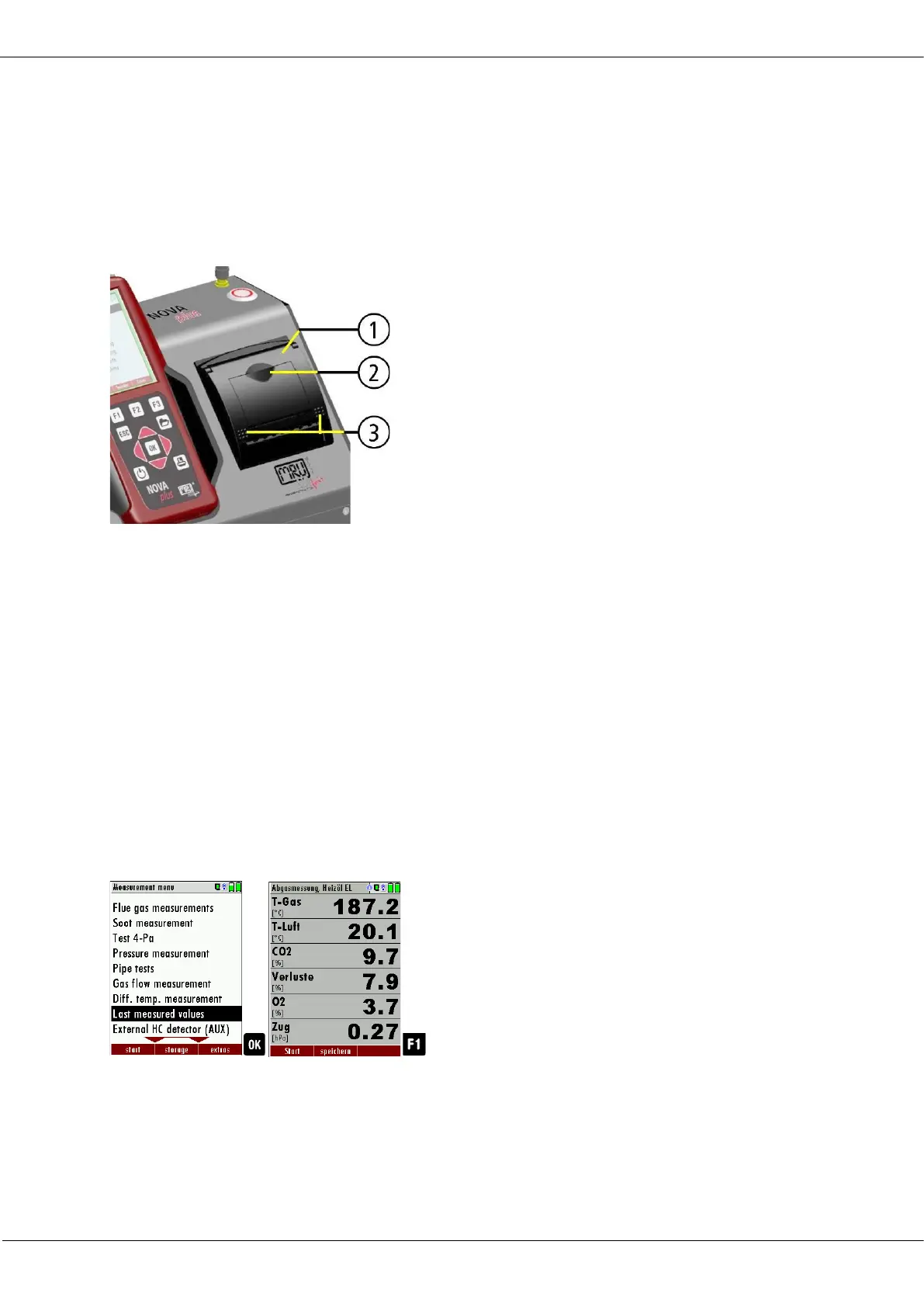
To change the printer paper, you
pull out the little plastic recessed
grip (2) which is mounted on the
transparent printer cover (1). Insert
the new printer roll and let the end
of the paper stick out of the printer
(+/- half inch). Close the printer
cover (marking 3) using only with
light pressure. Paper feed is acti-
vated using the printer button (when
not in measuring window).
7.10. Terminate measurement
A current emission measurement can be stopped at any time with the
F1 key. The display will change its colour and the measurement will be
frozen. At the time you stop the measurement all measured values are
still available and can be viewed at a later time.
Return to the measurement menu by pressing the ESC key.
See also chapter 7.11 Last measurement values, Page 55.
Return to the measurement menu by pressing the ESC key.
7.11. Last measurement values
The analyzer offers the possibility to continue working with the last meas-
ured values after the end of a measurement.
► Go to the Measurement menu.
► Select Last measured values.
► Press OK.
The measured value window with the last measured values ap-
pears.
► Press F1. The measurement is continued.



 To Next Page