Using the GALAXY GX2
GALAXY GX2
53
US
If a sensor failed during a bump, attempt to calibrate the instrument. Refer to calibrate an
instrument in this manual.
If the unit fails the calibration, review the troubleshooting section [ chapter 6] of this man-
ual.
If Cylinder is Configured Incorrectly or Gas is Not Available
The Test Stand will verify the instrument sensors are compatible with the gases in the cylinder(s).
If not, the GALAXY GX2 will:
(1) Prompt the user to run a partial bump or calibration.
(2) If a partial bump or calibration is acceptable, select Yes.
If not, select Home to navigate to the administrator screen.
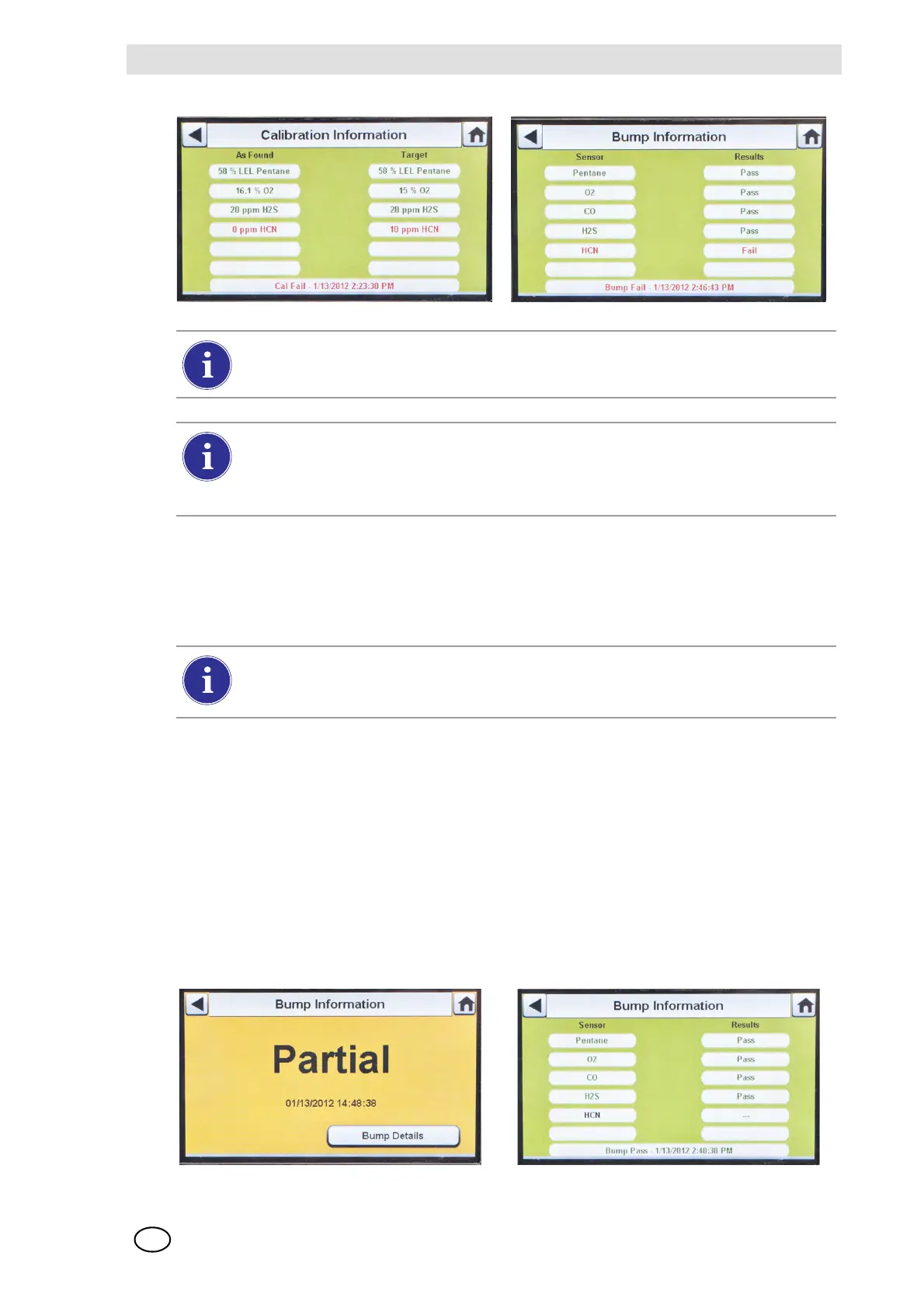
Z If a partial bump or calibration is performed the test results screen displays.
Z Dashes (---) under the results column indicate unavailable gases for the test.
If the instrument fails the bump test while the mode is set to Bump/Cal on Fail the Test
Stand will automatically calibrate the instrument.
The Calibration Information screen displays two columns for the sensors: As Found and
Target. As Found is what the Test Stand detected prior to calibration. The Target col-
umn specifies the span gas value that is being applied. If the sensor passes calibration,
the Target value becomes the new calibration point.
If using the ALTAIR 4/4X or 5/5X the instrument will shut off if not removed from the Test
Stand within 5 minutes after test completion. If the GALAXY GX2 is equipped with the
charging option the instrument will begin charging after shutoff.



 To Next Page