Introduction
GALAXY GX2
9
US
The Test Stand is a standalone unit that can accommodate one gas detector of the ALTAIR family.
However, each Test Stand contains the plumbing and electronic ports to simultaneously connect
a total of 10 Test Stands and four Cylinder Holders (electronic or non-electronic).
For applications where multiple Cylinder Holders are connected, the Test Stand Expanded Sole-
noid option must be ordered. This option allows the Test Stand to open and close up to four Cyl-
inder Holder valves for gas detectors that may require multiple cylinders for test purposes. For
example, an ALTAIR 5/5X with the standard 4 sensors plus a toxic sensor likely requires two gas
cylinders.
The electronic Cylinder Holder is designed to read a Radio Frequency Identification (RFID) tag
embedded in a plastic ring on MSA test gas cylinders. The RFID tag contains cylinder parameters
that are necessary for successful calibration operations, providing the customer with an excep-
tionally easy setup experience. Gas cylinder information is automatically populated without user
intervention when using the RFID-tagged gas cylinders.
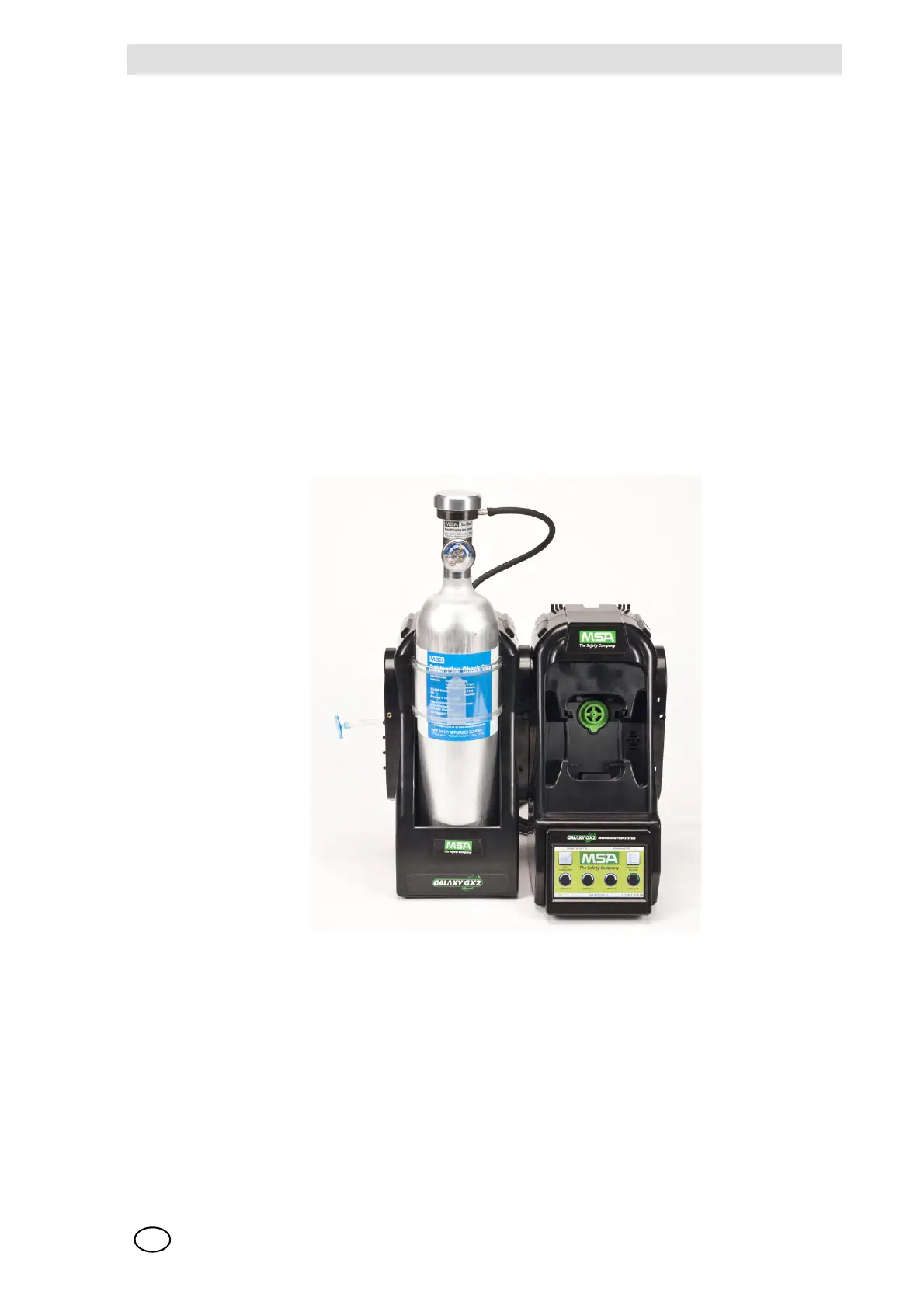
If MSA test gas cylinders are not used, the non-electronic version of the Cylinder Holder is avail-
able. This configuration [ Fig. 2] requires the user to manually enter cylinder parameters.
Fig. 2 Non-electronic Cylinder Holder and Test Stand.
A USB port is provided on the Test Stand that may be used with the Digital Secure USB key to
change instrument settings via the touch screen. This function allows for convenient fleet
management capabilities. The port may also be used for an optional Receipt/ Sticker Printer, to
print calibration/bump stickers or paper receipts after an instrument test.
The primary functions of the Test Stand are to calibrate and bump the ALTAIR family of gas de-
tectors. For a detailed definition of these processes, please refer to:
http://www.safetyequipment.org/userfiles/File/calibration_statement-2010-Mar4.pdf
In the following sections of this manual the user will learn how to install the GALAXY GX2
Automated Test System, set up its functionality, and perform instrument tests. The hardware, soft-



 To Next Page