8. 469PC PROGRAM DOWNLOADING A SETPOINT FILE TO THE SR469
8-7
8.6 DOWNLOADING A SETPOINT FILE TO THE SR469
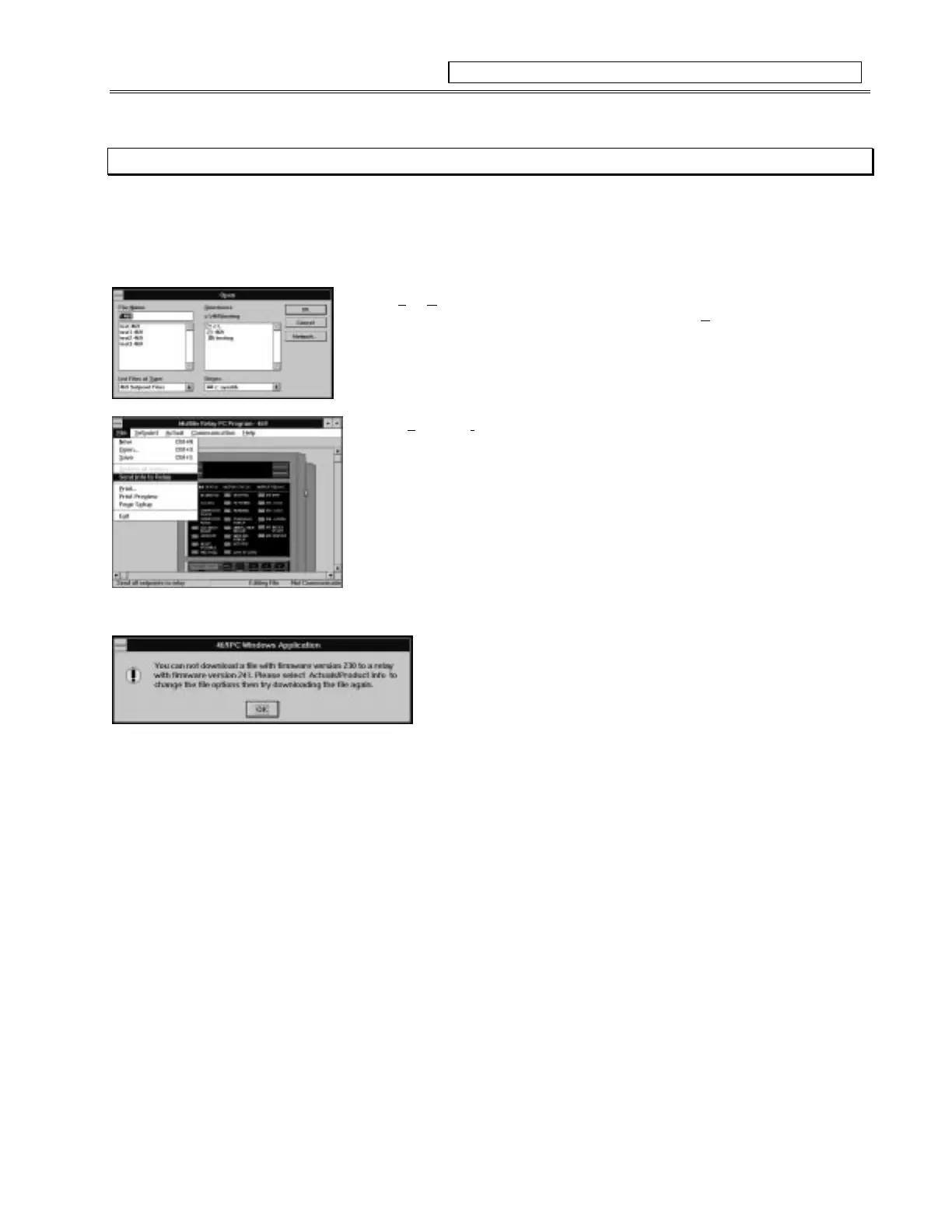
1. To download a preprogrammed setpoint file (See Section 8.4, 8.5) to the SR469 Relay, run the 469 PC program and establish
communications with the connected relay via the front panel RS232 port.
2. Select
File
,
O
pen
from the menu on the 469PC program.
3. Locate the setpoint file to be loaded into the relay, and select
OK
.
4. When the file is completely loaded from disk, the PC program will break communications
with the connected relay and change the Status bar to say “Editing File” , “Not
Communicating”.
5. Select
File
,
Send I
nfo To Relay
, to download the setpoint file to the connected relay.
6. When the file is completely downloaded, the status bar will revert back to
“Communicating”
• The relay now contains all the setpoints as programmed in the setpoint file.
NOTE:
The following message will appear when attempting to download a
setpoint file with a revision number that does not match the revision of the relay
firmware. See section 8.7 for changing the revision number for the setpoint file.
Figure 8-7 DOWNLOADING A SETPOINT FILE TO THE SR469



 To Next Page