8. 469PC PROGRAM PRINTING
8-9
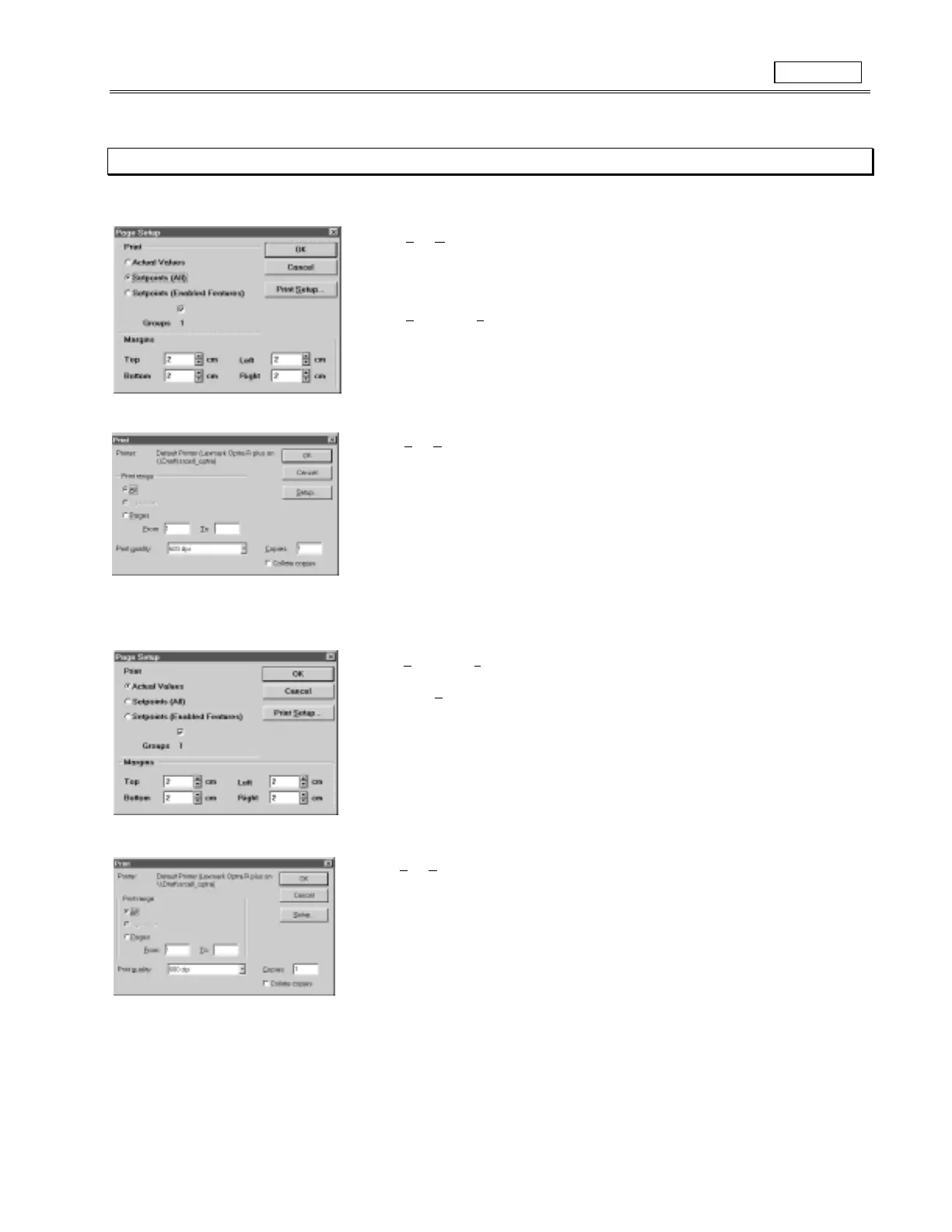
8.8 PRINTING
1. To print the Relay
Setpoints
, run the 469PC program, it is not necessry to establish communications with a connected SR469.
2. Select
File
,
O
pen
to open a previously saved Setpoint File
or
Establish communications with a SR469 connected to the computer to print the current
Setpoints.
3. Select
File
,
Page Se
tup
and highlight one of the
Setpoints
bubbles. Select OK.
4. Select
File
,
P
rint
and OK to send the Setpoint file to the connected printer.
1. To print the Relay
Actual Values
, run the 469PC program and establish communications with a connected SR469.
2. Select
File
,
Page Se
tup
and highlight the
Actual Values
bubble.
3. Under
Print Setup
, ensure that your specific printer is setup to
Print True Types as
Graphics.
5. Select
OK
to close this window.
6. Select
File
,
P
rint
and
OK
to send the Setpoint file to the connected printer.
Figure 8-9 PRINTING



 To Next Page