© Munters AB, 2018 12
Delete The 'Delete' key erases typing mistakes.
Help Press Help to go to the Set windows. Set windows display
additional parameters used to "fine tune" a function.
NOTE Only selected functions have Set parameters.
•
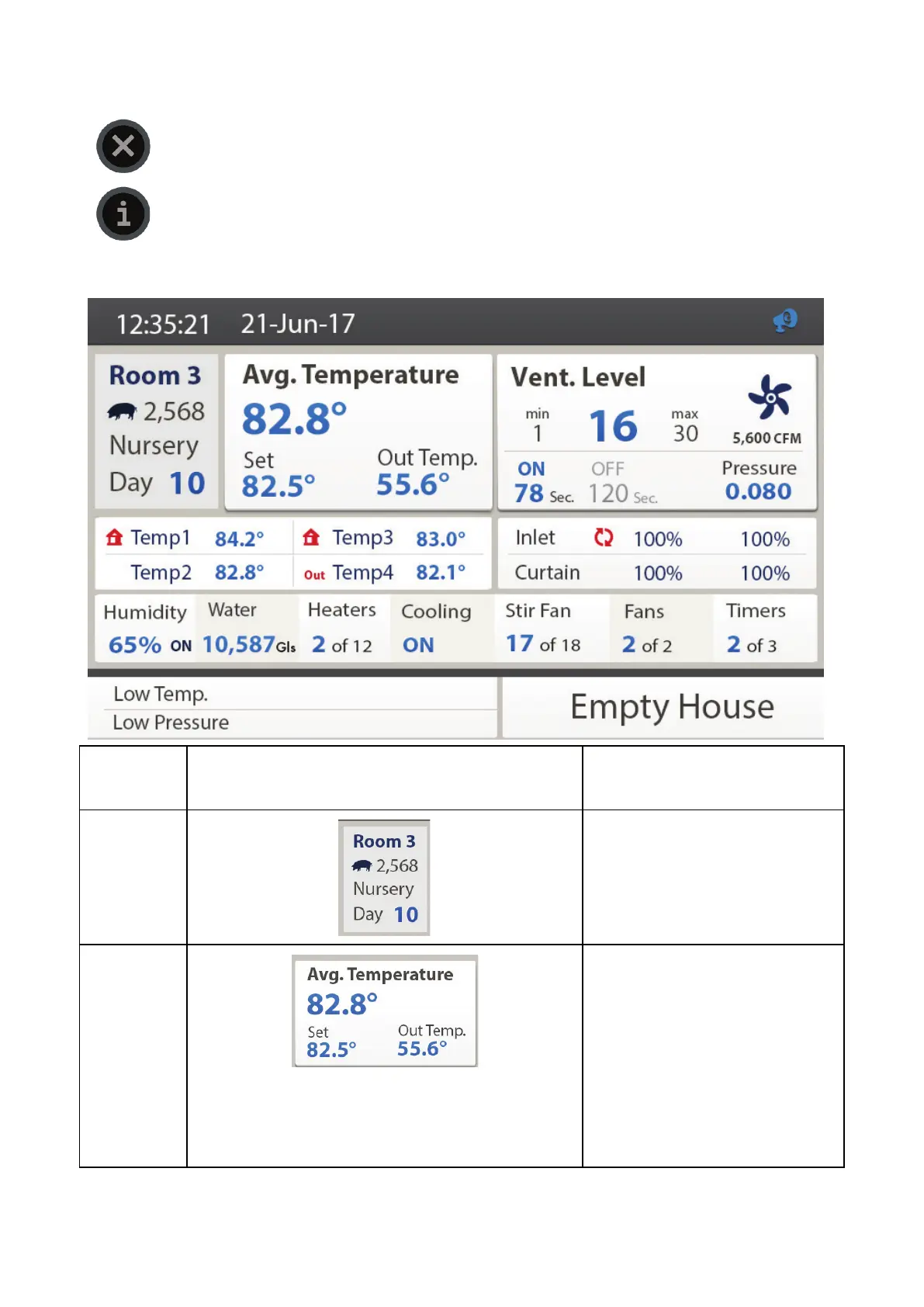
Main Screen
Room
This screen displays the room
number, Element mode (for
example Hog), and the growth
day.
NOTE The mode is TBD.
Temperature
data
This screen displays the average
temperature (last 24 hours), the
current temperature, and the
outside temperature.
NOTE The outside temperature
appears on if a temperature
sensor is designated to
measure the outside
temperature.



 To Next Page