© Munters AB, 2018 59
NOTE Each day's minimum ventilation level must be lower than the corresponding maximum level.
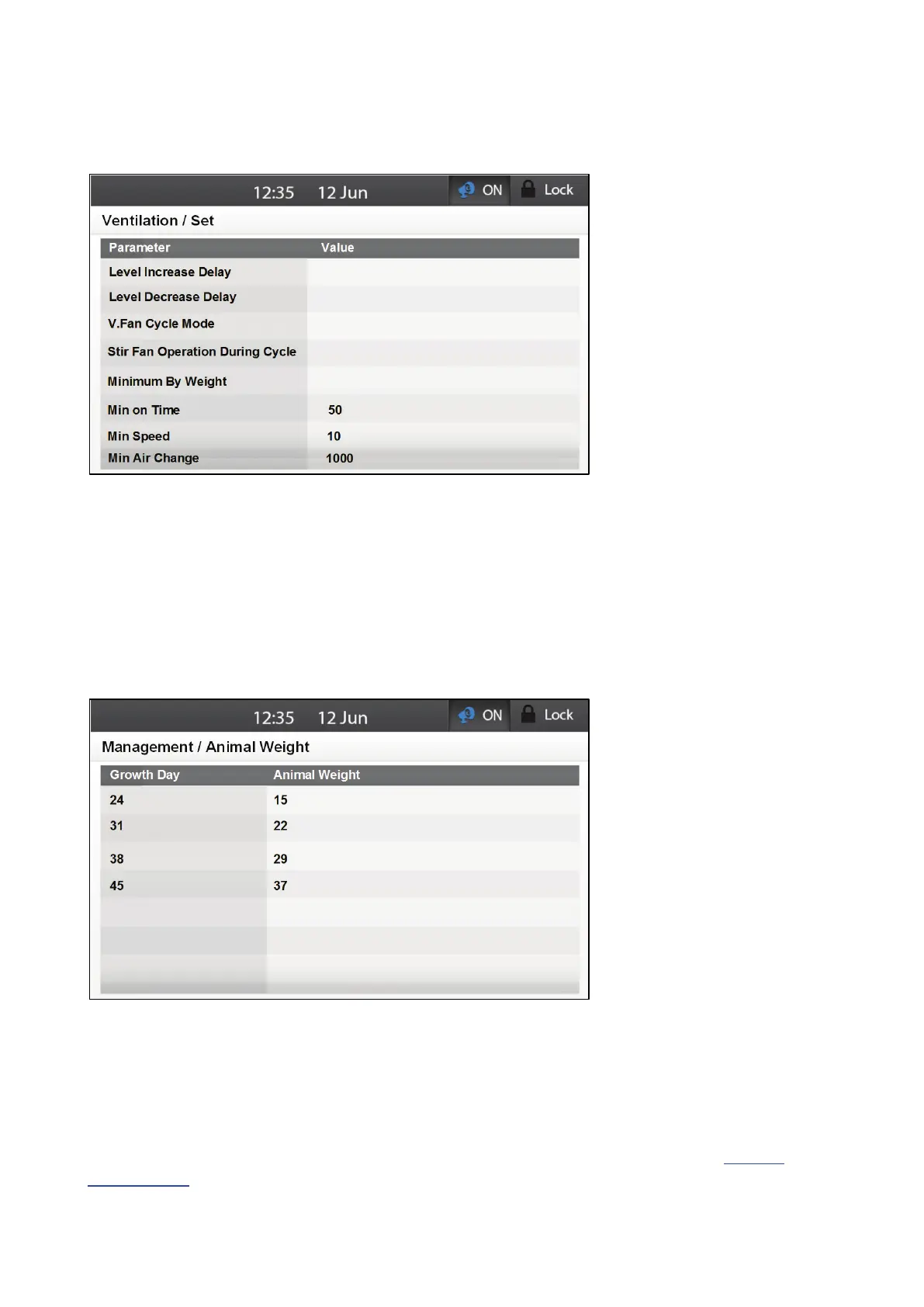
5. Go to Levels of Ventilation > Set.
6. Define the following parameters:
o Minimum on Time: When Element works in Ventilation by Weight, you can ensure that
the fan operates for a minimum amount of time each cycle. Define that time here.
o Minimum Speed: When Element works in Ventilation by Weight, you can ensure that
variable fans operates at a minimum speed. Define that speed here.
o Minimum Air Change: Define the minimum change (in response to changes in
temperature, weight, number of pigs) required for ventilation to change.
Make sure that On and Off times provide sufficient CFM for the fan used!
7. Go to Management > Animal Weight.
8. Enter the growth days and the expected animal weight.
11.3.3 V
ENTILATION
B
Y
W
EIGHT
A
LARM
In the event that the maximum ventilation level for any given day does not provide the amount of air
required according to the Element's algorithm (taking into account the weight and number of animals),
Element sends an alarm "Insufficient Air Supply". Element generates this alarm if the required amount of
air is greater than the maximum amount supplied plus the minimum air change (defined in Levels of
Ventilation Set). In this situation, reconfigure the Levels of Ventilation table.



 To Next Page