© Munters AB, 2018 32
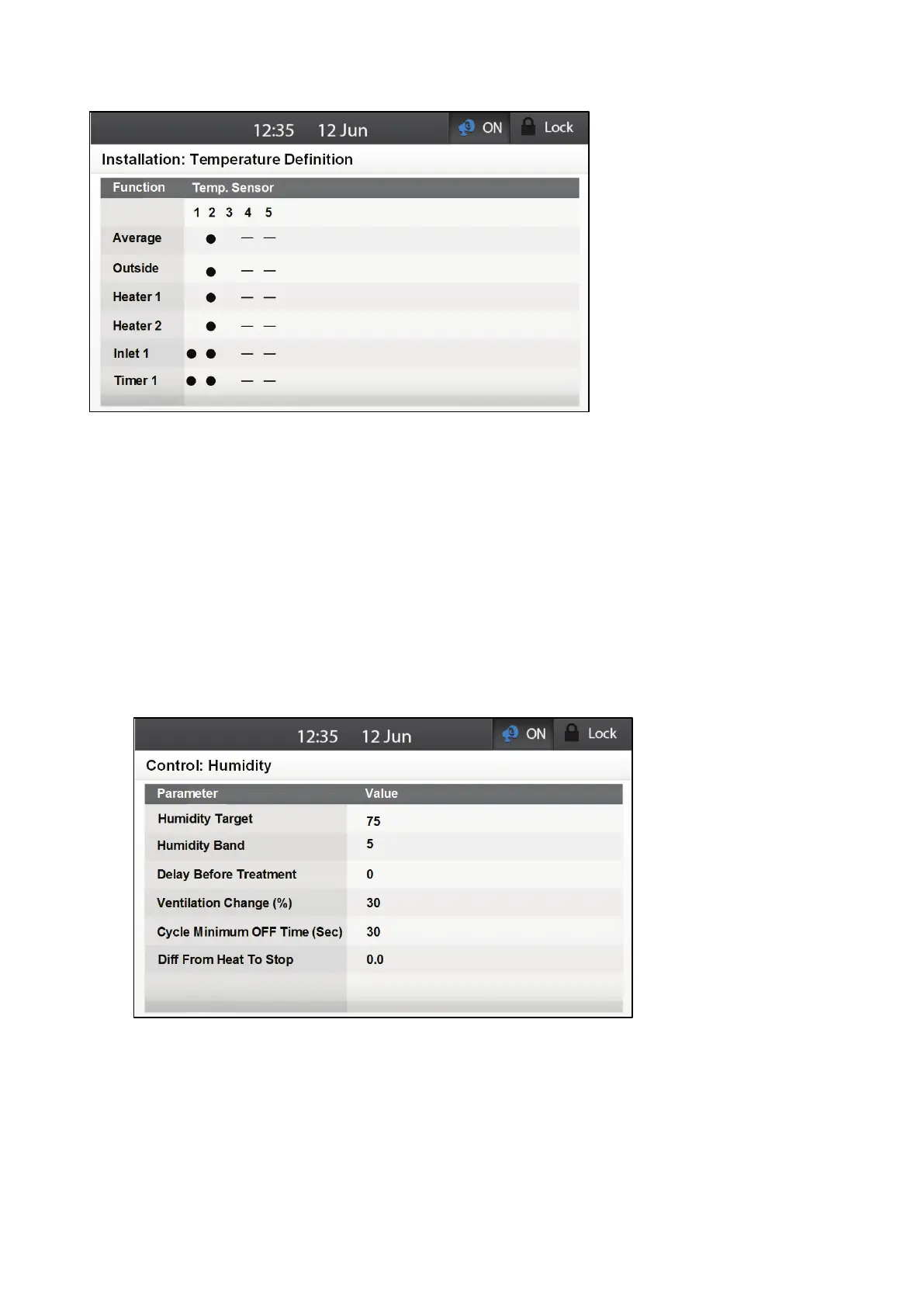
2. Map the sensors to devices.
o
Define which sensors are used to calculate the average temperature.
o
Define an outside temperature sensor (if required).
NOTE If no sensor is defined for a device, the device runs on the average temperature.
NOTE Uninstalling a device in the Relay Layout, Analog Output or TRIAC tables removes the device
from this screen.
5.2.5.6 Humidity Configuration
Element responds to high humidity by increasing the ventilation.
Install a humidity sensor as shown in Figure 13.
1. Go to Control > Humidity.
2. Define the parameters:
o
Humidity Target: Define the target humidity.
o
Humidity Band (%): When the humidity drops this amount below the humidity target,
humidity treatment stops.
o
Delay Before Treatment (sec): Define the amount of time that Elements delays
increasing the ventilation.
o
Ventilation Change (%): Define the increase in the ventilation on time.



 To Next Page