© Munters AB, 2018 43
8 Saving and Loading Settings
(which includes defining all
system functions) can be a
time consuming effort. This
section describes how to use
a USB flash drive (disc on
key) card to save settings in
one unit and then load these
settings in additional units.
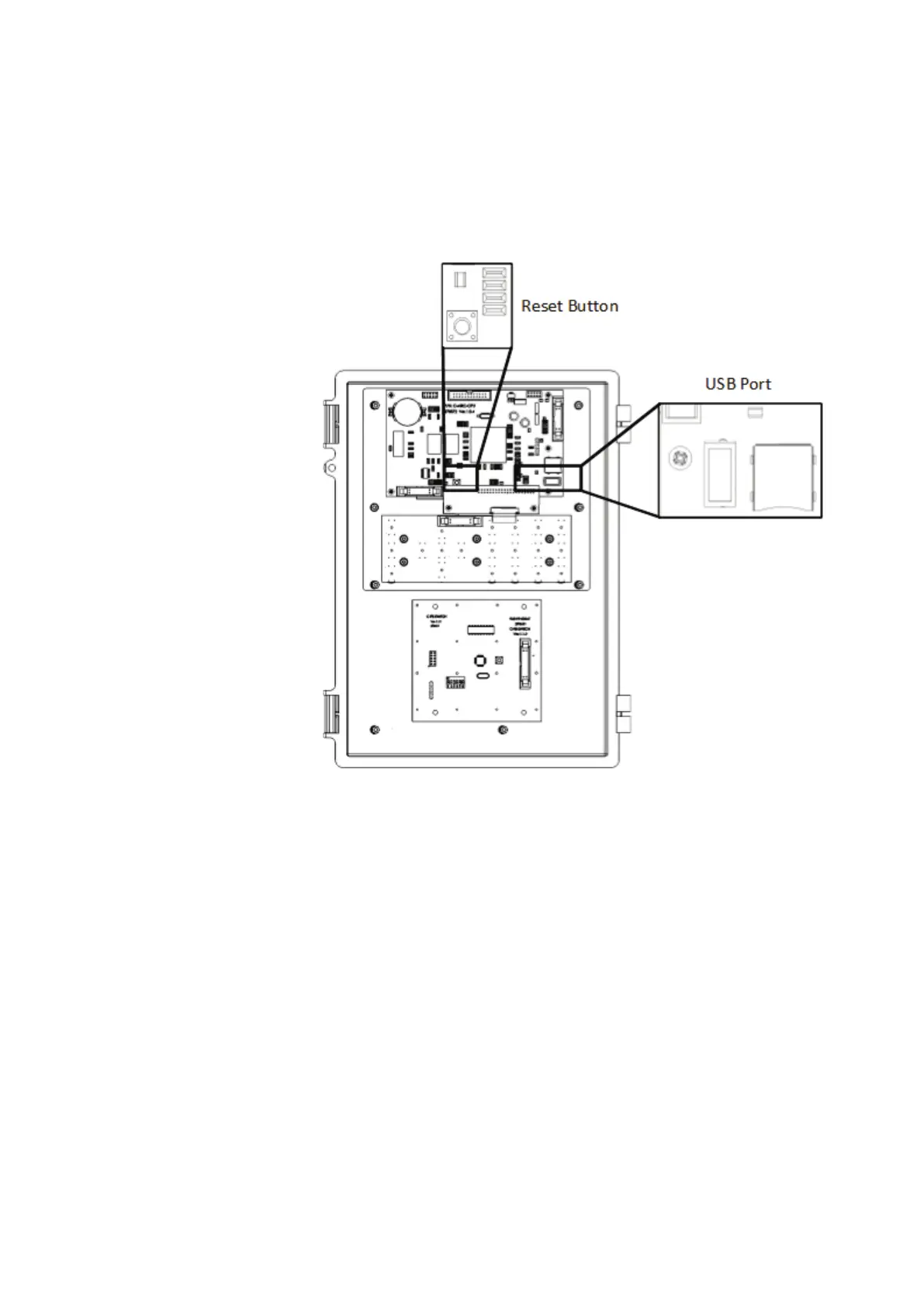
Figure 22: USB Flash Drive Location
•
Saving Settings
•
Loading Settings
•
Resetting the Element to Default Settings
•
Upgrading the Product Software
8.1 Saving Settings
Use this menu to download Element settings to an USB flash drive.
1
.
Insert a USB flash drive containing the settings into place (Figure 22).
2. Go to Management > Save Settings.
3. In the screen that appears, press YES.
4. In the screen that appears, select the required settings and press Enter.
5. In the screen that appears, press YES.
A screen appears when the process is complete.
CAUTION
While saving settings, do not remove the card or interrupt the process in any way!



 To Next Page