© Munters AB, 2018 75
16 Alarms
The following sections detail:
•
Setting the Alarm Parameters
•
Alarm Reset
When certain climatic and feed conditions in the barn do not meet user defined specifications, Element
triggers an alarm, enabling the user to deal with the problem in real time. Element records all alarms.
Events are changes in the Elements settings. Element records all events.
NOTE Systems having an auxiliary alarm: Install the alarm as shown in Figure 11, page 25.
16.1 Setting the Alarm Parameters
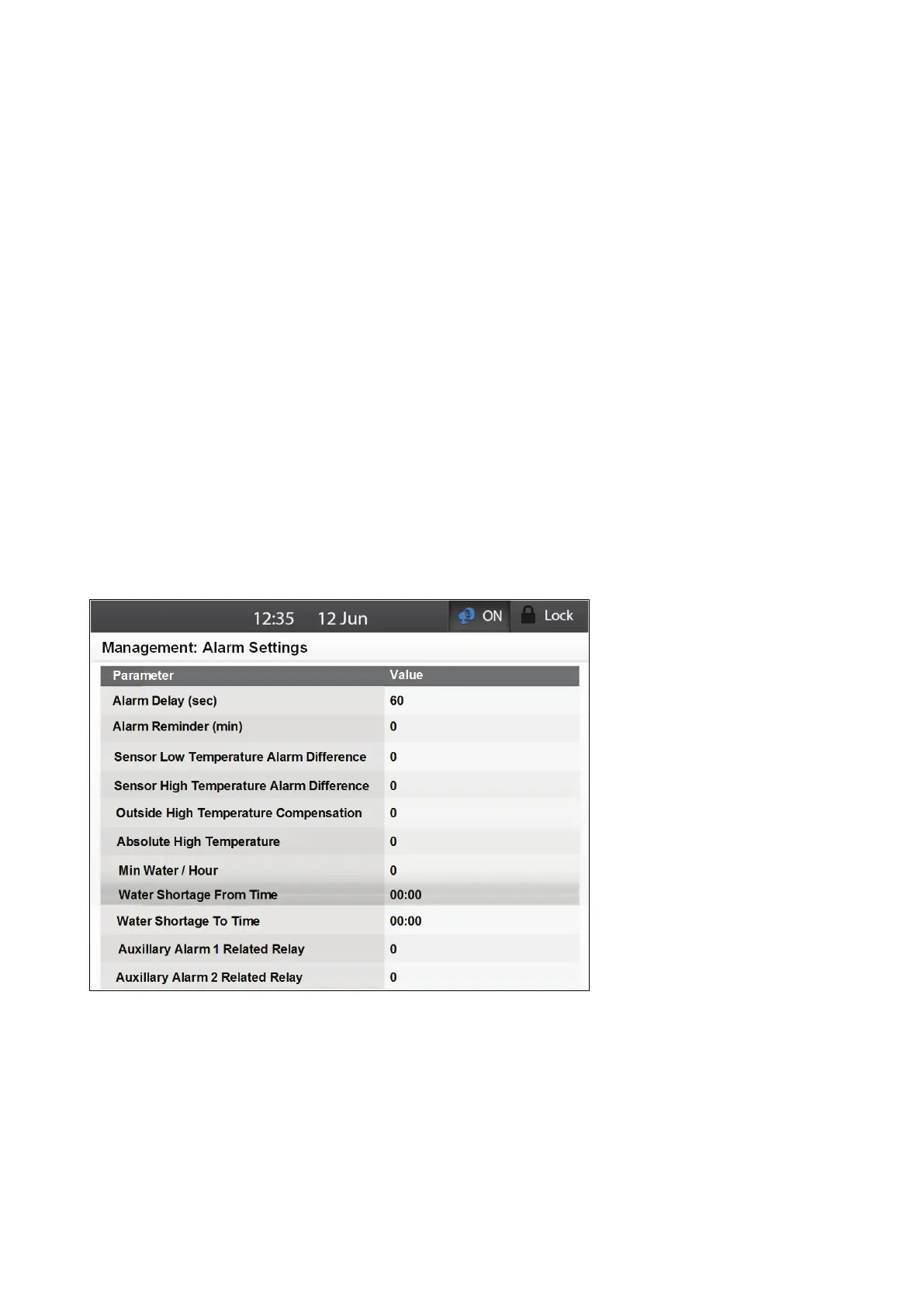
Use this table to define the Elements alarms' parameters. These parameters define when an alarm is
generated.
1
.
Go to Management > Alarm Settings.
2. Define the following parameters:
o
Alarm Delay: This parameter defines the delay time between the failure detection and
alarm operation. If the problem is resolved before the delay time ends, no alarm is
recorded in the history log. Default: 0 seconds. Range 0 – 999 seconds.
o
Alarm Reminder: This parameter defines the amount of time that must elapse before a
second alarm is sent. Acknowledging the alarm negates this function. Default: 0
seconds. Range 0 – 999 seconds.



 To Next Page