© Munters AB, 2018 46
9.2 Configuring the Temperature Curve
The following section details how to configure Element's Temperature Curve function.
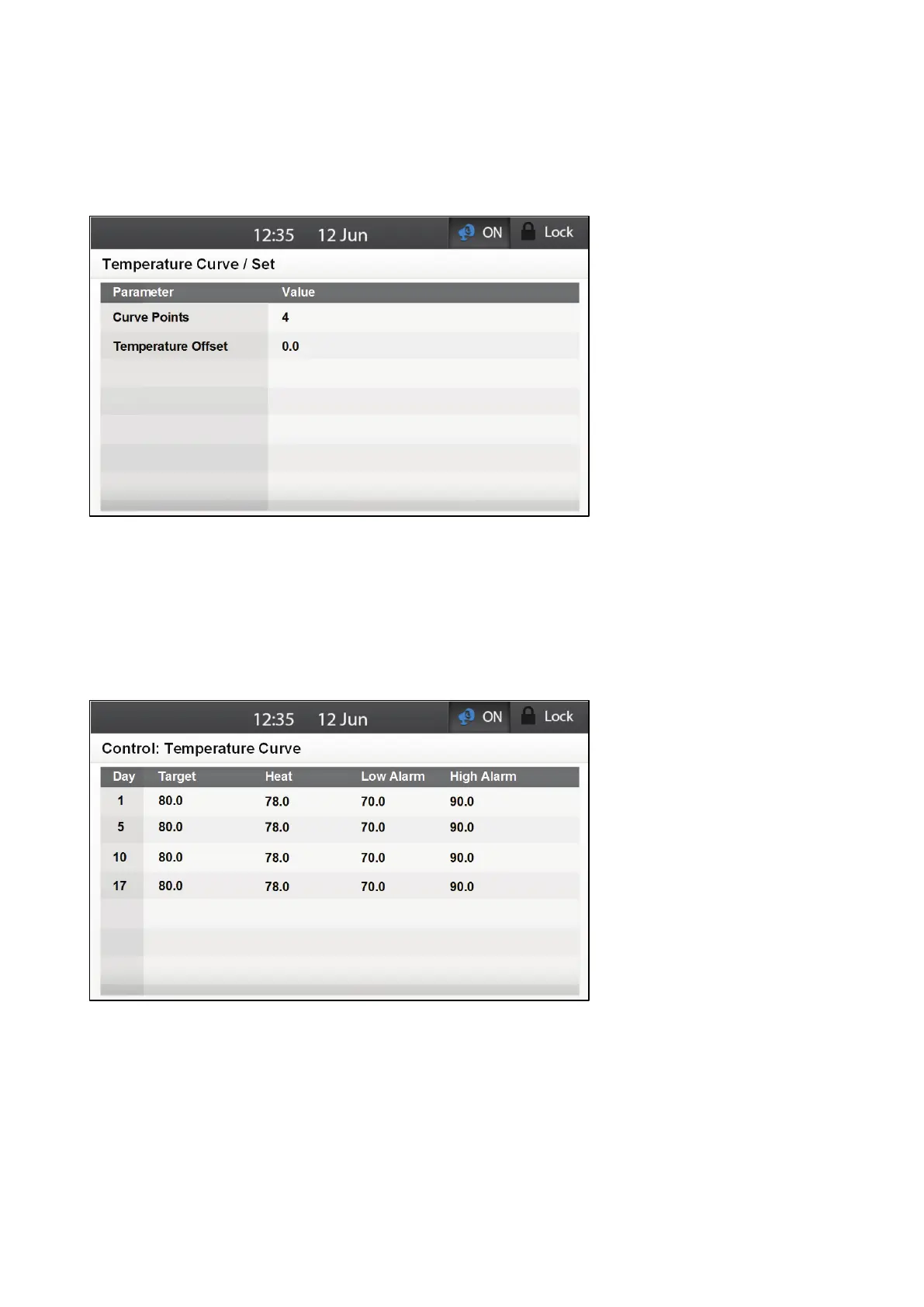
1. Go to Control > Temperature Curve > Set.
2. Define the parameters:
o
Curve Points: This parameter defines the number
of curve points representing the
change of target temperature. The more points, the more gradual the temperature
adjustment.
o
Temperature Offset: Use this parameter to change the offset target temperature up or
down for any purpose.
3. Go to Control > Temperature Curve.
4. Define the parameters:
o
Day: The growth day on which the target temperature changes. Enter up to 10 growth
days. Range -2 to 999. Default: 0
NOTE Do not define the same day twice. If that happens, the second entry is erased.
o
Target: The target temperature for that growth day. Range: 1.0° to 90° C/ 34° to
194 F. Default: 80 (first day). 0 (all other days)



 To Next Page