© Munters AB, 2018 27
4. In the Minimum Voltage field, define the minimum output value of that device. Range: 0 – 10
volts. Default: 0
5. In the Maximum Voltage field, define the maximum output value of that device. Range: 0 – 10
volts. Default: 0
NOTE To uninstall a device, define it as None.
5.2.4.3 Configuring the Digital Sensors
Wire the digital input devices as shown in Figure 12.
1.
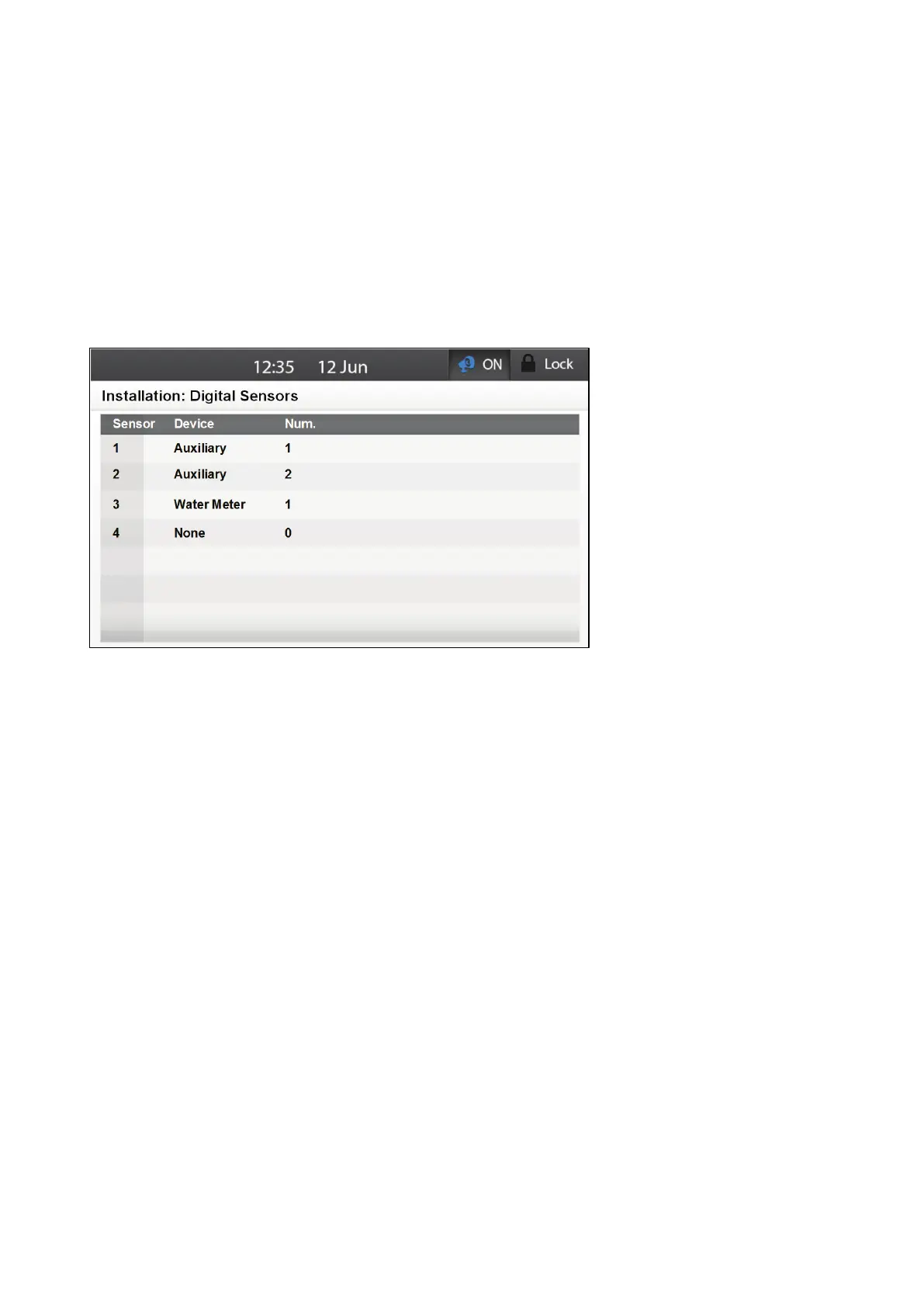
Go to System > Installation > Digital Sensors.
2. Scroll to each sensor.
3. From the drop down list, select the device wired to that port.
o
Element automatically assigns the sensor a number, according to the device type. The
number of devices supports varies according to the device type.
Auxiliary: 2
Water Meter: 2
o
You can edit the number, but any assigned number must be different from an existing
number of that device type (for example, you cannot assign two devices to be Water
Meter #2).
If no sensor is available (for example, if you try to define three sensors as water meters), an error
message appears.
5.2.5 H
UMIDITY AND
T
EMPERATURE
S
ENSORS
•
Sensor Wiring
•
Potentiometer Wiring
•
Placing the Analog Input Jumpers
•
Configuring the Analog Sensors
•
Defining the Temperature Sensors
•
Humidity Configuration



 To Next Page