© Munters AB, 2018 13
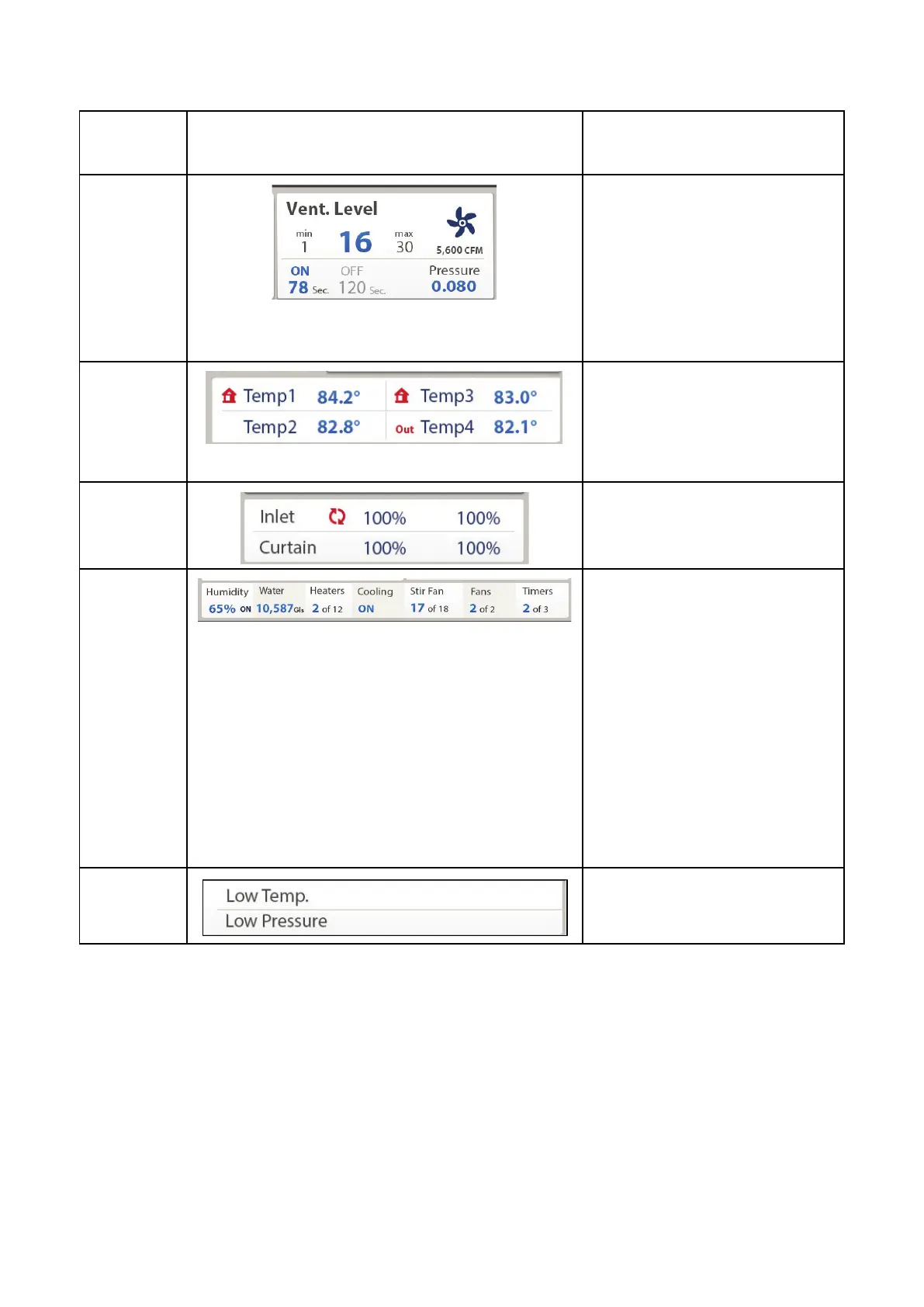
Vent data
The vent screen shows the current
ventilation level, the lowest and
highest possible level of
ventilation, the maximum amount
of air supplied by the fans, the
amount of time (in seconds) until
the ventilation cycle switches on or
off, and the current static pressure.
Temperature
sensor
This screen displays the current
temperature reading of active
sensors. A house symbol means
that this sensor's data is used to
calculate ventilation data.
Curtain/Inlet
This screen displays the current
position of the houses curtains and
inlets.
Sensor/
Relay
Devices
This screen displays:
•
The current humidity level
•
Total number of gallons
•
Number of defined heaters
that are operating
•
Cooling status
•
Number of defined stir fans
that are operating
•
Number of defined fan that
are operating
•
Number of defined timers that
are operating
Alarms
This screen displays any current
alarms.
CAUTION
In case of an alarm, a blinking message appears on the main screen in addition to the
siren. Resetting the alarm is possible, but it only stops the siren and not the screen
message. To stop the message, the problem must be addressed.
NOTE If communication is off, Element does not accumulate history data.
4.2 Front Switches
•
On the front panel are eight relay toggle switches. These switches set the relay control to On,
Off, and Auto. When you change the position of a switch, a screen appears. The toggle
switched moved is outlined.
o
Press Enter to approve the position change.



 To Next Page