Replacing consumable parts 143
[3]
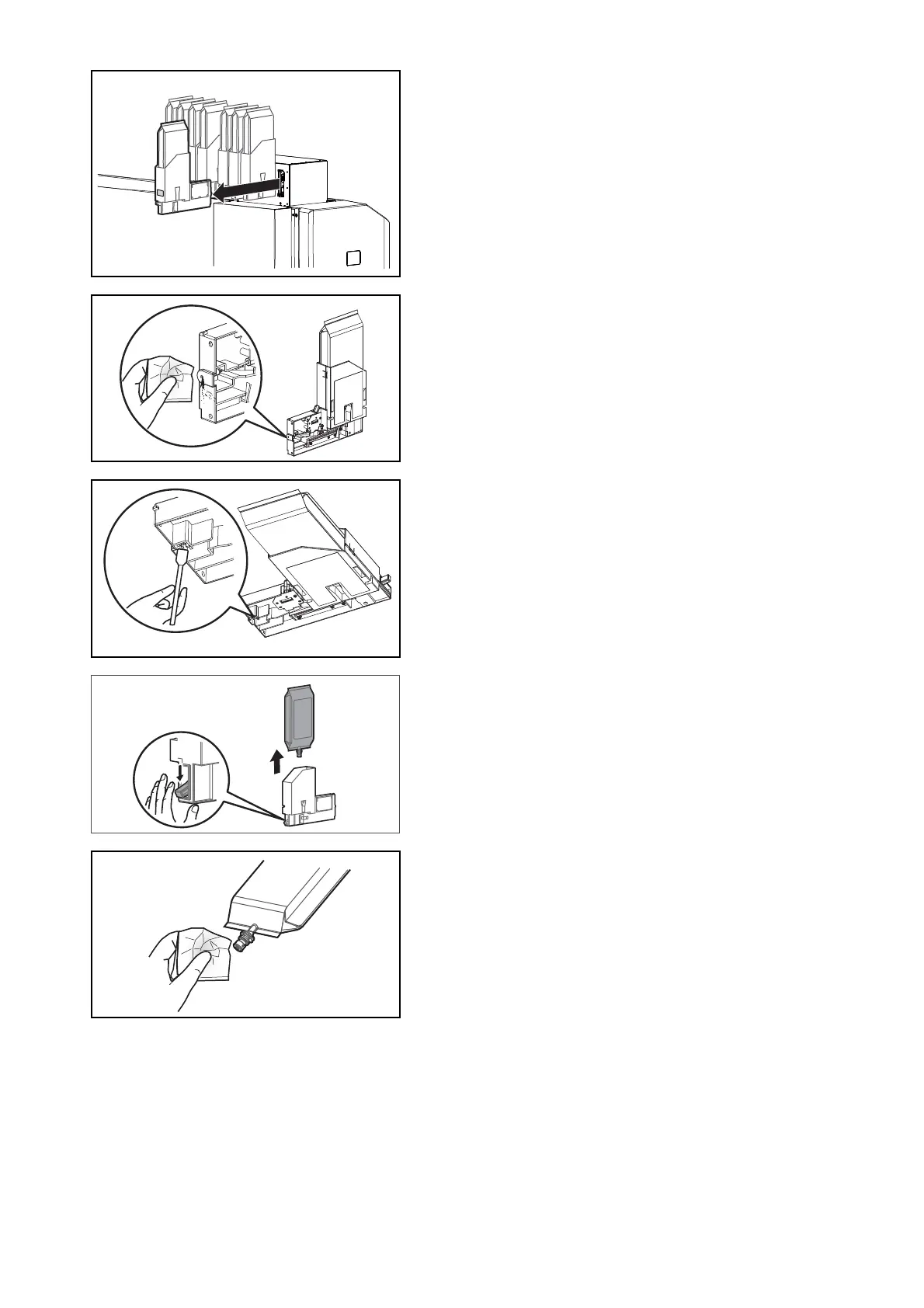
Wear the plastic gloves, and then remove high-capacity ink pack
adapters to be replaced from the ink slots.
[4]
Using the paper towel provided with the printer to wipe off the ink
attached to the insertion point for high-capacity ink pack adapters.
Tilt high-capacity ink pack adapters, use cleaning stick provided with
the printer, and absorb the ink collected around the tube connectors.
• Tilt high-capacity ink pack adapter so that the caution label is facing
down.
• Tilt high-capacity ink pack adapter so that the insertion point is
lowered a little.
[5]
Lower the lock lever on the high-capacity ink pack adapter and detach
the ink bag.
[6]
Using the paper towel provided with the printer to wipe off the ink
adhering around the inlet of ink bag.



 To Next Page