146 Replacing consumable parts
[12]
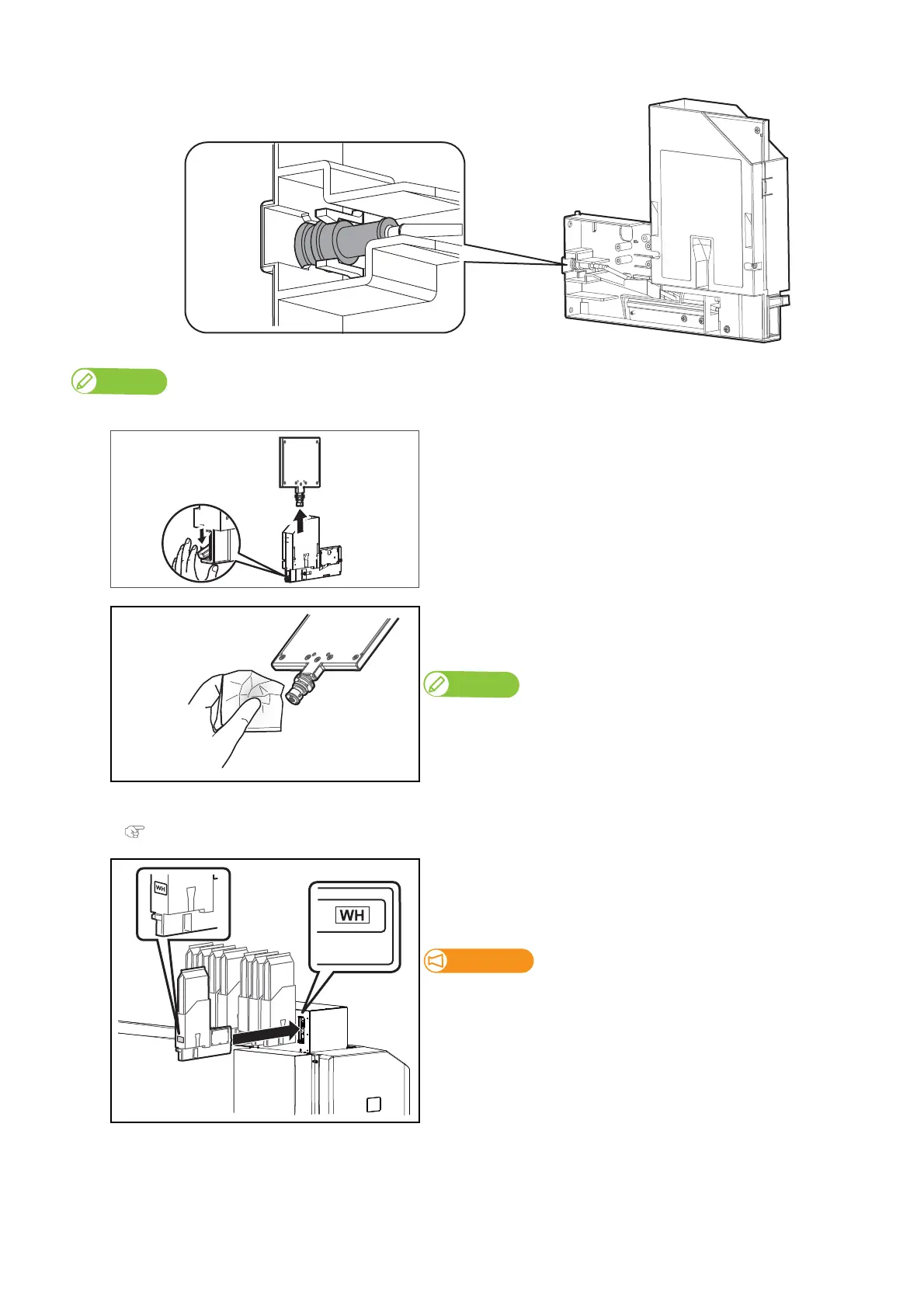
Install the tube connector back to the tabs of high-capacity ink pack adapter securely.
If the tube connector is not securely installed to the tabs, the high-capacity ink pack adapter may not be installed to the printer correctly.
[13]
Remove the sealing jig from the high-capacity ink pack adapter.
[14]
Using the paper towel provided with the printer to wipe off the ink
adhering around the inlet of the sealing jig.
The sealing jig is required when replacing an adapter’s plug. Keep it for the next use.
[15]
Install the ink bag to the high-capacity ink pack adapter.
"Attaching ink bag" P. 119
[16]
Re-insert the high-capacity ink pack adapters into Ink slots.
• Make sure to match the ink color with the label of this printer.
• Insert all the way to the end.
Make sure you insert the high-capacity ink pack adapters into the
original slots. Even when you have the same color ink packs, do not
switch and insert them into different slots.



 To Next Page