26 Loading a roll media
[3]
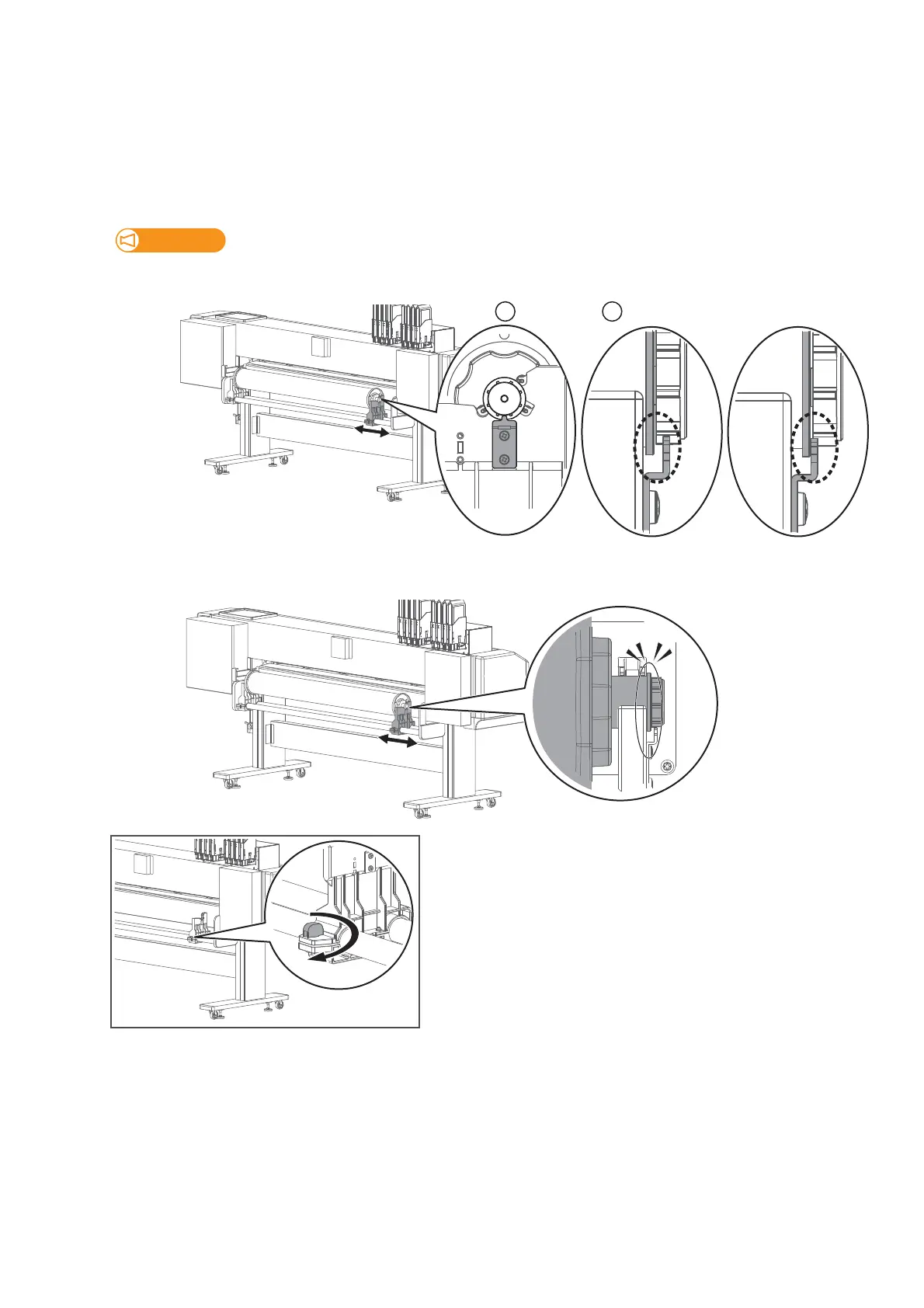
Slide the right side of the media holder to place the right side of the flange onto the holder.
Place the roll media onto the right media holder. Carefully and gently place it on the holder.
(If torque is enabled)
: When looking from the right side, check that the protrusion on the roller shaft guide plate is fitted into between
two protrusions on the flange end cap.
: When looking from the rear side of the printer, check that there is a gap between the protrusion on the roller shaft
guide plate and stopper on the shaft.
• Do not drop or apply excessive impact while placing the media. This will cause damage to the part.
• If the stopper gets contact with the guide plate as "No Good" example below, it may cause damage to the part.
(If torque is disabled)
• Check that the stopper on the shaft is fitted into the slit as shown in the illustration (not on the media holder).
[4]
Twist the knob bolt on the right side of the media holder clockwise to
tighten.



 To Next Page