Doc. Name: NMC-PRO ׀ User Guide Ver 3.05.03 Revision: 2.2 Page: 8
Crop Management Technologies
Quick Access
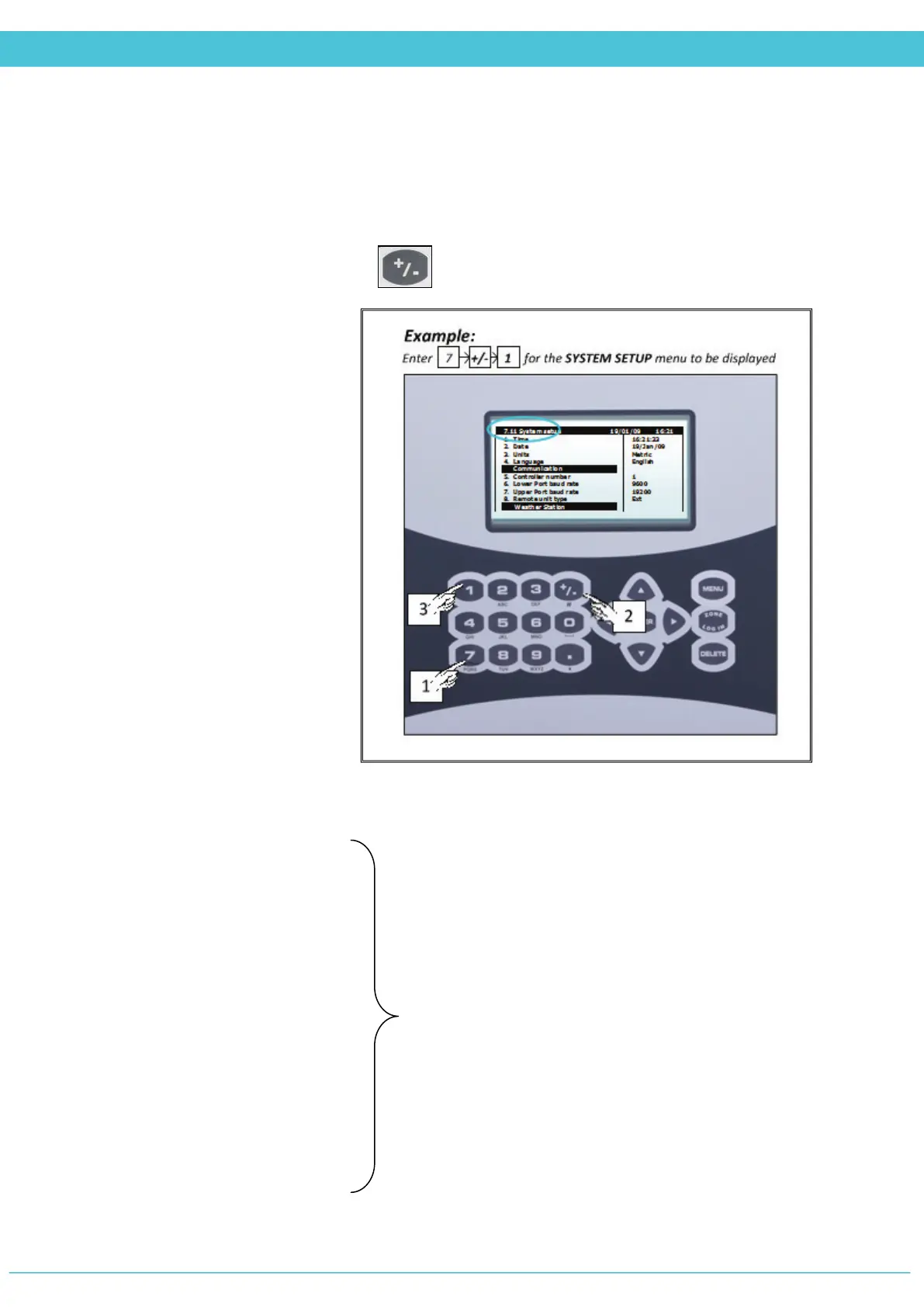
Use the Quick Access feature in order to navigate into any screen by entering in the
corresponding numeric keys of the menu (top left of screen) from the Main Menu screen.
There is a permanent order in the layout of the screens.
For double digit numbers, use the key for the ten’s place and then the corresponding
one’s place number
1. Vent
2. Screen
3. Heating
4. Misting
5. Fan & Pad
6. Air Circulation
7. CO2
8. Crop Protection
9. Light
Hot Keys
While in the Overview Screen, enter any one of the following numeric values to view the
corresponding screen.
1- Vent Status
2- Screen Status
3- Heating Status
4- Misting Status
5- Fan & Pad Status
6- Air Circulation Status
7- CO2 Status
8- Crop Protection Status
9- Light Status
further explanations



 To Next Page