Doc. Name: NMC-PRO ׀ User Guide Ver 3.05.03 Revision: 2.2 Page: 10
Crop Management Technologies
SETUP
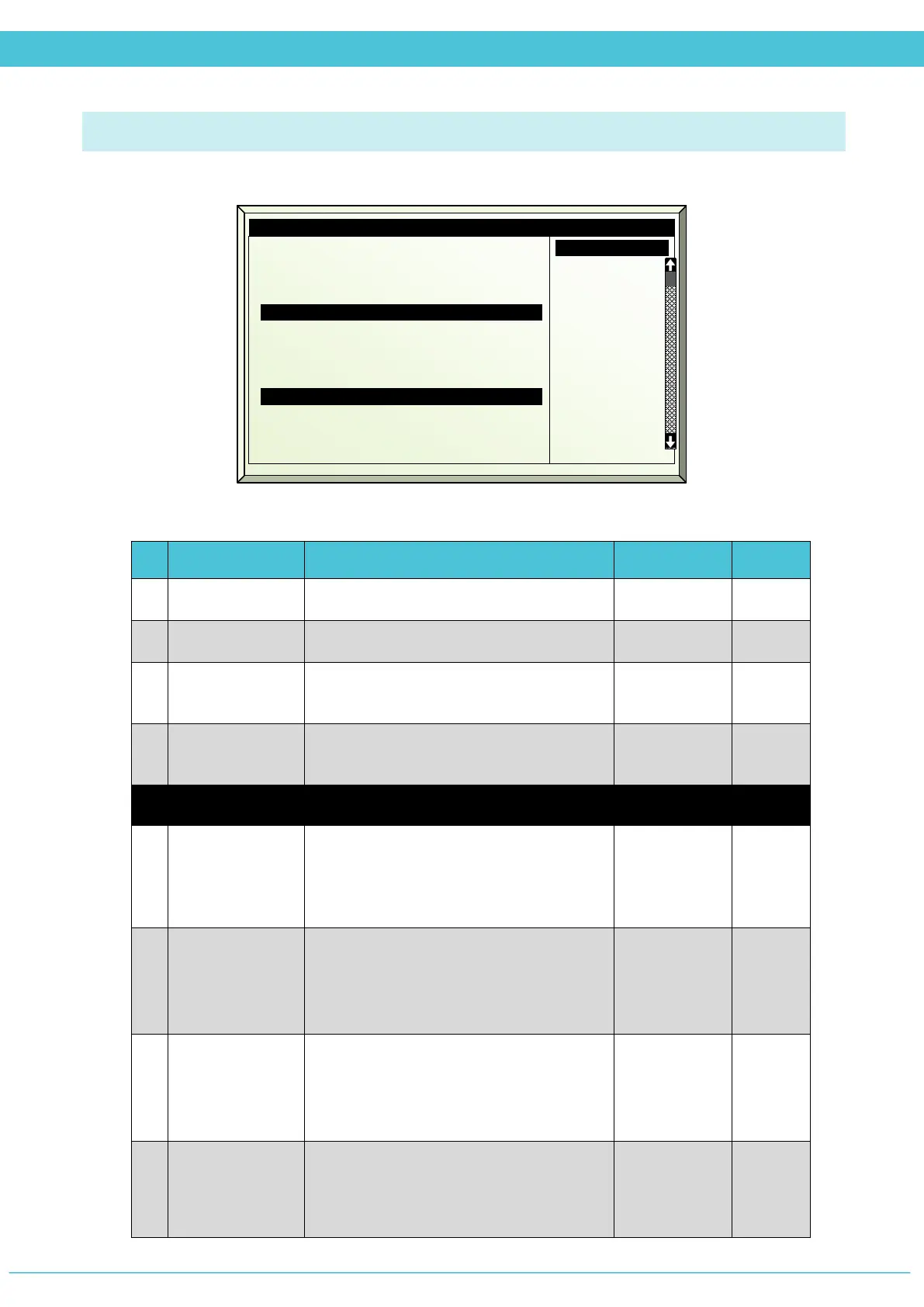
System Setup (MENU 7.11)
# Parameter Explanation Unit/Range Default
1.
Time
Enter the current time
hh:mm:ss
2.
Date
Enter the current date
dd/month/yy
3.
Units
Select the preferred measuring units for
controller calculation
Metric
USA
Metric
4.
Language
Select the preferred language for
controller display.
English
Spanish
English
Communication
5.
Controller
Number
Define the controller number within the
NMC-Pro Climate Network. There can be
up to 50 controllers defined within the
network.
1 - 50 1
6.
Lower Port
Baud Rate
PC communication rate
NOTE: As you increase transmission distance,
the number of errors increases. To reduce the
error rate, reduce the baud rate.
1200 - 38400 9600
7.
Upper Port
Baud Rate
Expansion unit communication rate
NOTE: As you increase transmission distance,
the number of errors increases. To reduce the
error rate, reduce the baud rate.
1200 - 38400 19200
8.
Remote unit
type
Select from the list which type of remote
terminal unit is working with the
NMC-Pro Climate.
None
Exp
RTU
Exp&RTU
None
2. Date
3. Units
4. Language
Communication
5. Controller number
6. Lower Port baud rate
7. Upper Port baud rate
8. Remote unit type
Weather Station
9. Weather Station
10. Storm Limit m/s
11. Storm on delay mm:ss
16:21:33
19/Jan/09
Metric
English
1
9600
19200
Ext
Local
15
00:10



 To Next Page