NetApp AltaVault Cloud Integrated Storage Administration Guide 221
Beta Draft
Replacing a boot device in a controller System maintenance AVA-400, AVA-800
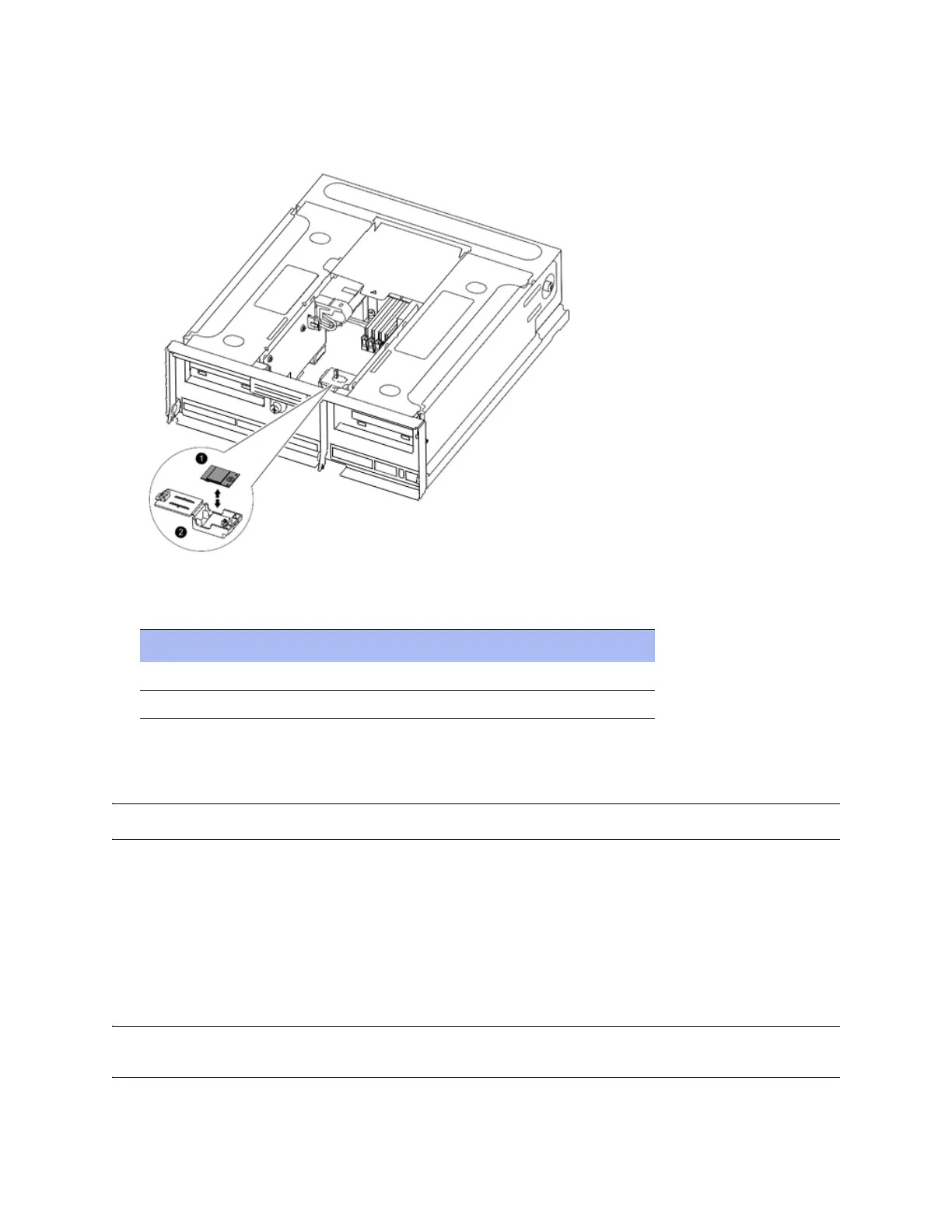
6. Locate the boot device holder using the FRU map on the CPU cover in the controller. The attention LED next to
the boot device holder is lit. The image below shows the boot device and holder.
7. Identify boot device components as described in this table:
8. Open the boot device cover. Hold the boot device by its edges, gently lift it straight upwards to remove it out of
the holder. Lifting the boot device at an angle can bend or break the connector pins in the boot device.
Note: Do not remove the boot device holder from the controller; it is not a FRU.
9. Set the boot device aside.
Installing a boot device
After you remove the faulty boot device from the controller, you must copy system files and restore configuration
information to the replacement boot device.
Note: Re-installing the OS is not a supported procedure in this release. Contact technical support to help you determine if you need
to replace this field-replaceable unit (FRU) and to assist you during the replacement procedure.
Component Description
1 Boot device
2 Boot device holder: not removable



 To Next Page