222 NetApp AltaVault Cloud Integrated Storage Administration Guide
Beta Draft
System maintenance AVA-400, AVA-800 Replacing a boot device in a controller
Before you begin, you must have the blank replacement boot device that you received from your provider.
To install the boot device
1. If you are not already grounded, properly ground yourself.
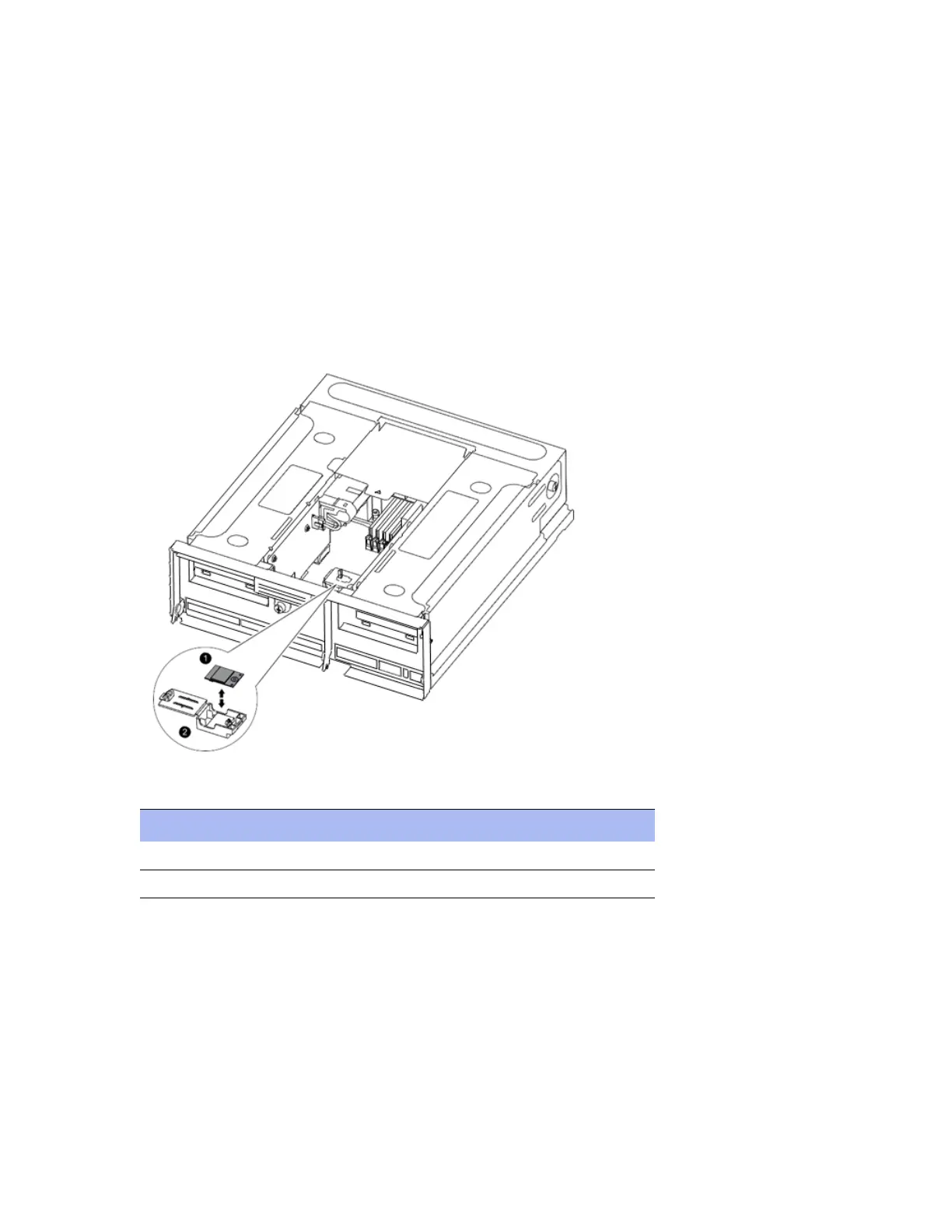
2. Locate the boot device holder in the controller. Use the FRU map on the controller module to help you locate the
boot device holder.
3. Open the boot device cover, if applicable.
4. Align the boot device with the boot device socket or connector, and then firmly push the boot device straight down
into the socket or connector.
5. Identify boot device components as described in this table:
6. Check the boot device to make sure that it is seated squarely and completely in the socket or connector. If
necessary, remove the boot device and reseat it into the socket.
7. Close the boot device cover.
Component Description
1 Boot device
2 Boot device holder: not removable



 To Next Page