12
S
MARTNA™ 10G NETWORK ACCESS (SMARTNA-X)
INTRODUCTION TO NETWORK TAPS | SUITABLE LOCATIONS FOR PLACING TAPS
DRAFT
Placing TAPs on multiple servers
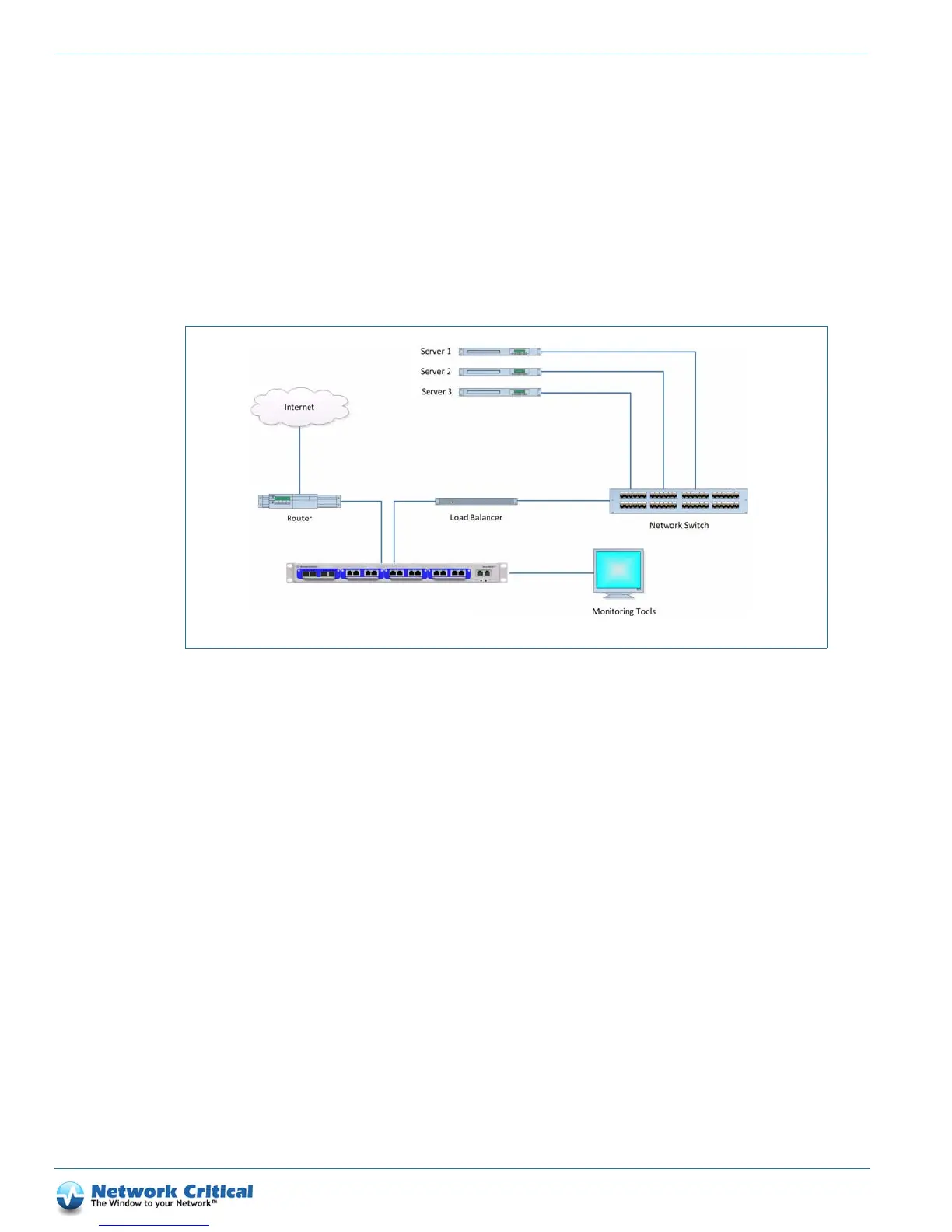
If your environment consists of multiple servers and/or multiple server farms, the ideal TAP location would be
either before or after the Load Balancer. This configuration is demonstrated in Figure 2-4 and Figure 2-5. By
placing the TAP at these locations, you minimize the number of TAPs necessary to collect the data. A benefit with
monitoring the data before the Load Balancer (Figure 2-4), you will be able to observe the individual IP addresses
(requester of data) and have a better understanding of user traffic locations. However, the Load Balancer’s IP
address may take on the appearance as the web server providing the response to the requested information. If your
preference is to follow which servers are responding to the users request, refer to Figure 2-5.
Placing TAPs on multiple locations
If your environment consists of multiple locations, placing the TAP behind the Load Balancer (Figure 2-5) allows
you to see which servers are responding to the requested information. However, the limitation here would be
understanding who is requesting the information. The Load Balancer typically will appear as the user address
making the requester of data appear as a single user.
Another possibility to address recognizing a users location depends on the type of Load Balancer you are using. For
example, if your Load Balancer supports it, you can enable “x-forward-for” so that the user IP is included in the
Figure 2-4 TAP placed before Load Balancer



 To Next Page