41
S
MARTNA™ 10G NETWORK ACCESS (SMARTNA-X)
CONFIGURING PORTS | CONFIGURING PORT FAILSAFE AND LFP (TAP MODE)
DRAFT
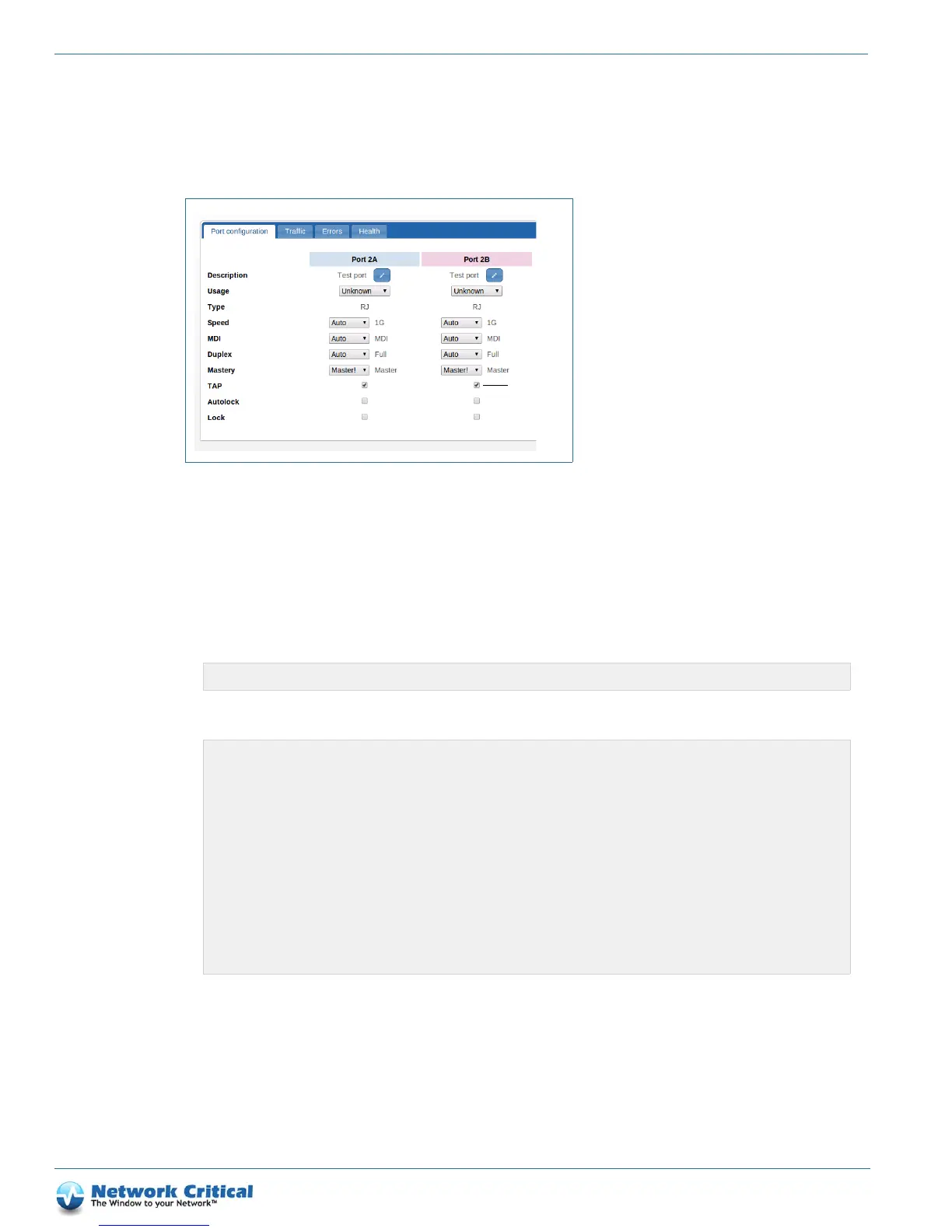
3. Select the TAP checkbox (if it is not already selected), as shown in Figure 6-2). TAP mode will automatically be
selected in the pair (AB and CD).
4. Click Review/apply and review the changes you have made, and then click Apply to implement your changes.
Using the CLI to enable TAP mode
1. Log in to the CLI as Administrator.
2. Select the TAP module you want to configure.
3. Enter the following command to enable TAP mode on port A (port B is automatically enabled as a result):
Testing failsafe
You can test failsafe is enabled correctly as follows:
1. Set up failsafe on a port pair, as described in the “Configuring port failsafe and LFP (TAP mode)” section on
page 40.
Figure 6-2 Port configuration tab (TAP checkbox shown)
CONTROLLER>select slot 4
SLOT4>set port A tap on
SLOT4>show port A
speed : set 1G
duplex : set full
mdi : set mdi-x
mastering : set preferslave
tap : on
autolock : off
lock : off
usage : undefined
port type : Registered Jack 45 (RJ45)
PORT DOWN
traffic threshold low : 10
traffic threshold high: 100



 To Next Page