23
S
MARTNA™ 10G NETWORK ACCESS (SMARTNA-X)
ADMINISTERING SMARTNA-X | CONFIGURING SMARTNA-X FOR THE FIRST TIME
DRAFT
Logging in to the CLI locally
If you need to configure SmartNA-X locally (without connecting to a wired LAN), you can connect a PC to the
SmartNA-X Console/Serial port using a DE-9 female to 8P8C (RJ45) serial management cable (supplied). To
open the CLI by connecting to the SmartNA-X Console/Serial port, follow these steps:
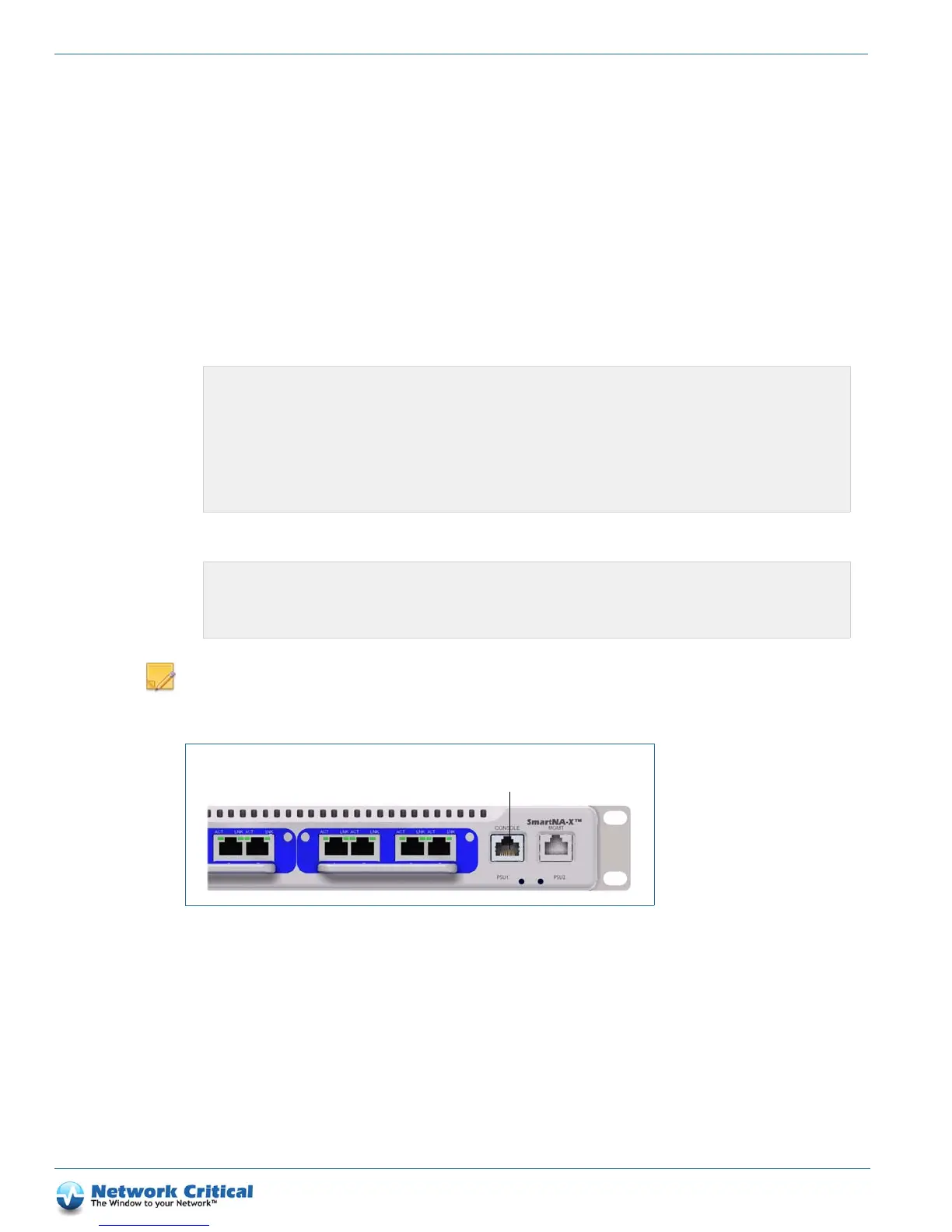
1. Connect the supplied DE-9 female to 8P8C serial management cable to the Console/Serial port on SmartNA-X
and to the COM port on a computer. Figure 4-2 shows the location of the Console/Serial port.
2. Set up a terminal emulator to communicate with SmartNA-X. Use the following settings for the terminal
emulator connection: 9600 baud, 8 data bits, no parity, 1 stop bit (8N1).
3. Log in to the CLI using your SmartNA-X username and password:
4. When you have finished entering commands in the CLI exit to allow access to other users:
NOTE: If the Console cable is disconnected before the session is terminated, the session over the Console/Serial
port will stay active and prevent any login to the Management/N
etwork port via web UI or CLI. If this happens,
re-connect to the system using the Console/Serial port and shut down the session properly by logging out.
Configuring SmartNA-X for the first time
To secure your SmartNA-X against unauthorized access and to prepare it for attaching to your live data networks,
an Administrator may wish to make the following initial configuration changes:
• Restore the system to a known state of configuration, as described in the “Restoring default settings and custom
configurations” section on page 31
Username : admin
Password : ******
Login over serial connection
Command Line Parser
Built on Sep 25 2012 at 15:29:17 from svn revision 263M
Running at Authorisation level 3
User admin logged in from serial-connection
CONTROLLER>
CONTROLLER>exit
Exiting CLI
Connection to 192.168.254.100 closed.
user@example.com ~#
Figure 4-2 SmartNA-X Console/Serial port



 To Next Page