5
S
MARTNA™ 10G NETWORK ACCESS (SMARTNA-X)
OVERVIEW | MANAGING SMARTNA-X
DRAFT
Managing SmartNA-X
You can manage SmartNA-X from a web browser over HTTPS or a terminal client supporting SSH. SmartNA-X
includes an SNMPv1/v2c/v3 agent for integration with your network management system (NMS). By default,
user authentication is performed locally, but can be managed by RADIUS or TACACS+ authentication servers if
required. For auditing purposes, RADIUS or TACACS+ accounting servers can be configured to capture log
information relating to SmartNA-X user transactions (local logging is not supported).
Managing SmartNA-X through the web UI
The SmartNA-X web UI provides access to administrator, user and audit level options in a secure web browser
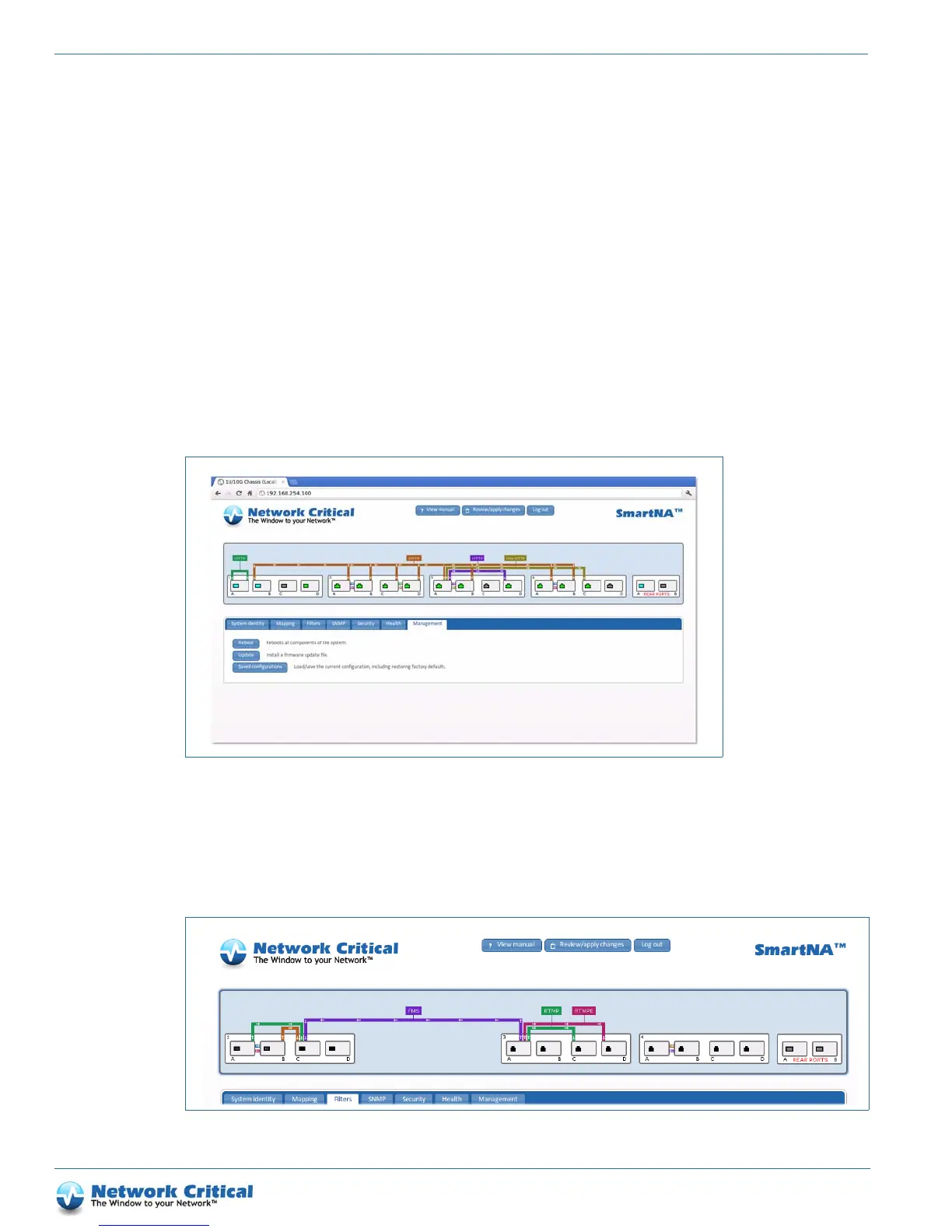
environment. To access the web UI (Figure 1-3), open a Java 1.5+ enabled web browser and enter the IP address
for SmartNA-X. If this is the first time of logging on from a host, you’ll need to accept the SSL certificate before
you can continue—this will not compromise your network security. Once you are at the login screen, enter your
SmartNA-X username and password to access the web UI.
The chassis graphic that is displayed when you login (Figure 1-4) provides an accurate representation of the
SmartNA-X hardware configuration. It shows which slots are populated, type of ports in each module, port link
up/down status, and on/off state of the PSUs. If the hardware changes, such as another module is inserted, the web
UI will reflect the change in real-time.
Figure 1-3 SmartNA-X web UI
Figure 1-4 SmartNA-X chassis graphic
CHASSIS
PORTS
TAP M ODULES
REAR PORTS
PORT MAPS
PACKET FILTERS



 To Next Page