191
S
MARTNA™ 10G NETWORK ACCESS (SMARTNA-X)
WEB USER-INTERFACE REFERENCE | MAPPING TAB
DRAFT
Mapping tab
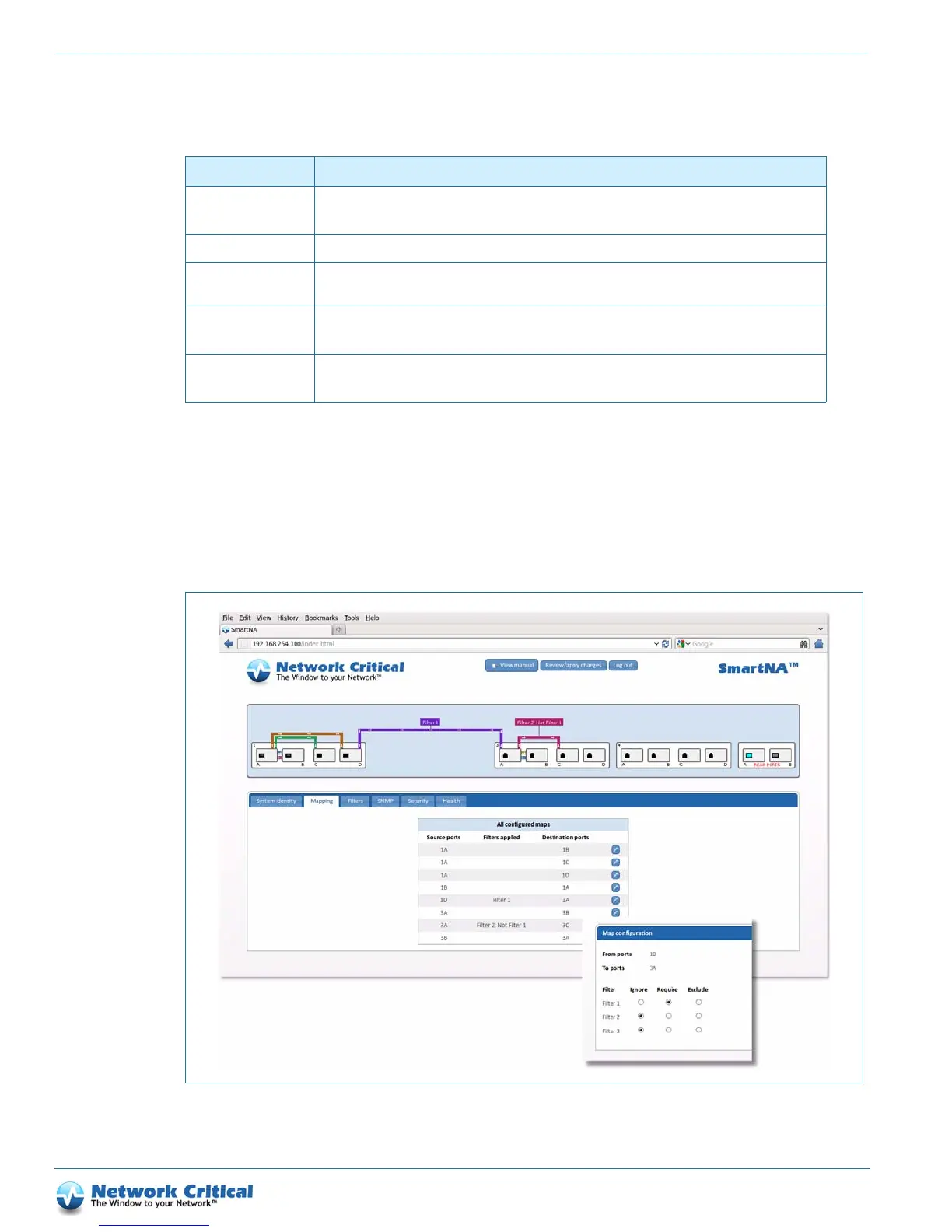
The Mapping tab (Figure B-2) is available after clicking on the chassis. It lists port maps and provides options for
adding and removing filters. Maps are created by dragging from the source to destination port. Selecting the edit
icon for a map is the same as clicking on the map on the diagram. If there are too many maps to draw them all, the
extra ones will still appear on, and therefore be accessible from, this list.
System IPv6 address Sets the device network interface IPv6 address. Default: None.
The current active gateway address is shown in the adjacent Active IPv6 address field.
System MAC address Shows the SmartNA-X MAC address.
System link local
address
Shows the IPv6 link local address.
IPv6 prefix length Sets the IPv6 prefix length. Default: None.
The current active gateway address is shown in the adjacent Active IPv6 prefix length field.
IPv6 gateway Sets the IPv6 network gateway address.
The current active gateway address is shown in the adjacent Active IPv6 gateway field.
Table B-1 System identity tab options (continued)
Option Description
Figure B-2 The Mapping tab showing the Map configuration window



 To Next Page