36
S
MARTNA™ 10G NETWORK ACCESS (SMARTNA-X)
USING THE WEB USER INTERFACE | SELECTING OPTIONS IN THE SYSTEM DIAGRAM
DRAFT
Enter the SmartNA-X IP address (for example 192.168.254.100) in a web browser. If this is the first time you
have logged in, you will need to accept the security certificate (accepting the certificate does not compromise your
network security). Then enter your user credentials to authenticate your account.
Selecting options in the system diagram
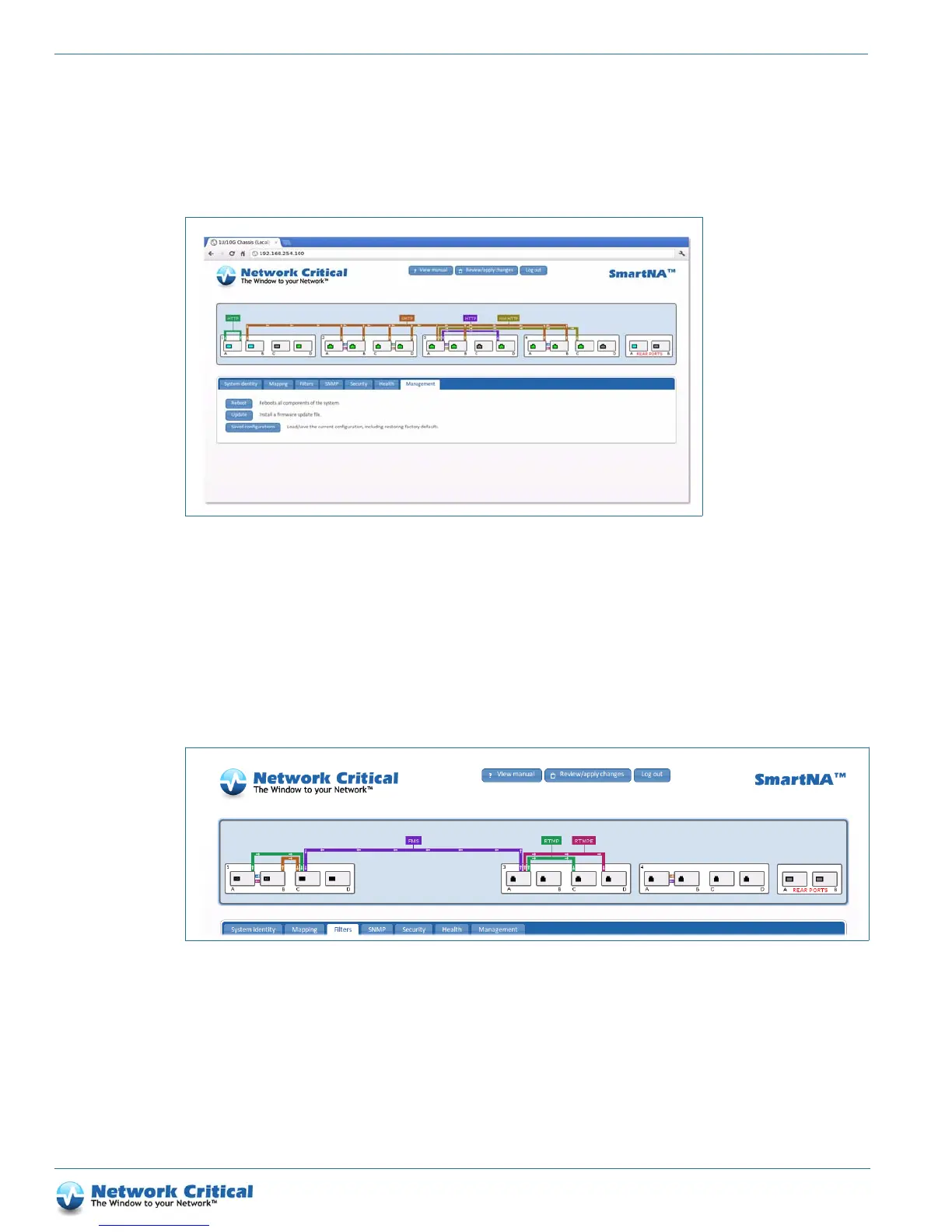
The system diagram (Figure 5-2) provides a dynamically updated overview of your SmartNA-X system and allows
you to manage system settings, TAP modules, ports, maps and filters. If you don’t see the diagram, check you have
Java 1.5 or later installed and enabled in your browser. Using CTRL (or SHIFT) lets you select several ports or
modules at the same time and configure them together (handy when setting up multiple ports with the same
settings).
Port speed indicator
A color key is used to indicate the maximum speed of the port:
• Orange = maximum 10 Mbit/s
• Yellow = maximum 100 Mbit/s
Figure 5-1 SmartNA-X web UI with port mappings
Figure 5-2 Web UI system diagram (the labels show the different clickable parts)
CHASSIS
PORTS
TAP M ODULES
REAR PORTS
PORT MAPS
PACKET FILTERS



 To Next Page