195
S
MARTNA™ 10G NETWORK ACCESS (SMARTNA-X)
WEB USER-INTERFACE REFERENCE | SNMP TAB
DRAFT
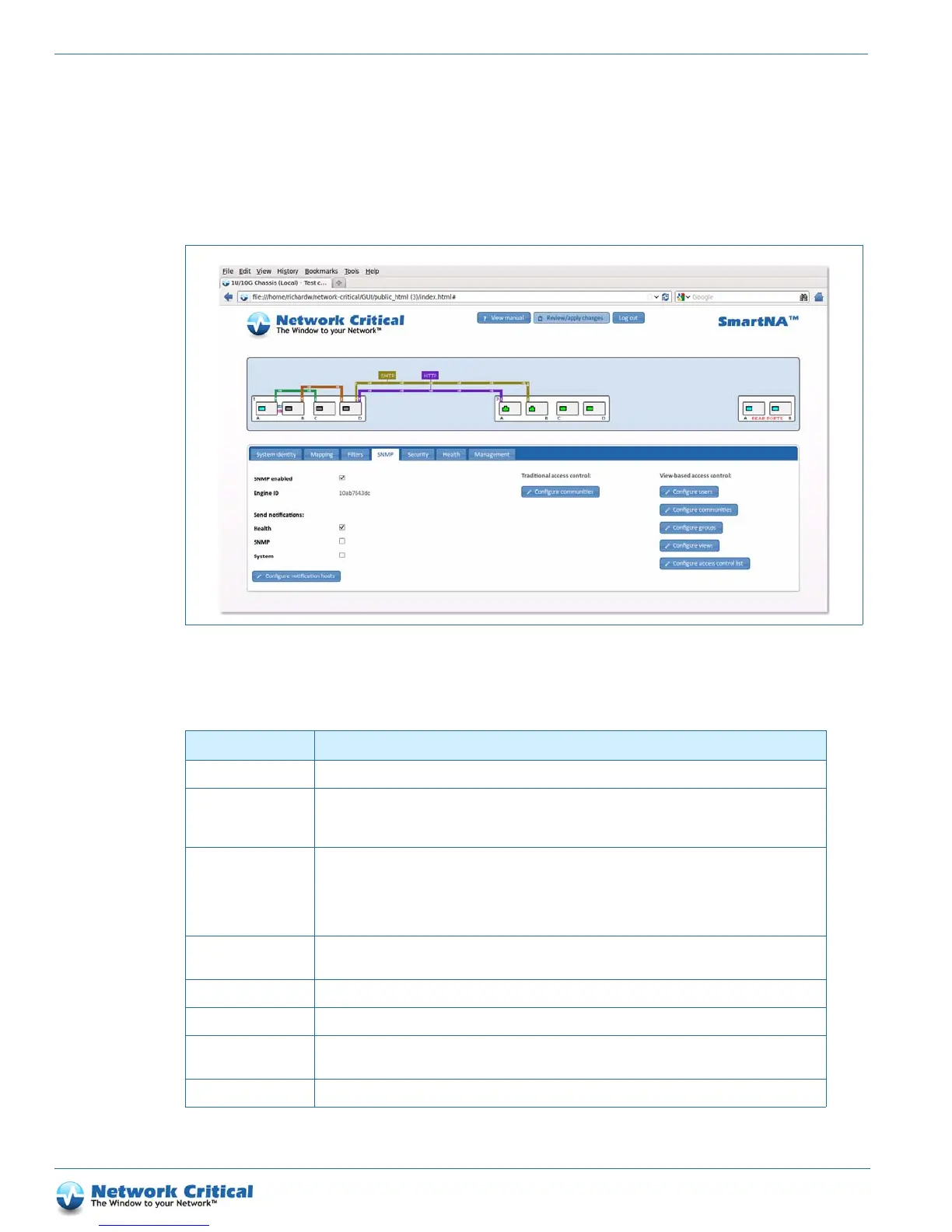
SNMP tab
The SNMP tab (Figure B-4) is available after clicking on the chassis. It provides access to the SNMP options and
client settings shown in the tables below.
Figure B-4 The SNMP tab
Table B-3 SNMP tab options
Option Description
SNMP enabled Enables or disabled the SNMP agent. Default: Disabled.
Engine ID The SNMP engine ID identifies the agent in the device and is a security feature of SNMPv3. The engine
ID is automatically generated by the system and is a product of the enterprise number of Network Critical
(by IANA) and the MAC address of the ‘eth0’ interface, thus it is not user configurable.
Send notifications Allows notifications to be sent for the following system alerts:
Health – power, fan, TAP module temperature, system temperature
SNMP – cold start, warm start, authentication failure
System – link up/down, module in/out, traffic overload/underload
Configure notification
hosts
Options for configuring notification host servers. See Table B-4 for available options.
Configure communities Options for configuring traditional SNMP v1, v2c communities. See Table B-5.
Configure users Options for configuring view-based users. See Ta bl e B-6.
Configure communities
(VACM)
Options for configuring view-based access communities (SNMPv3). See Tab le B- 7
Configure groups Options for configuring view-based groups. See Table B -8.



 To Next Page