NewSonic SonoDur2 Issue 04 09/2016 Page 20
5 Turning On and Off
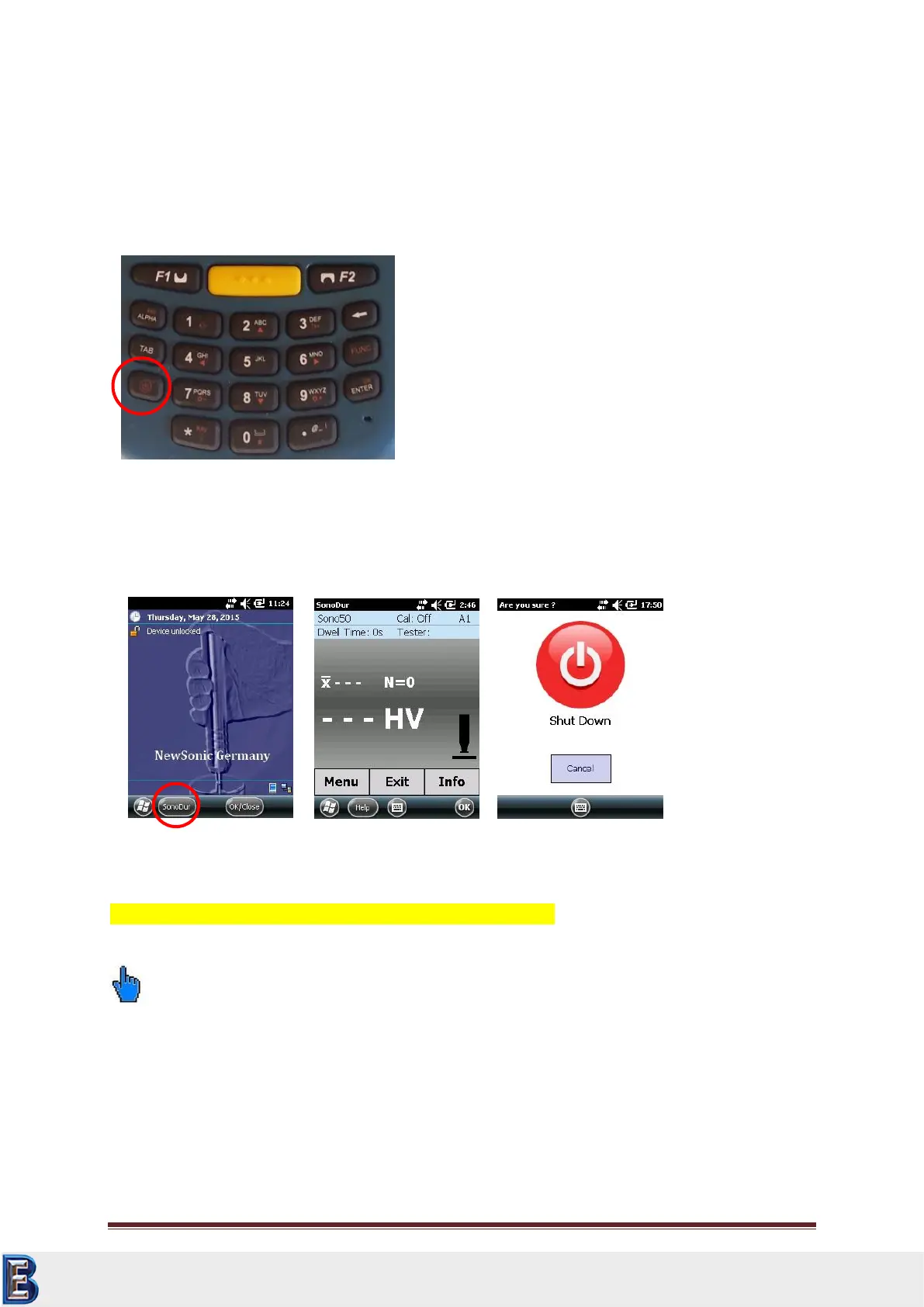
The device is turned on/off via the power button (bottom left most position of the keypad, see
Figure 5.1). To turn on the device, press and hold the key (3-4 sec) until you will feel a slight vibration
and the display shows the boot logo, release the key. After approx. 20 sec. the boot sequence is
finished and the start screen is shown, see Figure 5.2.
To start the SonoDur program, please press the function key F1 or touch the SonoDur icon on the
touch screen, refer to chapter Turning On and Off, page 20.
After the instrument has powered on, pressing the power button again will pop up the shutdown
menu. Touching the red power off icon on the screen will switch off the instrument (Figure 5.4).
Close the SonoDur program before switch off to avoid data loss!
Please note:
Please connect or disconnect probes only when the instrument is switched. Otherwise the
instrument may not recognize the probe and the message “COM6: is not the virtual USB-interface….”
will be displayed (Figure 6.1). In this case the instrument should be switched off and on again.
You can also force the instrument to shut down at any time by holding the power button for
approximately 8 seconds until the instrument switches off.
Your Complete Source for
Testing Equipment. Since 1969!
www.BergEng.com
Berg Engineering & Sales Company, Inc.
Tel 847-577-3980
info@bergeng.com



 To Next Page