NewSonic SonoDur2 Issue 04 09/2016 Page 43
7.10.4 Working with Templates
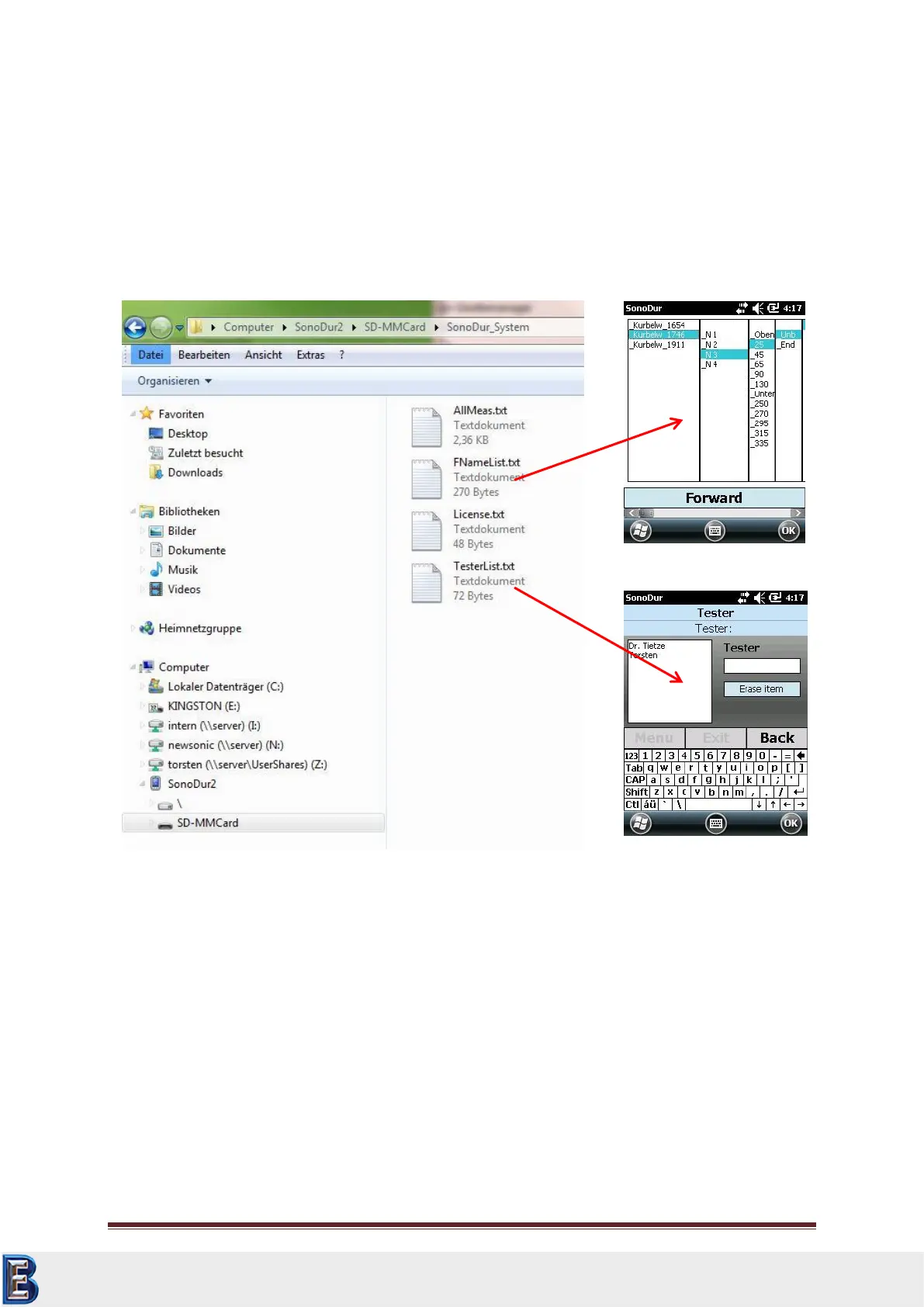
From software version 115 or higher measuring values and tester names can be easily managed using
templates. These templates in txt-format are located in the SonoDur_System folder and can be easily
created or modified on a PC.
Creating a new entry for an inspectors name is done as before via the menu settings/Tester or
clicking on the input field “Tester” in the main menu. A new selection list with already created tester
names is arranged left beside the input field. Tester names could be directly selected from the list
(see following section).
Now storage of measuring values due to periodic inspections of known components and test
positions is now much easier and faster using templates. The file name of the data set which has to
be stored must not entered via the keyboard but can be created by selecting from the template.
This template (.txt format) must be created first and copied to the SonoDur_System folder. If this
template is available in the SonoDur_System folder, the user can enable the use of the template by
selecting Test list template from the Settings/Measurement mode menu (see Figure 7.85).
After the instrument has been set up to use templates, the selection list (max. 5 columns possible)
will pop up if the store file dialog is selected or the automatic data storage function (Figure 7.77).
This saves the hazzle of typing the name for the data file and makes it much easier during periodic or
known inspection positions to create complex names fast and without any errors.
Your Complete Source for
Testing Equipment. Since 1969!
www.BergEng.com
Berg Engineering & Sales Company, Inc.
Tel 847-577-3980
info@bergeng.com



 To Next Page