NewSonic SonoDur2 Issue 04 09/2016 Page 22
6.3 Removing Probe Connector during Operation
If the probe connector is removed during operation, the program SonoDur2 will be closed. After
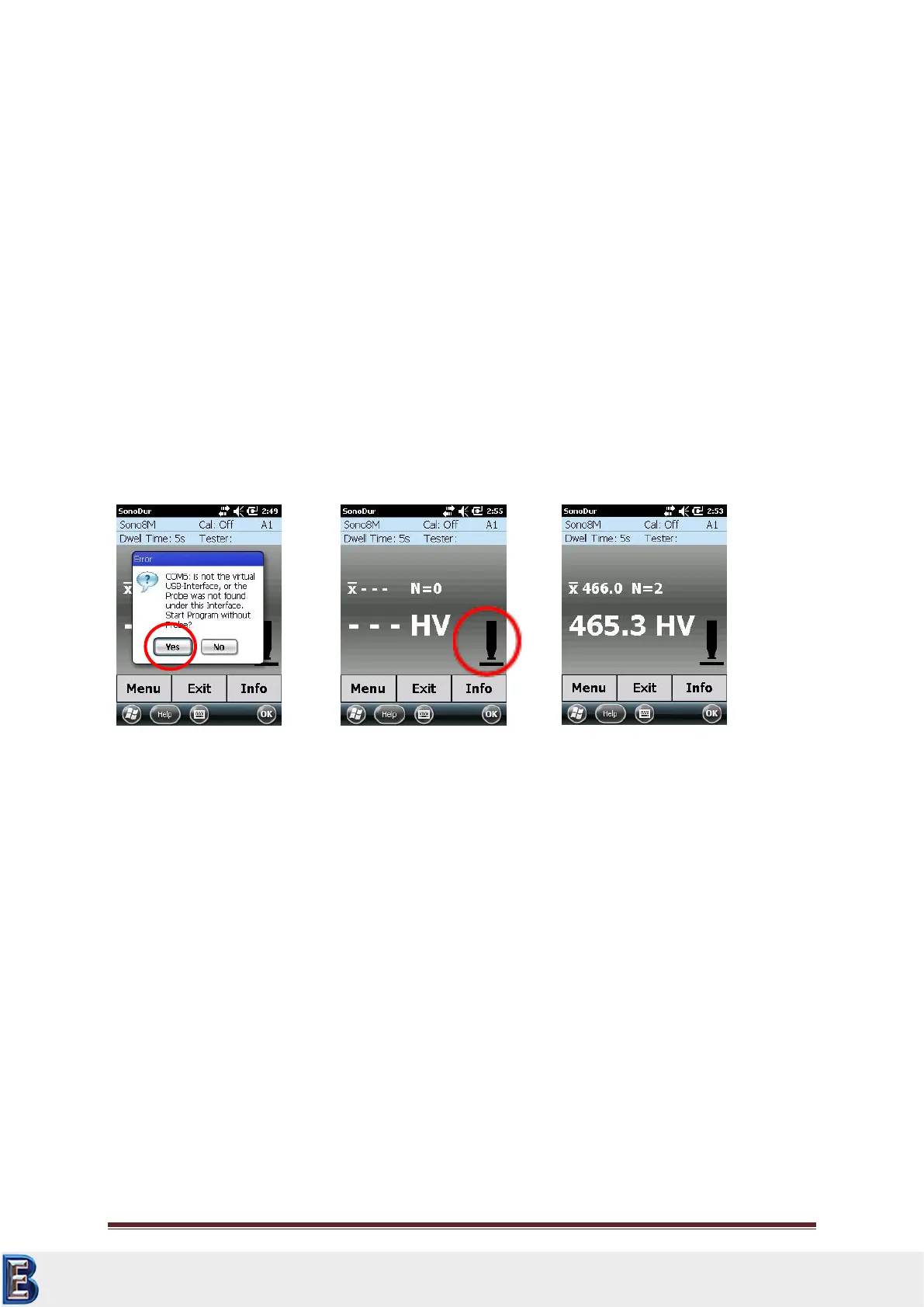
starting the SonoDur again, the message “COM6: is not the virtual USB-interface….” may appear (see
Figure 6.2). In this case the system may not recognize the probe and SonoDur2 should be switched
off and on again to rescan the USB-ports.
6.4 Operating without Probe – Simulation Mode
The device is equipped with a special feature when turning it on without a connected probe: The
simulation mode makes it possible to test all functions of the SonoDur2 measurement program,
without having to perform self-measurements with probes.
“Measurement Values" will now be generated by touching the probe symbol (see Figure 6.3) and all
functions in connection with the testing procedure can be operated – a special way of fast training
for operators and also to give presentations to all those who are interested.
Start program without probe:
For returning to normal operation please follow the instructions below:
Terminate the SonoDur Program by pressing the “EXIT” button or the “OK” key in the upper
right corner of the display (in this case the program will not ask for saving data and be
terminated immediately).
Switch of the instrument
Connect a probe
Switch on the instrument
Re-start the SonoDur2 program via Start -> SonoDur (or with the function key , see chapter
Control Elements 7.1, page 23)
Your Complete Source for
Testing Equipment. Since 1969!
www.BergEng.com
Berg Engineering & Sales Company, Inc.
Tel 847-577-3980
info@bergeng.com



 To Next Page