NewSonic SonoDur2 Issue 04 09/2016 Page 37
7.7.4 Save and Load Adjustment
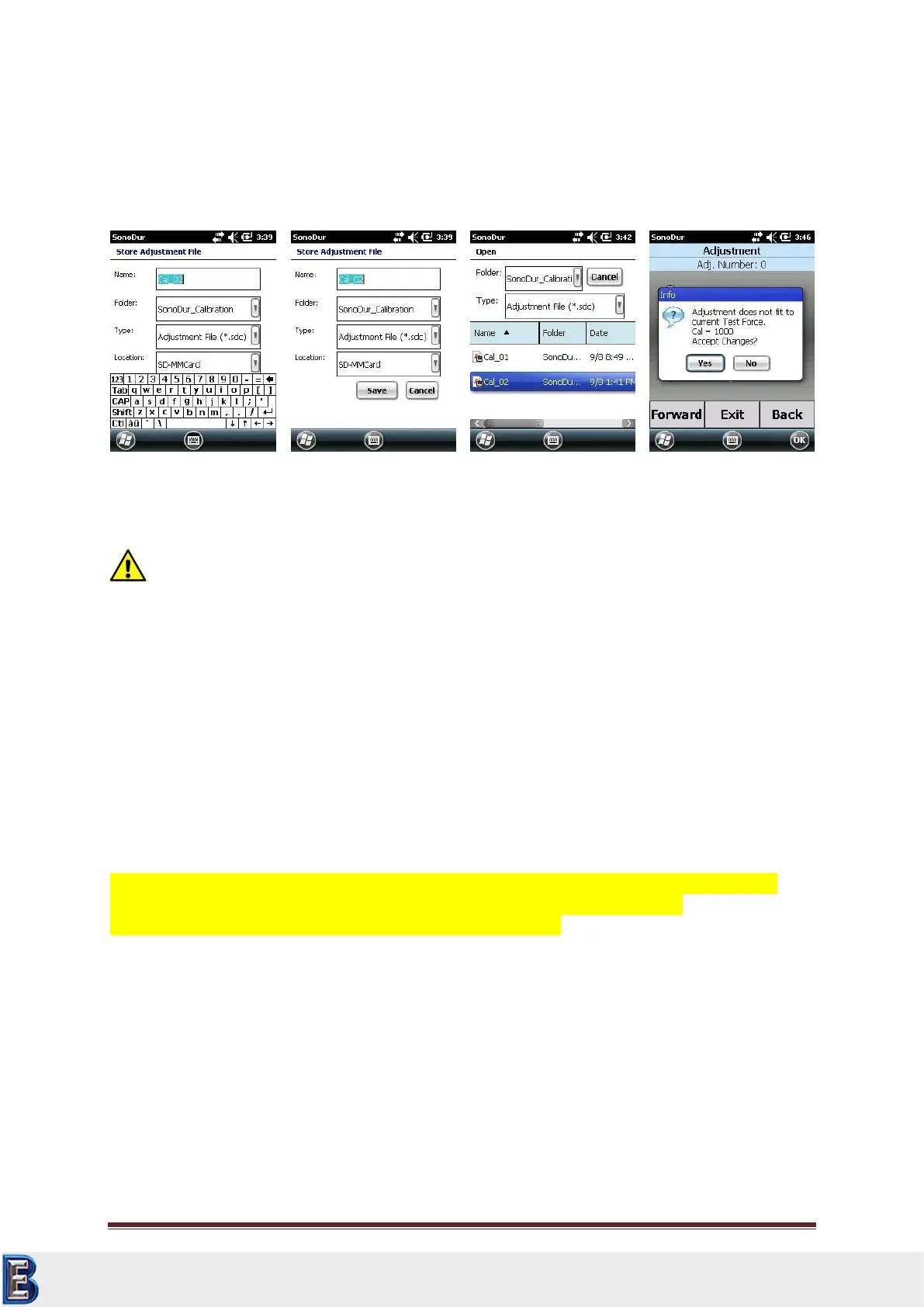
Save (Figure 7.53): The device automatically suggests a name. A new name can now be selected by
means of the keyboard. Load (Figure 7.55): Calling up of a stored adjustment file in the Folder
“SonoDur2_Calibration”. The standard setting for the directory is “All Folders”.
Attention:
If an adjustment files is chosen containing different test force data as the connected probe has
programmed for, the message above (Figure 7.56) is shown.
Long time practical experience using our stable SonoDur probes shows a good correlation for all
probe types using the same adjustment number even for different test loads. Therefore we have one
unique CAL value for different test loads using the material tables F2, F3, F4, F5 (EN ISO 18265) or
T4, T7, T8, T9 (ASTM E140).
Definitely the adjustment for all test loads is true for the correction of the influence of the young’s
modulus. This holds as long as no other surface effects (hardness increase, roughness) affects the
measurement.
Therefor adjustment data can be used for probes with other test forces as stored in the selected
adjustment file. It is the responsibility of the inspector to use these settings or not.
If you are not sure, use a probe with the corresponding test load.
The “Save” Button is hidden (Figure 7.53) through the virtual keyboard, you have to close the
keyboard first to save adjustment data.
Your Complete Source for
Testing Equipment. Since 1969!
www.BergEng.com
Berg Engineering & Sales Company, Inc.
Tel 847-577-3980
info@bergeng.com



 To Next Page