NewSonic SonoDur2 Issue 04 09/2016 Page 44
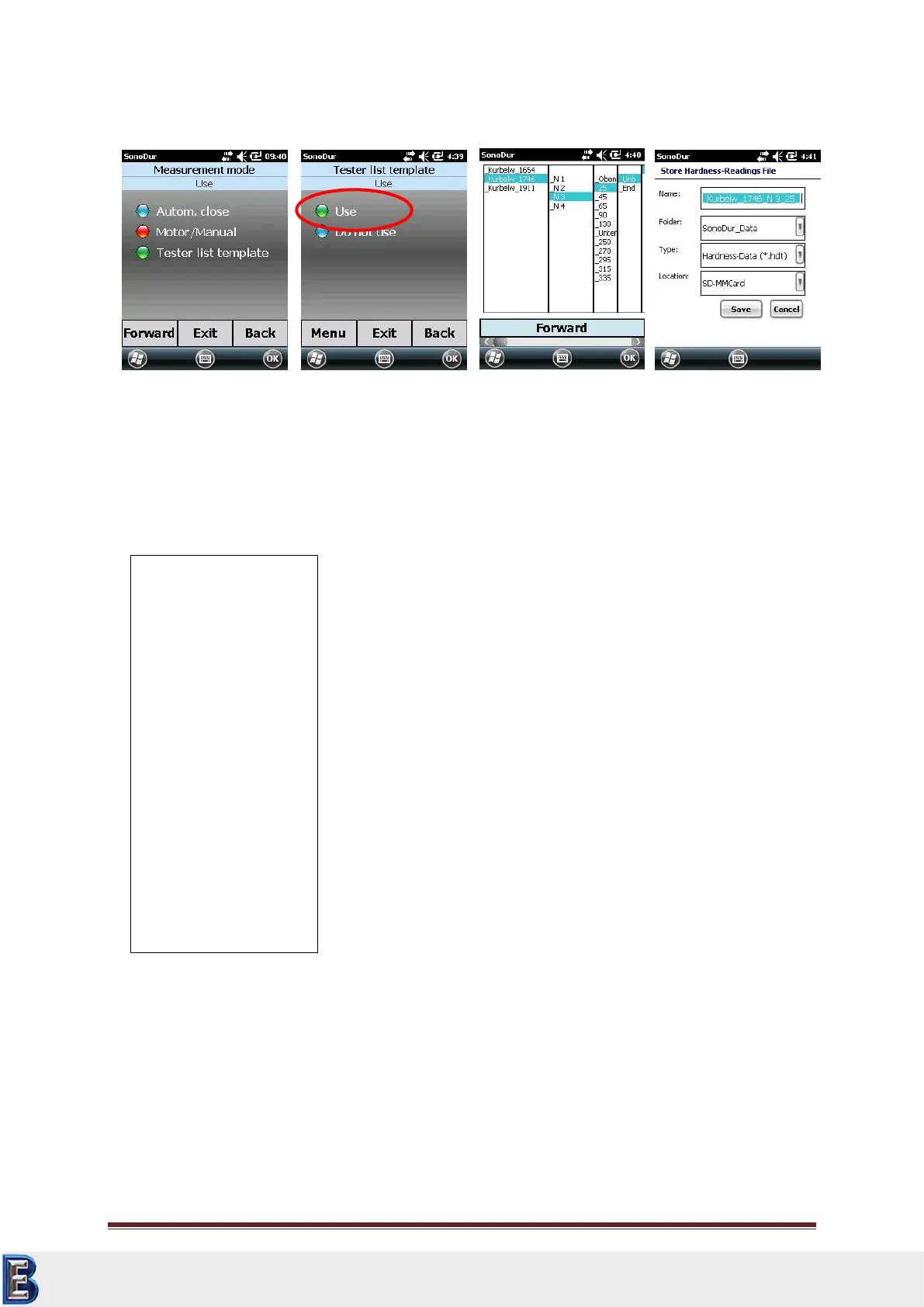
Example of a template (FNameList.txt), each column is separated with an empty row, in this case 4
columns.
7.10.5 Tester
From software version 1.03 SonoDur2 offers the ability to personalize the results by entering the
tester. Change from the instrument menu over to the setting menu and select “Tester”. Using the
keyboard you can enter the name of the inspector (see Figure 7.91). Direct access by tapping the
soft-key “Tester” in the measuring menu is also possible. The name of the tester will appear in the
log file as well.
Kurbelw_1654
Kurbelw_1746
Kurbelw_1911
_N 1
_N 2
_N 3
_N 4
_Oben
_25
_45
_65
_90
_130
_Unten
_250
_270
_295
_315
_335
_Unb
_End
Your Complete Source for
Testing Equipment. Since 1969!
www.BergEng.com
Berg Engineering & Sales Company, Inc.
Tel 847-577-3980
info@bergeng.com



 To Next Page