NewSonic SonoDur2 Issue 04 09/2016 Page 57
If you have chosen the main memory as the location for your measurement and calibration files, the
storage path is …\SonoDur2\MyDocuments\...
10.6.3 Bluetooth Setup
The SonoDur2 device is featured with an integrated Bluetooth module and is able to wirelessly
exchange data with (almost all) computers that are featured with Bluetooth functionality. If your
computer does not have Bluetooth functionality, you can simply expand your computer by means of
the USB stick Bluetooth SONO-Blue, if your PC is featured with Windows XP operating system or
higher (Vista, Windows 7).
Attention:
The following configuration has only to be done once for the initial setup of the new connection!
Simply plug the USB Bluetooth module into an available USB port. Windows normally automatically
recognizes the Bluetooth dongle and installs the required drivers. Alternatively the driver could be
installed from the SonoDur2 system CD. After the installation procedure has been successfully
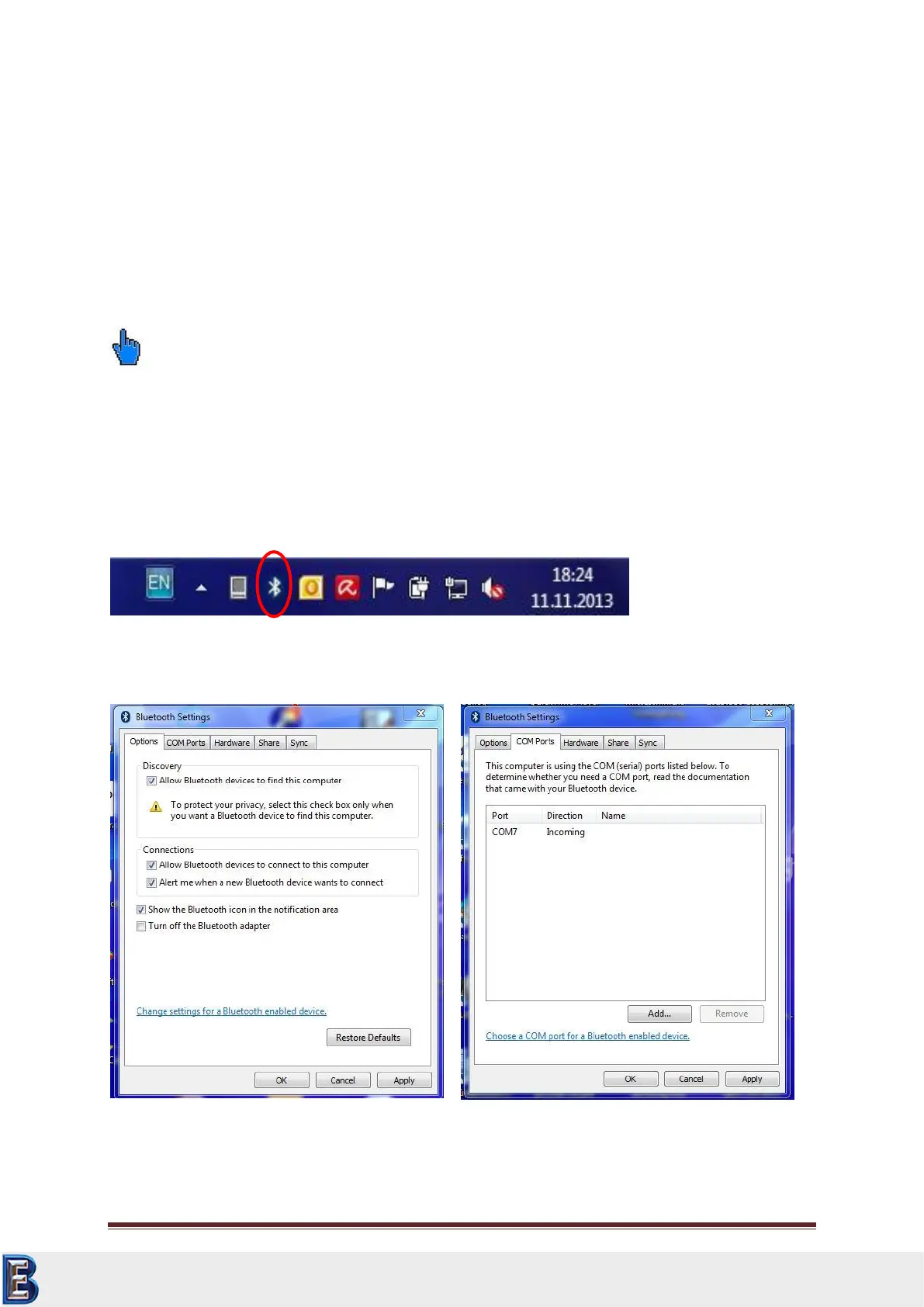
completed, the symbol for Bluetooth devices appears on the bottom right corner of the taskbar:
Click on the symbol and check the connection adjustments on site oft he PC:
Your Complete Source for
Testing Equipment. Since 1969!
www.BergEng.com
Berg Engineering & Sales Company, Inc.
Tel 847-577-3980
info@bergeng.com



 To Next Page