NewSonic SonoDur2 Issue 04 09/2016 Page 60
10.6.4 Transfer Data to the Computer
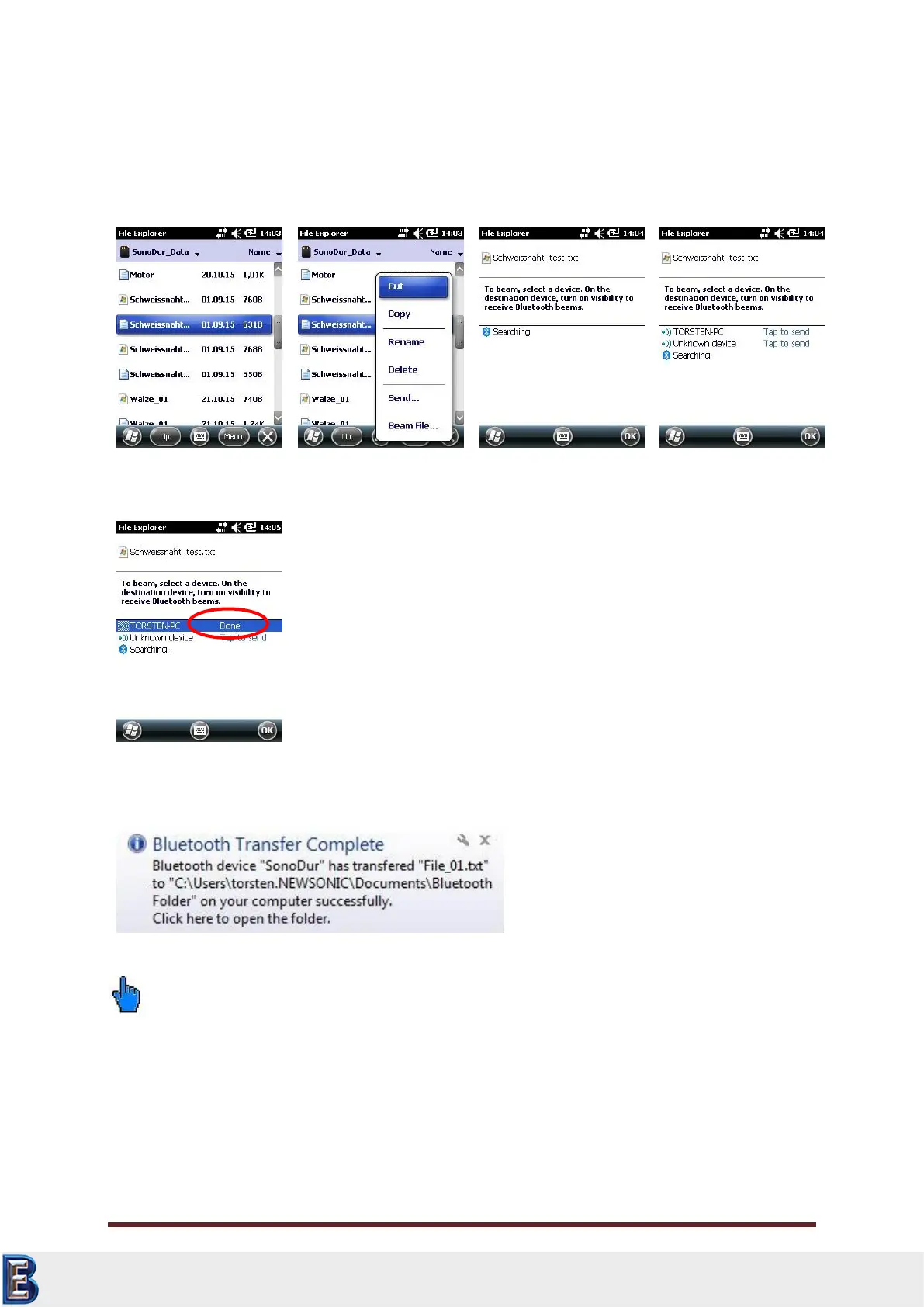
Then, keep your finger or pen pressed down on the file to be transferred (or chose “Menu in the
right bottom corner) until another menu opens up. Select “Beam File”. After a few seconds
(searching), the file can be sent to the PC (see Figure 10.27 through Figure 10.31):
The PC will display a message after the file transfer and ask for the download folder to open.
Please note:
The Win Mobile Explorer is only able to transfer individual files!
10.6.5 WLAN
For configuration details, please contact your network administrator or local support center.
Your Complete Source for
Testing Equipment. Since 1969!
www.BergEng.com
Berg Engineering & Sales Company, Inc.
Tel 847-577-3980
info@bergeng.com



 To Next Page