NewSonic SonoDur2 Issue 04 09/2016 Page 59
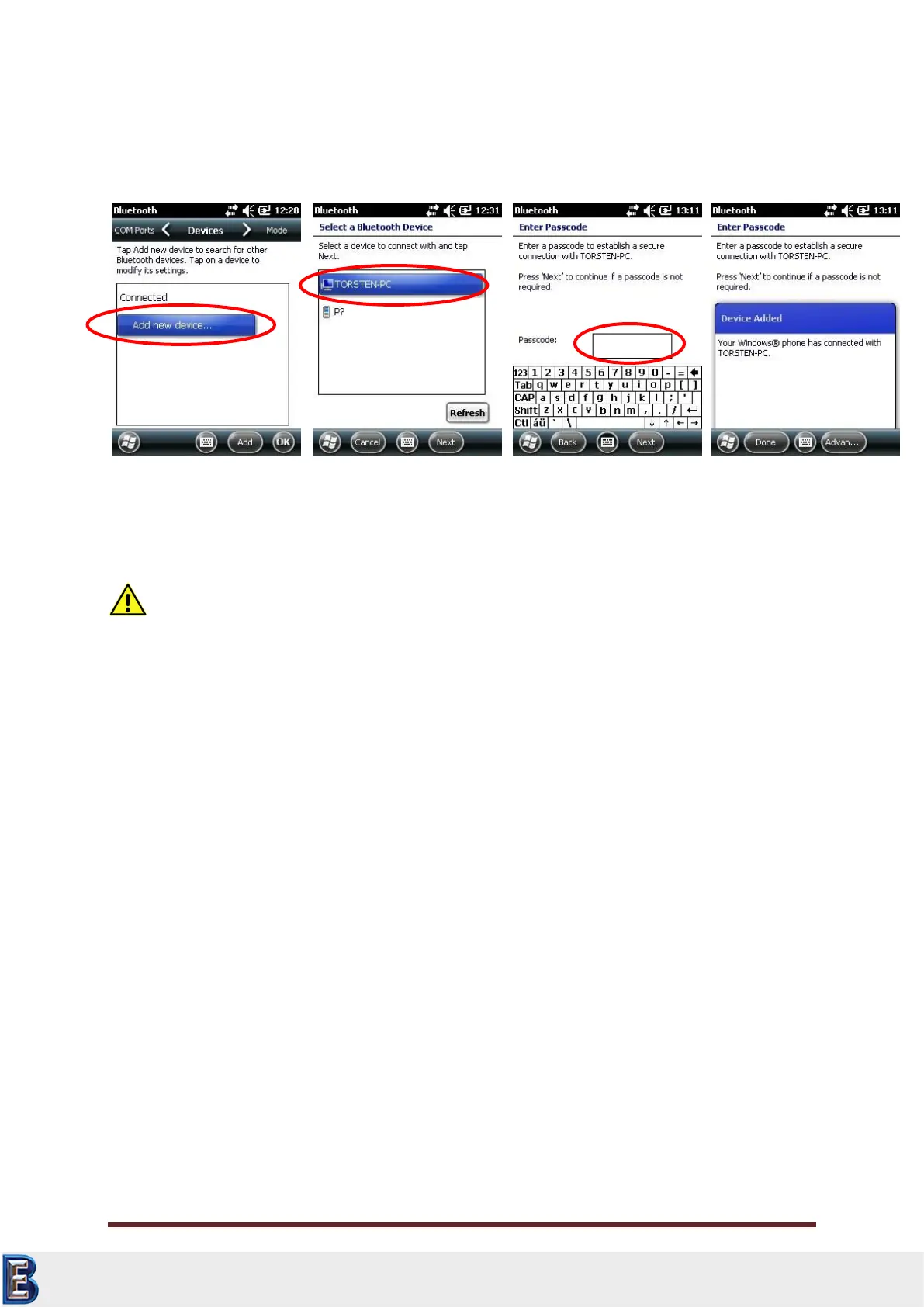
Search for bluetooth devices (here Torsten-PC) and use, if needed, a password, then press next. Now
a new window is shown on your PC and you will ask for a password, please enter the same as on the
SonoDur.
The Bluetooth connection has been successfully installed!
Attention:
If your computer is protected by a firewall you must allow data transfer via Bluetooth connection !
Your Complete Source for
Testing Equipment. Since 1969!
www.BergEng.com
Berg Engineering & Sales Company, Inc.
Tel 847-577-3980
info@bergeng.com



 To Next Page