NewSonic SonoDur2 Issue 04 09/2016 Page 35
will be continued. With a "No", the measurement counter will be set to N = 0 and it is queried
whether the data should be stored. If "Yes", the sub-program “Save File”, Page 42, section 7.11.1,
opens up. Only then a new measurement series will be started.
b.) "NO" (Figure 7.38): The determined average value is not used and therefore, (3-5)
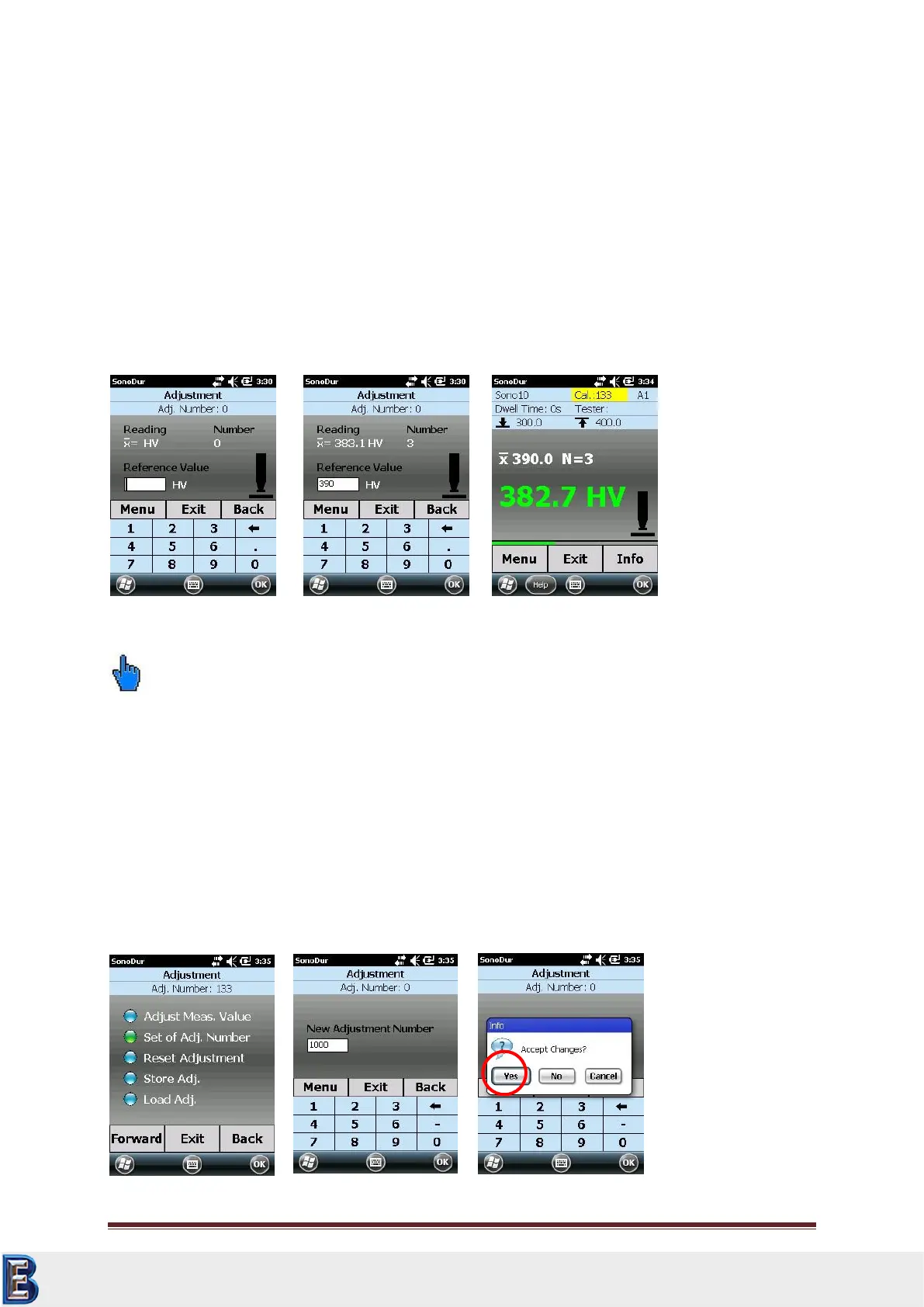
measurement values must now be recorded within the adjustment program (Figure 7.43).
Only the average value will be displayed. Subsequently, the nominal value can be entered
(Figure 7.44) and reconfirmed.
If no measurement series is available, the adjustment measurement will be directly started, as
described under b.).
Please note:
The proceeding under a.), i.e. recording a measurement series at first, has the advantage that the
individual measurements can be analyzed in the run-up via the info button in the measurement
menu and hence, potential rogue results can be detected and eliminated. In this way, an “improved’’
adjustment measurement is possible in the first place, since under b.). This possibility of correction of
individual measurements is not provided.
Thus, we recommend the proceeding under a).
7.7.2 Adjustment Number Directly
If the adjustment number is already known, it can be directly used by selecting “Set of Adj. Number”.
Your Complete Source for
Testing Equipment. Since 1969!
www.BergEng.com
Berg Engineering & Sales Company, Inc.
Tel 847-577-3980
info@bergeng.com



 To Next Page