NewSonic SonoDur2 Issue 04 09/2016 Page 40
7.9 Measurement Results
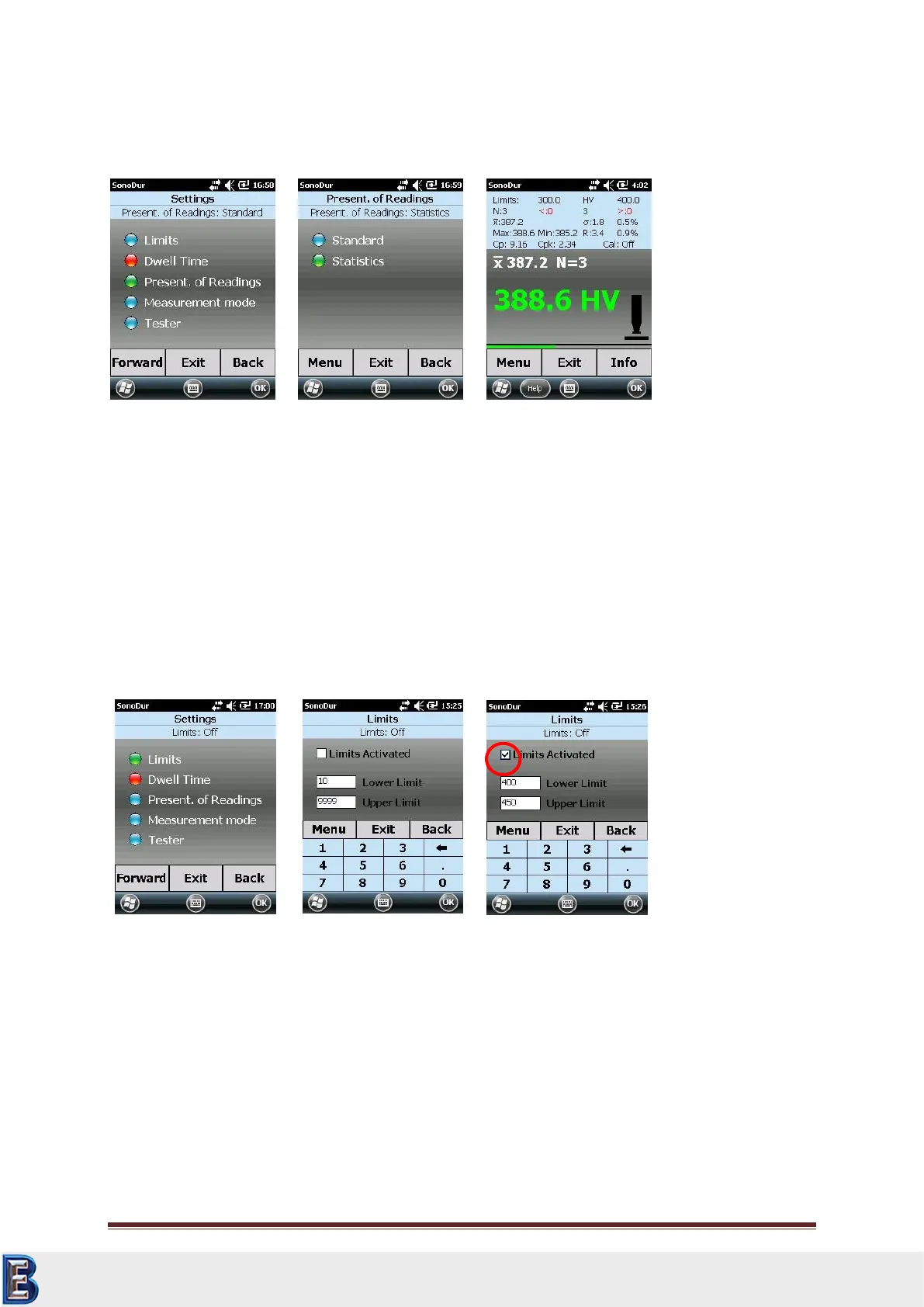
Selection of the presentation of measurement results in the device menu under "Settings".
The factory setting is “Standard" (e.g. Figure 7.65). Users, who want to view all measurement results,
may select "Statistics" (Figure 7.66). However, the direct access to the submenus will be turned off
and the operation is only possible via the lower menu buttons.
7.10 Settings
7.10.1 Limits (Thresholds)
If no limits (thresholds) have been defined (Figure 7.68), the maximum tolerance range for the
selected hardness scale will be displayed for selection.
The selected tolerance thresholds must be turned on via "thresholds active" (check mark, Figure
7.69). Tolerance thresholds can be set at any time of measurement in order to optimize the analysis
of results.
7.10.2 Dwell Time
In accordance with the instructions for motorized measuring probes, the dwell time (penetration
time) can be adjusted between 1 and 99 seconds (Figure 7.72). If the input value exceeds the
permitted limits, an error message will be generated which must be confirmed in the display via the
“OK”- button. Thereupon, the initial numerical value will be displayed once again, which then can be
corrected in the input field. If the penetration time gets changed, a current series of measurement
must be completed and a new series must be started (Figure 7.72 and Figure 7.73).
Your Complete Source for
Testing Equipment. Since 1969!
www.BergEng.com
Berg Engineering & Sales Company, Inc.
Tel 847-577-3980
info@bergeng.com



 To Next Page