NewSonic SonoDur2 Issue 04 09/2016 Page 58
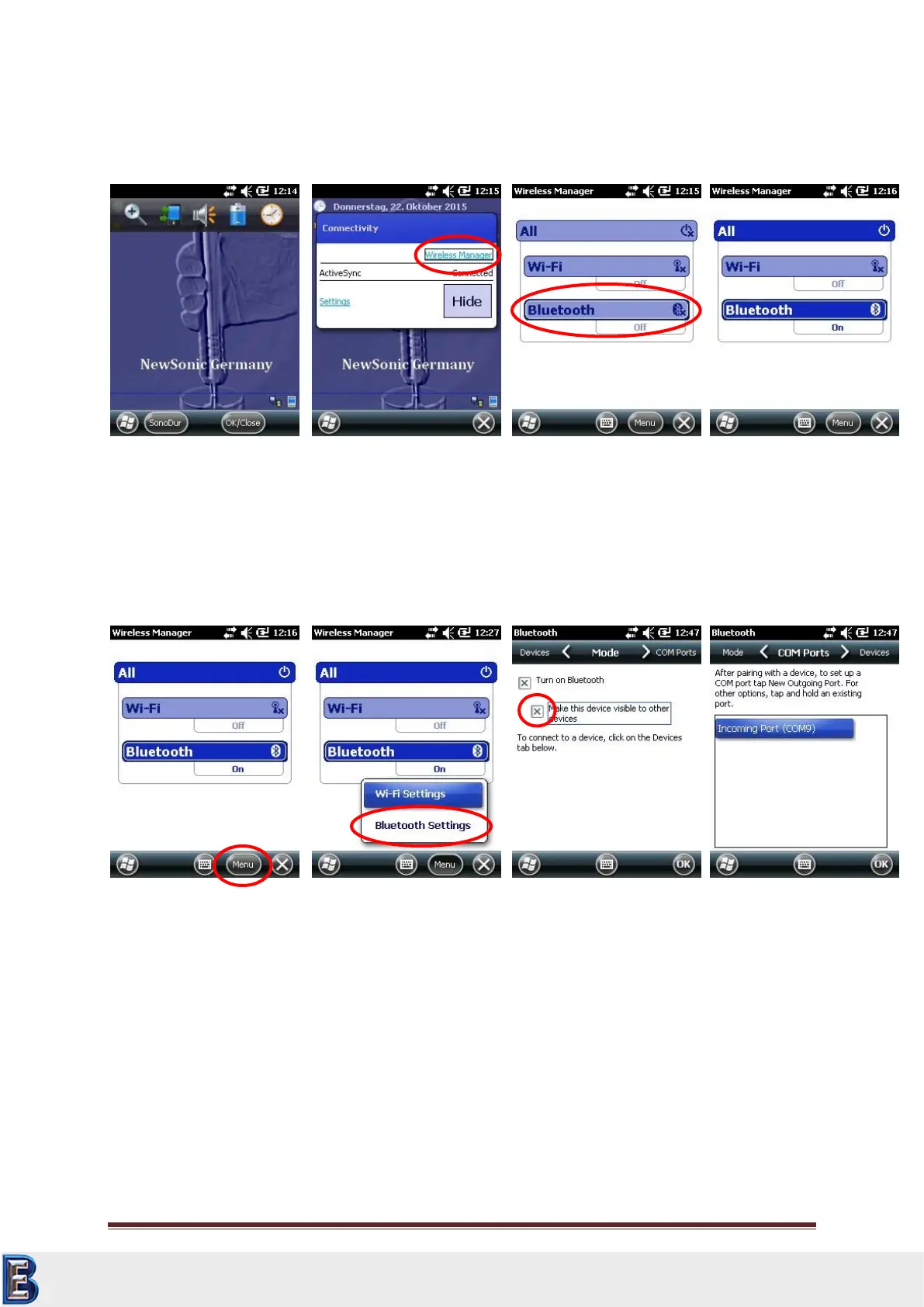
Switch on the SonoDur2 and change to Wireless Manager by selecting the status band in the upper
region of the display. Turn on the Bluetooth function, as shown below:
In order to get a bluetooth connection with your PC, press -> Menu and -> bluetooth settings. Make
the device visible or others and check the interface settings of the COM Ports (Standard COM9):
Your Complete Source for
Testing Equipment. Since 1969!
www.BergEng.com
Berg Engineering & Sales Company, Inc.
Tel 847-577-3980
info@bergeng.com



 To Next Page