SHAPING THE FUTURE OF SATELLITE COMMUNICATIONS
9.7 Loopback management on EL470
With the introduction of Elevation release 8.1 there is a new function added on the
EL470 to make the management of the unit easier and independent from the
network situation behind the unit. The introduction of loopback management
provides the opportunity to locally insert the management port in the data-path.
9.7.1 Cabling Description
The use of the loopback management is easy:
Proceed as follows:
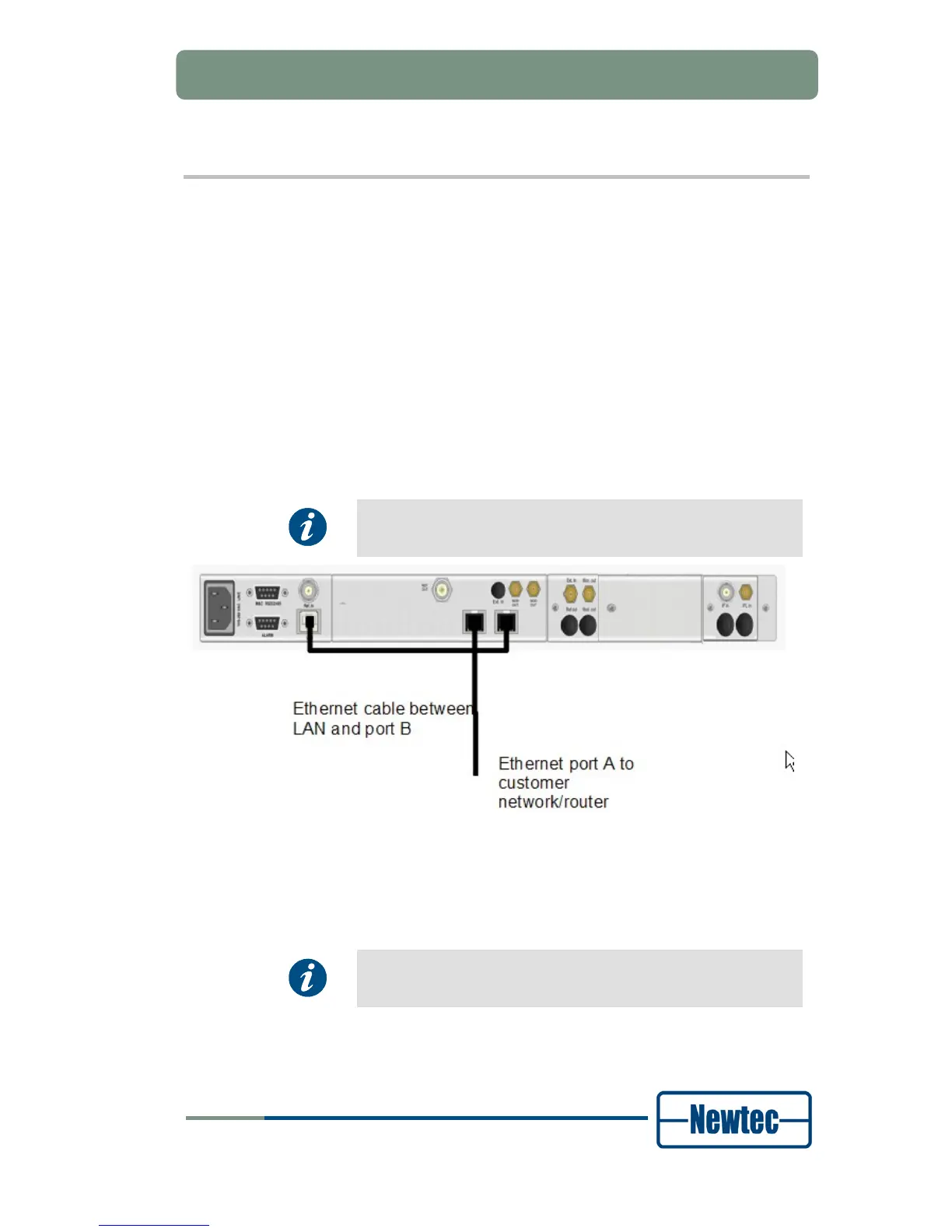
Make a physical connection between the management port ( marked as LAN) and
the second data port (marked as port B) on the EL470.
We assume that the data port for the user data is port A.
Figure 100 – Loopback Management Physical Connection
Use a straight ethernet cable to make the loopback connection, port B is auto-
cross over.
When this loopback management function is used it is not
possible to use the port redundancy function.



 To Next Page