SHAPING THE FUTURE OF SATELLITE COMMUNICATIONS
9.7.2 Configuration
To getter with this function two new parameters are added to indicate to the EL470
that the loopback mode is active.
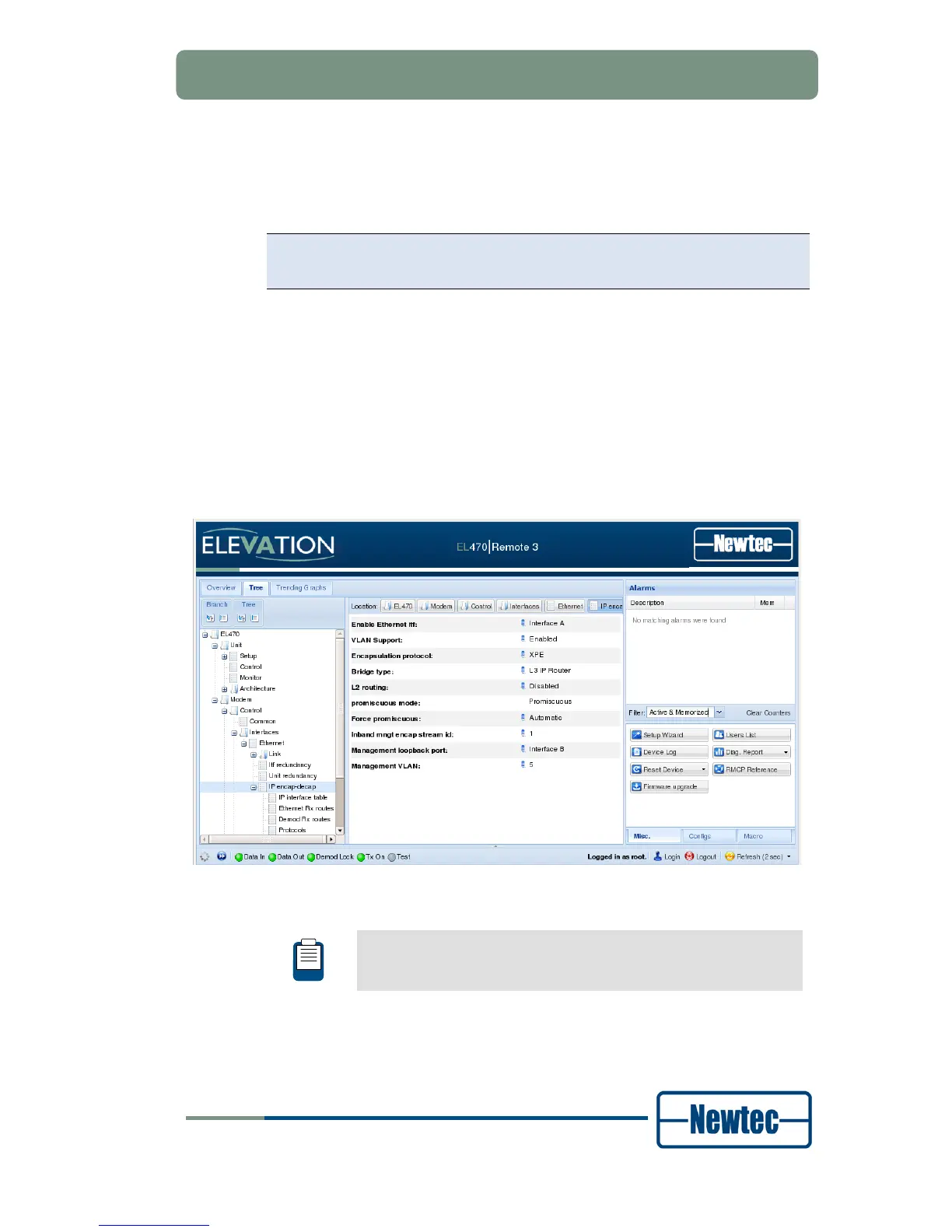
The parameters are located under
EL47X>>Modem>>Control>>Interface>>Ethernet>>IPencap-
decap
• Parameter 1: Management loopback port , here you can select the port that
is used to loopback on.
Options : Interface A , Interface B
• Parameter 2: Management VLAN : This option is only visible when you work in
a “VLAN support enabled” mode. Define here the VLAN tag that port A or B
should add to the management traffic coming from the LAN (management port)
So to state clearly, the LAN port (management port) always sends out untagged
traffic it is the loopback port (port B in our example) who adds the VLAN tag to
the management traffic.
Figure 101 –Management Loopback Port and Management VLAN
For a detailed configuration to the application note: Management
Loop-back inserted on the cd you received with this device.



 To Next Page