SHAPING THE FUTURE OF SATELLITE COMMUNICATIONS
6.7 Create a Diagnostics Report
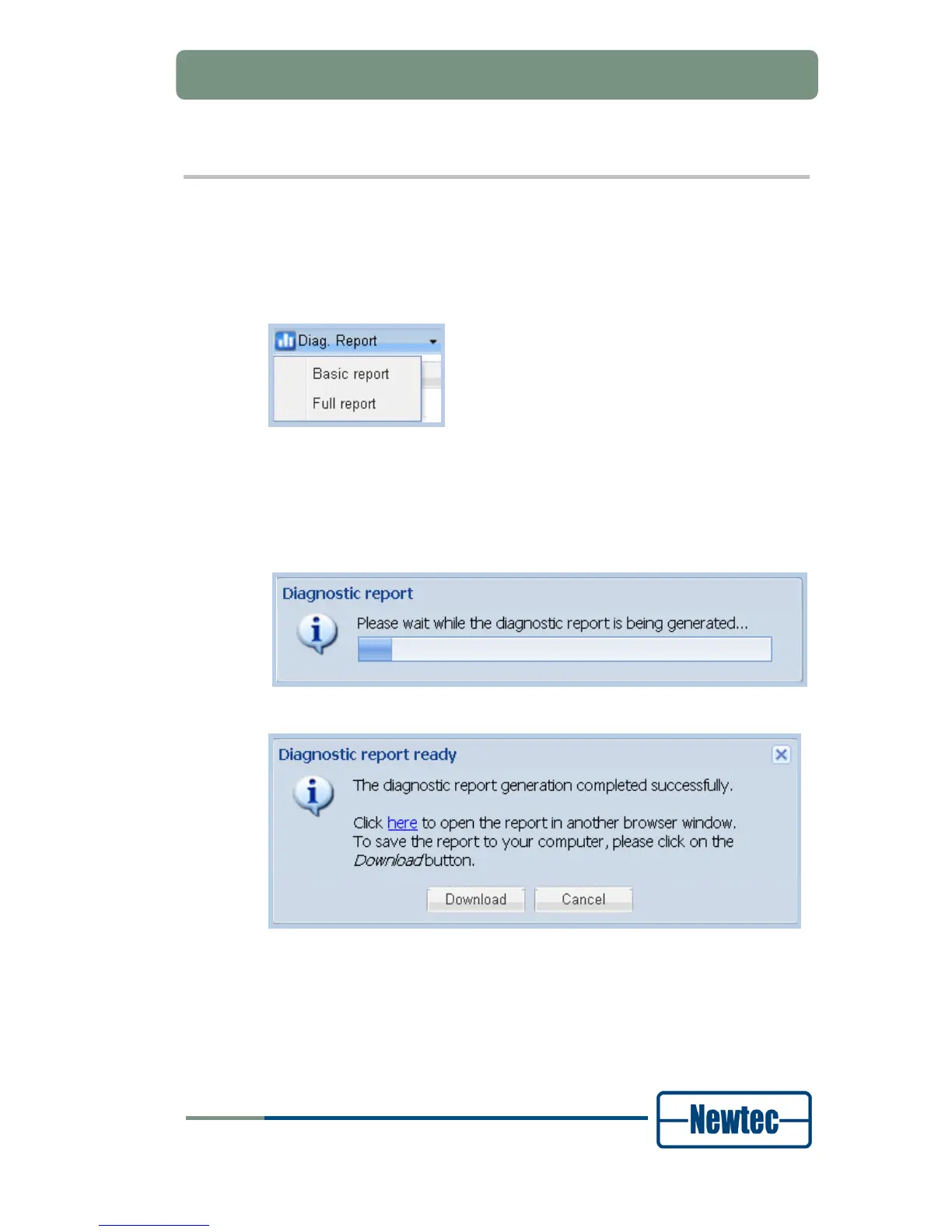
Perform the following steps to create a diagnostics report.
Click Misc. tab;
Click Diag. Report.
Figure 51 - Create a Diagnostic Report
• Basic: The basic rapport shows all configuration parameters;
• Full: The full rapport shows all configuration parameters and debugging
parameters.
Click Basic report or Full report;
Figure 52 - Diagnostic Report Generation
Figure 53 - Diagnostic Report Ready
Click download to store the diagnostics report as an html file or click here to open
the report in another browser window.
The following screenshot displays an extract of a basic diagnostics report.



 To Next Page