SHAPING THE FUTURE OF SATELLITE COMMUNICATIONS
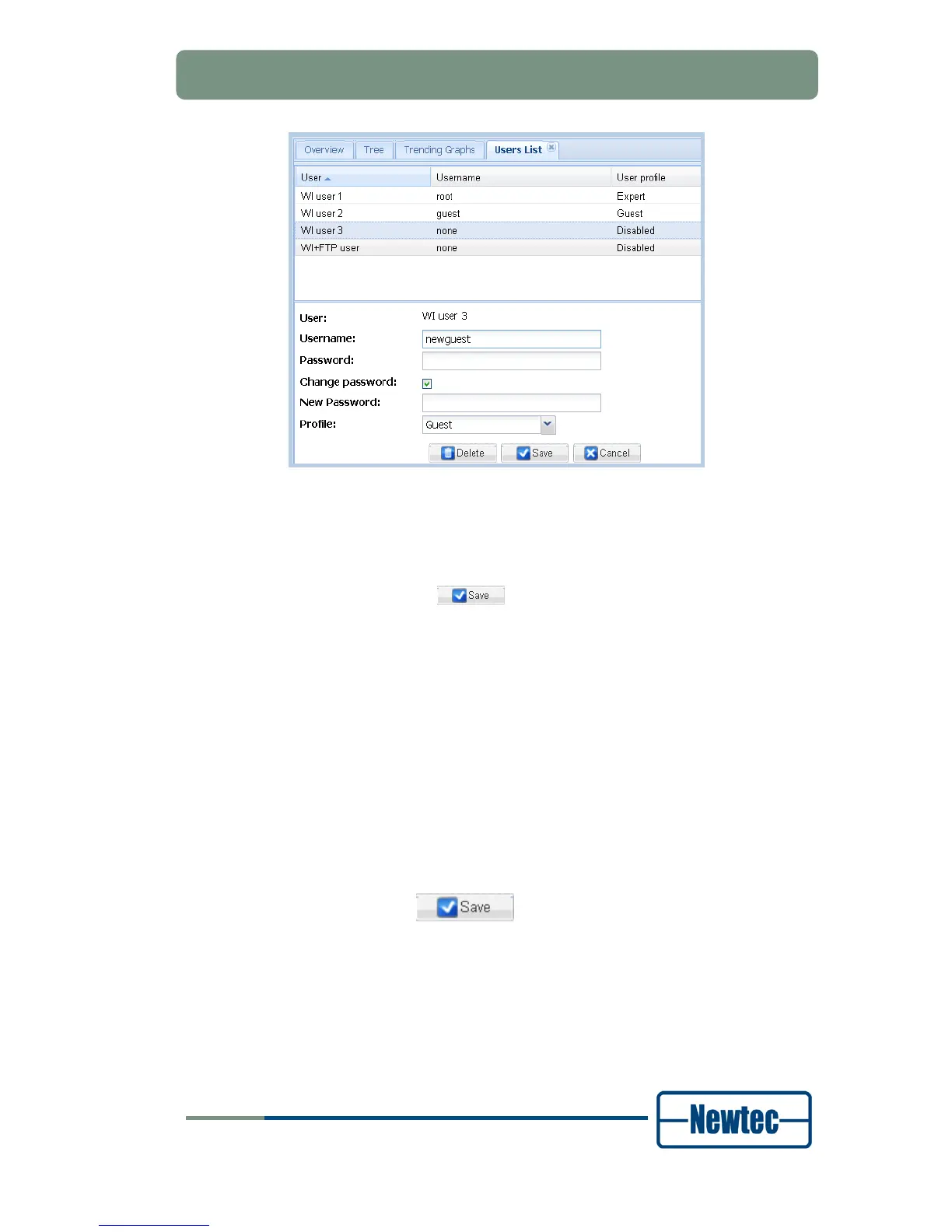
Figure 50 – New Password Field
Type in the field:
- Password: the old user password;
- New password: the new user password;
Click the Save button (
) to save the new password.
6.6.1.5 Change the User Profile of a User Account
Only users with the expert user profile can change the user profile for a user
account. At least one user must contain the Expert profile. It is impossible to
remove the last Expert user.
Proceed as follows to change the user profile for a user account:
Click the Users List button on the Miscellaneous tab;
Select the user account for which you want to change the user profile;
Type in the Password field the password for the user account;
Select a user profile from the Profile drop-down list box;
Click the Save button (
) to save the new user profile for the user
account.



 To Next Page