SHAPING THE FUTURE OF SATELLITE COMMUNICATIONS
6.3.1 Banner
The banner contains an editable text field right of the product name. The user can
use this text field to assign a unique identifier to the device. Double-click this text to
edit the content.
The text displayed in editable text field of the banner is the same
as the screensaver message.
6.3.2 Central Stage Window
The central stage window contains three tabs:
• Overview;
• Tree;
• Trending Graphs.
Figure 35 – Default Tabs Central Stage Window
6.3.2.1 Overview Tab
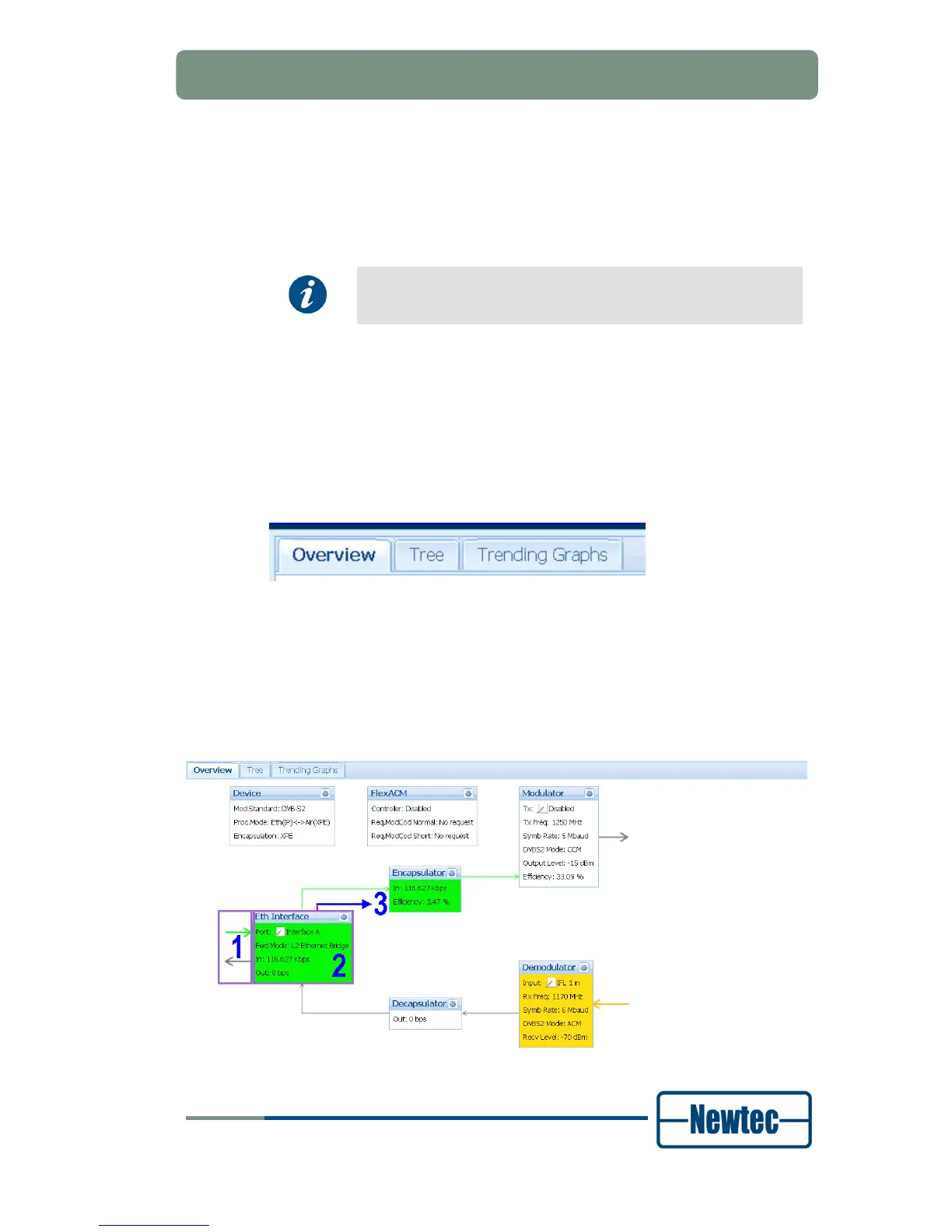
The Overview tab contains a diagram representation of the functions that are
carried out in the device. These functions are represented by a set of functional
blocks with function names, basic settings and counters. The blocks are connected
with arrows that illustrate the process flow.
Figure 36 – Example of a Functional Overview



 To Next Page