SHAPING THE FUTURE OF SATELLITE COMMUNICATIONS
Packet Generator
The procedure to activate the UDP packet generator is as follows:
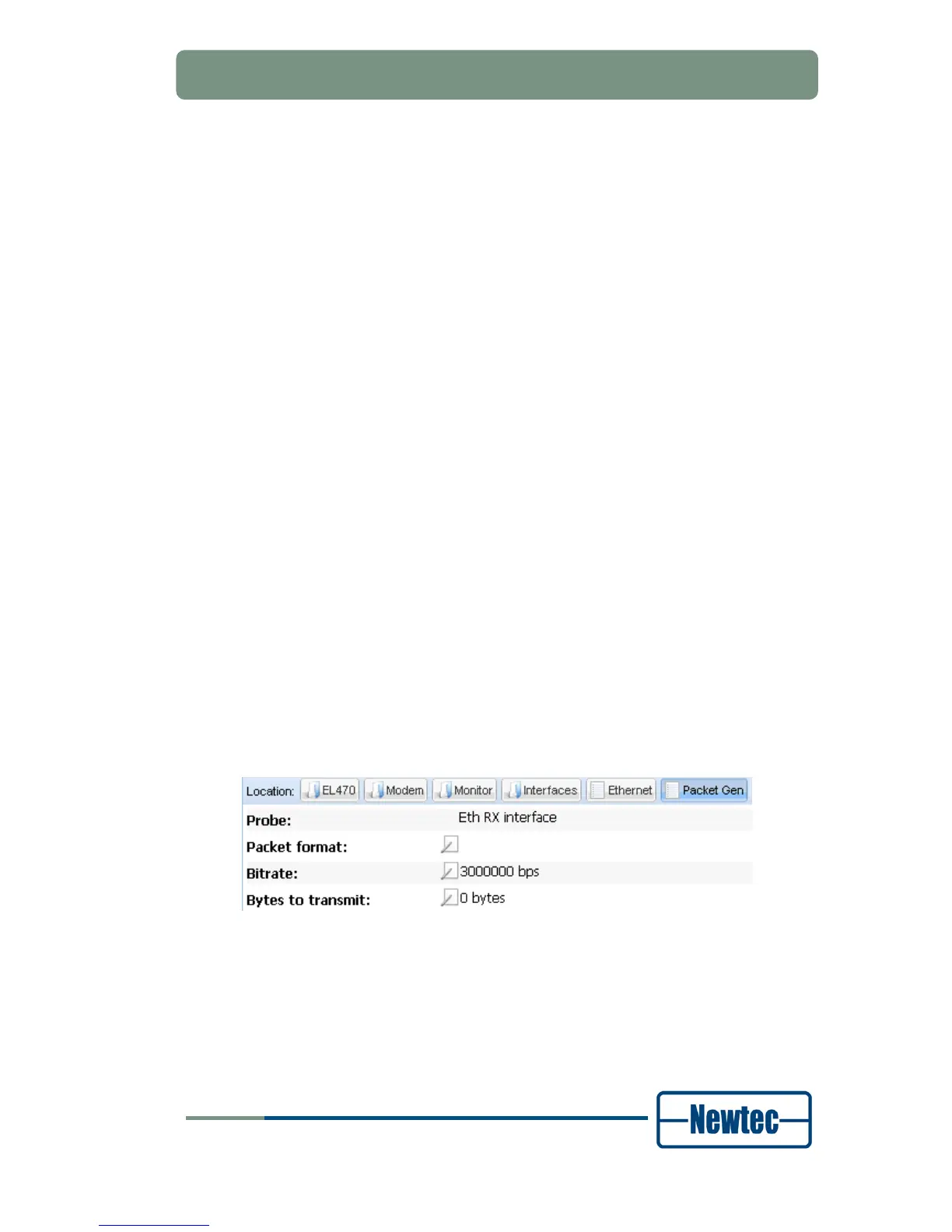
Go to the EL470 >> Modem >> Monitor >> Interfaces >> Ethernet >> Packet Gen
menu;
Fill out the Packet format;
The packet generator format is defined by a space-separated sequence of the
following expressions
-
vlan==5 (VLAN)
-
eth.dst==00:11:22:33:44:55 (destination MAC address hex)
-
eth.src==00:11:22:33:44:55 (source MAC address hex)
-
ip.dst==1.2.3.4 (destination IP address)
-
ip.src==1.2.3.4 (source IP address)
-
ip.len==1200 (length of UDP datagram, default
-
1470)
- (does not include length of ip or udp
- header)
-
udp.dst==5001 (or 0x1389)
- (UDP destination port, default 5001)
-
raw[12]==ab (payload of UDP datagrams, hex)
-
- In the most common case only the destination ip address is filled out
- (and a VLAN, if VLANs are used):
ip.dst==10.100.0.3
ip.dst==10.100.0.3 vlan==5
For Probe select Eth RX interface;
Fill out the Bit rate in bps;
Fill out the Bytes to transmit.
Figure 106- Packet Generator
The traffic generator starts transmitting if this counter is filled out with a positive
number and the counter counts down according to the number of bytes that are
sent. The generator stops if the counter has reached the value 0.
If you enter the value 4294967295 the traffic generator transmits packets
continuously (until this value I set to 0)



 To Next Page